Configuring the WLAN Scheduler

Set up schedules to enable or disable WLANs automatically based on specific days and times to optimize network availability and performance.
By configuring the WLAN scheduler, the controller can block wireless client sessions based on factors such as WLAN, time, and day. It can also restrict network access by defining a specific time window during which devices are allowed to connect. If the WLAN scheduler is disabled, SSID broadcasts stop and all client connections are terminated, including those that were active prior to disabling the scheduler.
  1. From the main menu, navigate to Network > Wireless > Wireless LANs.
    This displays the Wireless LANs screen.
  2. In the Wireless LANs screen, select the zone to configure the WLAN scheduler, then click the Services tab.
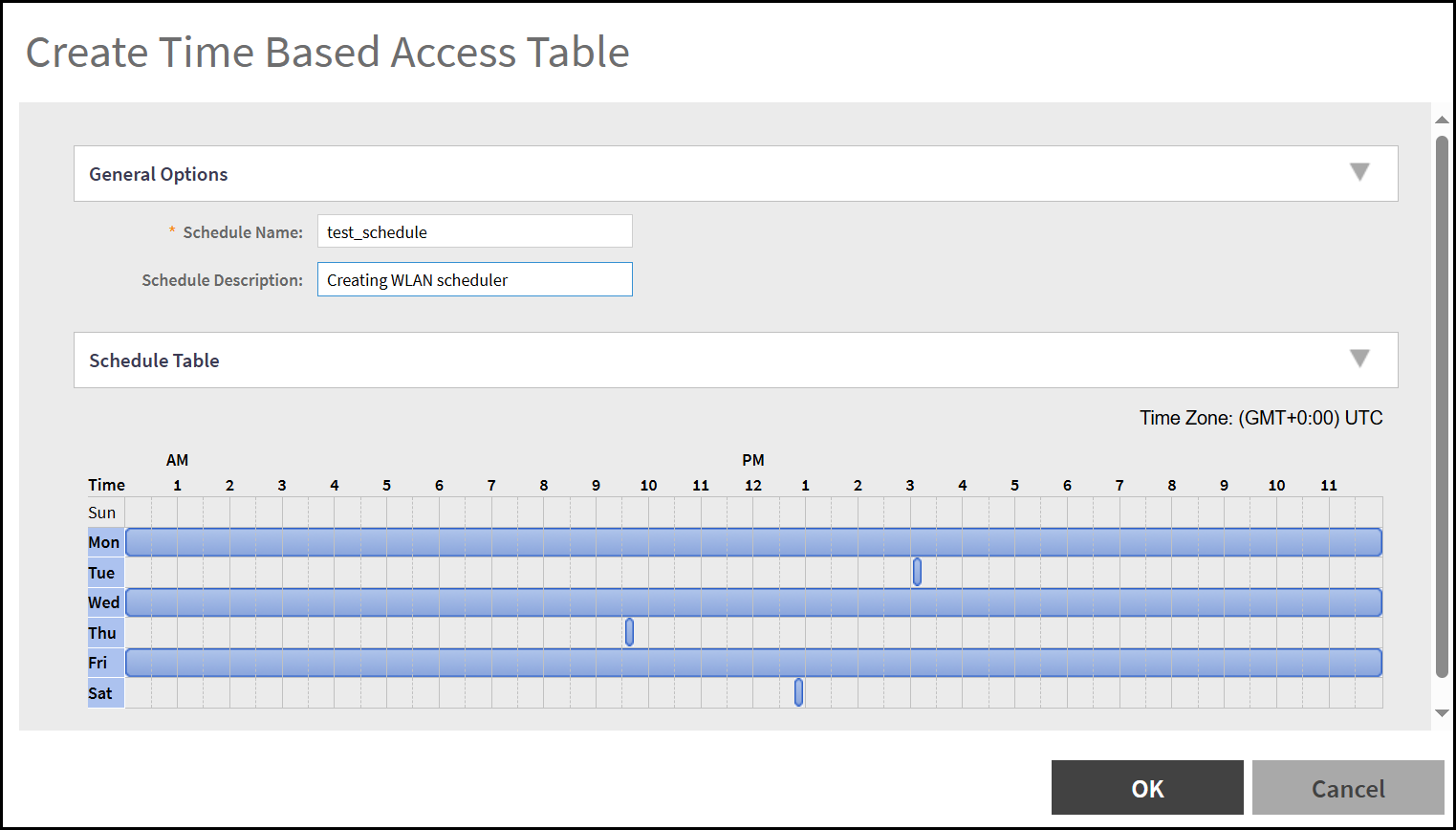
  3. Navigate to WLAN Scheduler section and click Create.
    This displays the Create Time Based Access Table window.

    Create Time Based Access Table

  4. Click OK.
    The time schedule is configured.