Upgrading the AP Software
This process involves updating the
firmware of connected access points (APs) to the latest version provided by the
SmartZone
controller. The upgrade ensures APs receive feature enhancements, security patches,
and bug
fixes.
The feature enhancements and fixes for known issues related to AP software are delivered through the AP firmware, which is bundled with the firmware version included in the (v)SZ software upgrade image.
The (v)SZ supports multiple AP firmware versions. A zone’s AP firmware can be manually upgraded or downgraded as needed. To change the firmware version for a zone, perform the following -
- From the main menu, navigate to .
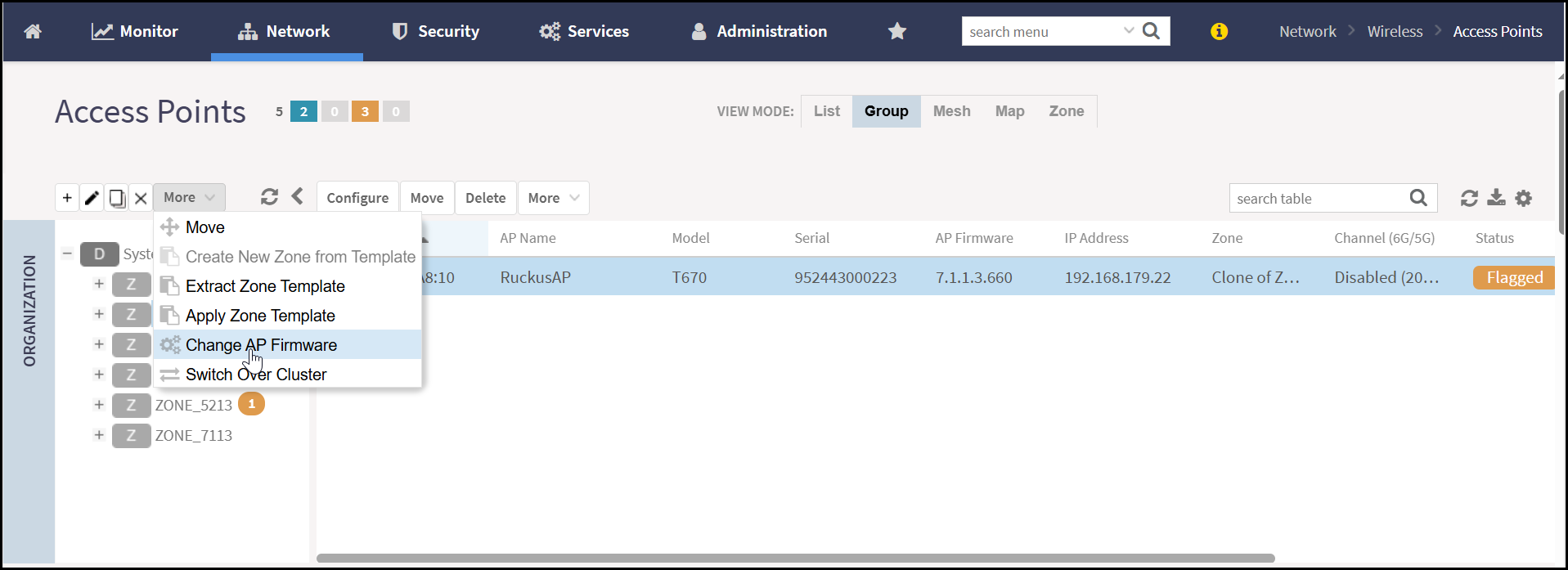
- In the Access Points page, select a zone from the system hierarchy and click More.
- In the Action menu, click Change AP
Firmware.This displays the Change AP Firmware window.
- Select the new firmware version. The system automatically creates a backup of the existing configuration during the upgrade. This backup allows restoring the zone in case of a firmware downgrade.
- Click Yes. The
application displays the AP firmware update successful message.Note: If the zone fails to upgrade, a message is displayed to download the CSV file.Note: The firmware package includes upgrade binaries, digital signatures, and signer certificates. Upon receiving the firmware from the (v)SZ, the AP begins by validating the certificate chain. Once the chain is confirmed, signature verification for the firmware is performed. If signature validation succeeds, the installation of the update proceeds as expected. A failure in either step causes the upgrade to terminate. The UI reflects the failure status, and additional details are available in the system logsNote: The AP’s default gateway IP must be configured (either statically or via DHCP), even if the AP and vSZ reside within the same subnet.Caution: Upgrading the AP software can force a restart and therefore, cause a temporary interruption in all the functionalities.