Creating a New WLAN
In addition to the initial WLAN you
created during the setup process, you can create new WLANs using the Wi-Fi component.
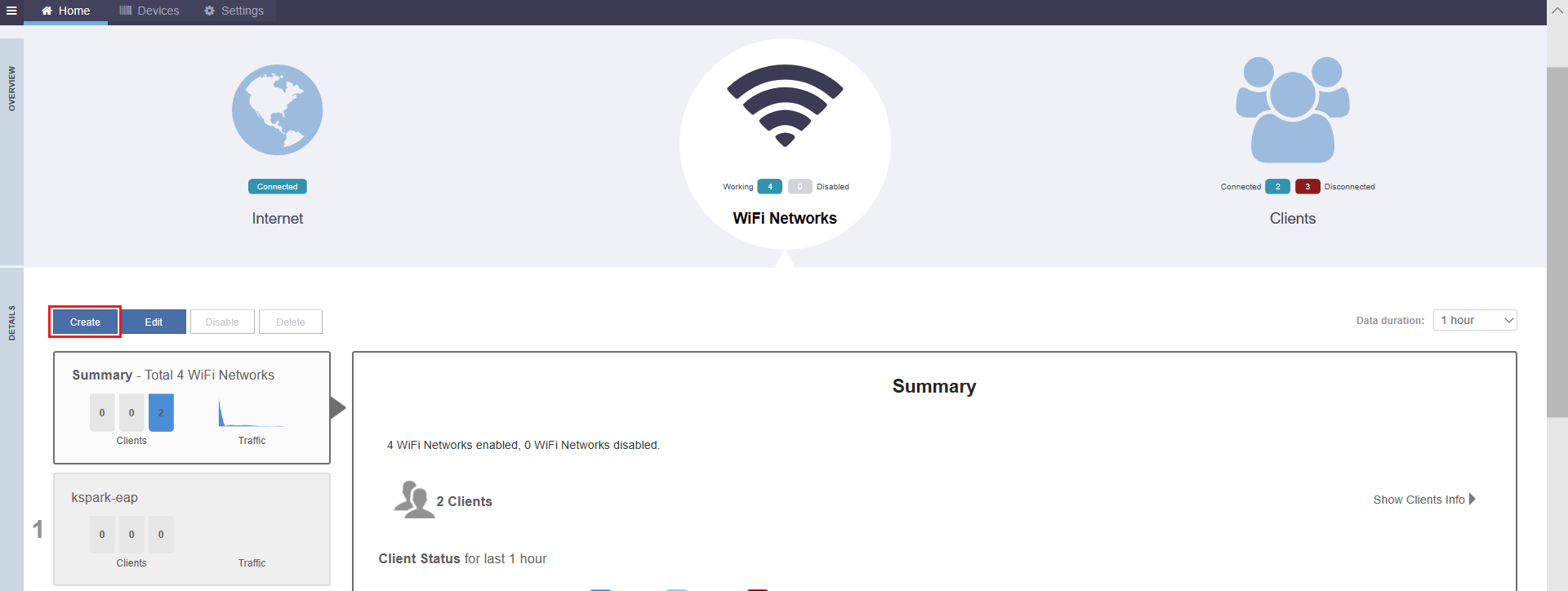
- In the WiFi component, click Create.
- In the Create New
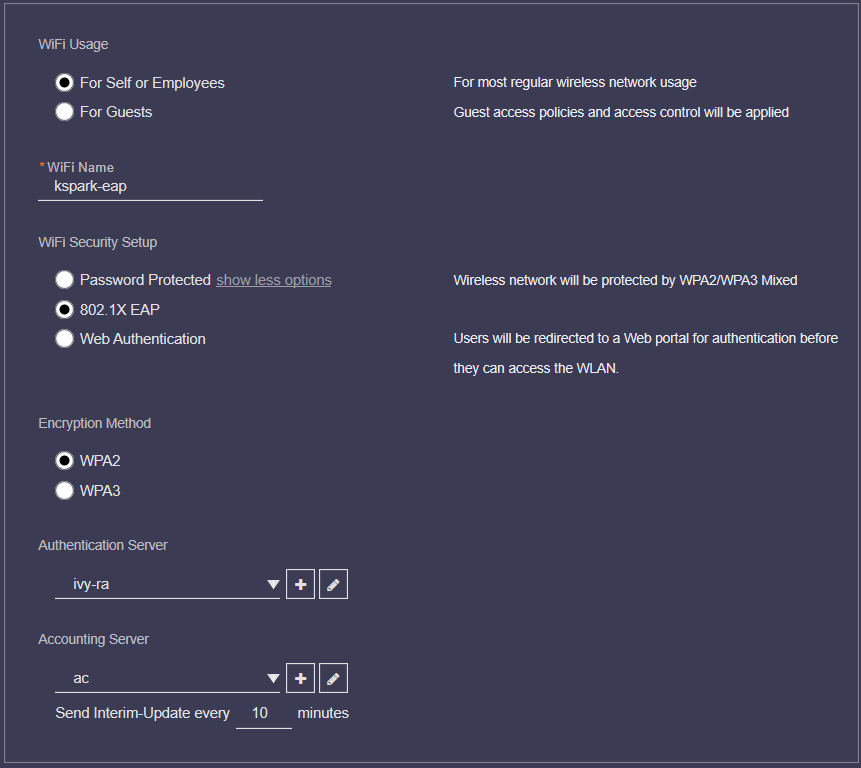
Wi-Fi dialog box, under Wi-Fi Usage,
select one of the following options:
- For Self or Employees: Creates a WLAN for most regular wireless network usage.
- For Guests:
Guest access policies and access controls will be applied. For more
information, refer to Guest WLANs.
Note: Social Media WLANs are a subset of guest WLANs, and are configured using the guest WLAN settings. Social media WLANs require a visitor to log in using a social media account before being granted Internet access. For more information, refer to Social Media WLANs.
- Under Wi-Fi Name, enter a name for the wireless network.
- Under Wi-Fi Security
Setup, select one from the following:
- Password Protected: Password-protected authentication method allows for the use of WPA2/WPA3-Mixed encryption and requires a Wi-Fi password.
- 802.1X EAP: 802.1X EAP provides authentication against either the internal database or an external RADIUS server. The 802.1X EAP authentication method (also known as "WPA2-Enterprise") provides effective authentication regardless of the encryption method, and requires a back-end (RADIUS) authentication server. WPA2-Enterprise provides secure connectivity by ensuring that every device must authenticate to an authentication server before it is allowed access to network resources. Authentication can be based on digital certificates, and granular policies can be designed to govern the level of access and to provide visibility and control over devices on the network. WPA2/WPA3-Mixed WLAN encryption is supported.
- Web Authentication: Web authentication redirects users to a web portal for authentication before they can access the WLAN.
- Under Encryption
Method, select one of the following options:
- WPA2: Encrypts traffic using the WPA2 standard. The WPA2 encryption method complies with the 802.11i security standard. WPA2 encryption remains mandatory for all new products that bear the Wi-Fi trademark.
- WPA3: The WPA3 standard replaces WPA2 with several security enhancements.
- WPA2/WPA3-Mixed: Allows mixed networks of WPA2- and WPA3-compliant devices. SAE FT and AKM PSK SHA256 is supported for Open authentication + WPA2/WPA3-Mixed encryption. Enable 802.11r FT Roaming is configurable for open authentication and WPA2/WPA3-Mixed encryption and 802.1X EAP authentication + WPA2/WPA3-Mixed encryption under . Refer to Radio Control Settings for more information.
- If 802.1X EAP or
Web
Authentication is chosen, select a server from the Authentication
Server list. Note: If an external authentication server is to be used rather than the internal database, click the plus sign (+) next to Authentication Server to create an AAA server. Alternately, you can create AAA servers on the tab. For more information, refer to AAA Servers.
- Select a server from the Accounting Server list and enter a time period in minutes for the Send Interim-update every field.
- Click OK to save your changes and deploy the new WLAN.
Note: For advanced WLAN configuration options, refer
to Advanced WLAN Configuration.