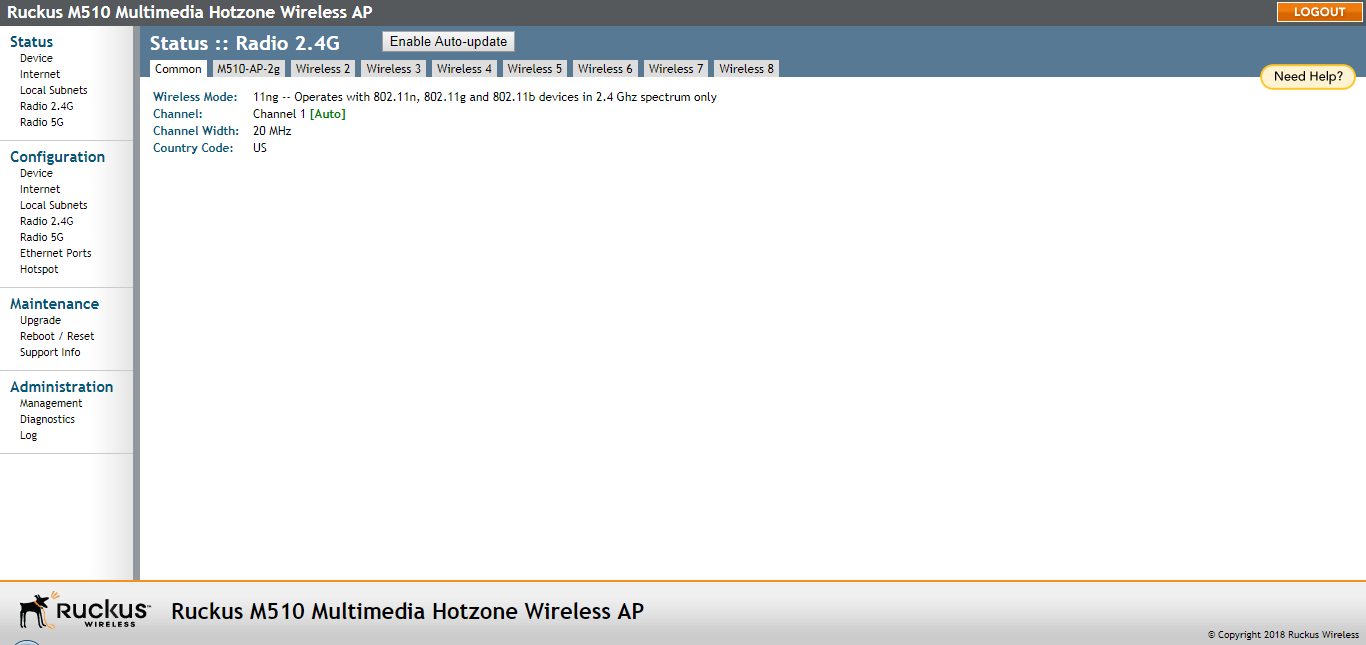
The common wireless settings page provides an overview of current global wireless
settings.
If you want to view the current common wireless settings that the AP is using, go
to Status > Radio 2.4G or
Status > Radio 5G).
The following table lists the descriptions of each common wireless setting.
The Status > Wireless (Radio 2.4G/5G) > Common page
Common Wireless settings
Setting
Description
Wireless Mode
Shows the wireless mode that the AP is currently using. Possible values include:
Auto Select: (For 802.11b/g APs only) Allows both 802.11g- and 802.11b-compliant devices
to connect to the network. This is the default setting.
2.4GHz 54 Mbps: Allows 11g devices only.
2.4GHz 11 Mbps: Allows 11b devices only.
11ng: Operates with 802.11n, 802.11g and 802.11b devices in the 2.4Ghz spectrum only.
11na: Operates with 802.11n and 802.11a devices in the 5GHz spectrum only.
Channel
Shows the wireless channel that the AP is currently using. If you set the wireless
channel to SmartSelect, this field shows the value
Channel # [SmartSelect].
Channel Width
11n/ac devices only. Displays whether the channel width is set to 20, 40, or 80 MHz.
Country Code
Shows the country code that the AP has been set to use.
Caution: Verify that the AP is using the correct country code to make sure it uses only the
allowed radio channels in your region. Selecting the incorrect country code may result
in violation of applicable laws.
AeroScout RFID tag detection (some APs)
Shows Enabled if you enabled AeroScout RFID tag detection. The default setting is
Disabled.
AeroScout Engine communication daemon (some APs)
Shows
Up if the communication agent on the AP is able to relay location data from AeroScout
Tags to the AeroScout Engine.
If the communication agent is unable to relay data or AeroScout tag detection is disabled,
this field shows
Down.
Ekahau Engine communication daemon (some APs)
Shows Enabled if you have enabled Ekahau RFID tag detection. Default is disabled.
ERC IP (some APs)
Ekahau Real Time Location System RTLS Controller IP address.
ERC Port (some APs)
TCP port used by the Ekahau Real Time Location System RTLS Controller.
If you want to make changes to any of these settings, go to the
Configuration > Radio 2.4G/5G page. Refer to
Configuring Common Wireless Settings for more information.