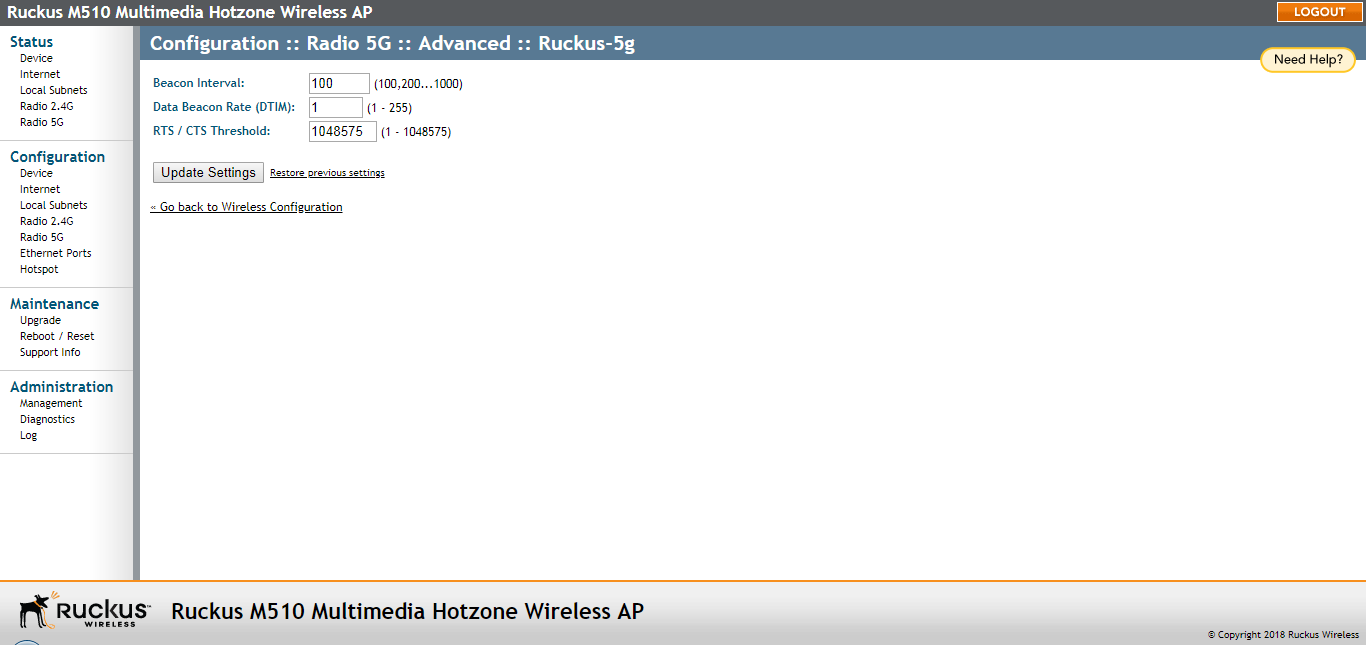
Setting Threshold Options
Threshold options consist of Beacon Interval, Data Beacon Rate and RTS/CTS Threshold.
Caution: Do not customize these options unless you are an experienced network administrator
or are under the guidance of an IT/support professional.
- Go to Configuration > Radio 2.4G or Configuration > Radio 5G.
- Click the tab for the Wireless # (WLAN number) that you want to configure. The Configuration > Wireless > Wireless [#] page appears.
- In Threshold Settings, click Edit Settings. The Configuration > Wireless > Advanced > [WLAN name] page appears.
- Review the options listed in the following table, and then make any needed changes.
Threshold options
Option Description Beacon Interval (The default value is 100.) The value indicates the frequency interval of the beacon in milliseconds. A beacon is a broadcast packet sent by the AP to synchronize the wireless network. Data Beacon Rate (DTIM) (The default value is 1.) The value indicates the interval of the Delivery Traffic Indication Message (DTIM). This is a countdown field that the device uses to inform its clients of the next window for listening to broadcast or multicast messages. RTS/CTS Threshold (The default value is 1048575.) This option determines at what packet length the RTS/CTS function is triggered. A lower threshold may be necessary in an environment with excessive signal noise or hidden nodes, but may result in some performance degradation. - Click Update Settings to save and apply the changes. A confirmation message appears at the top of the page.