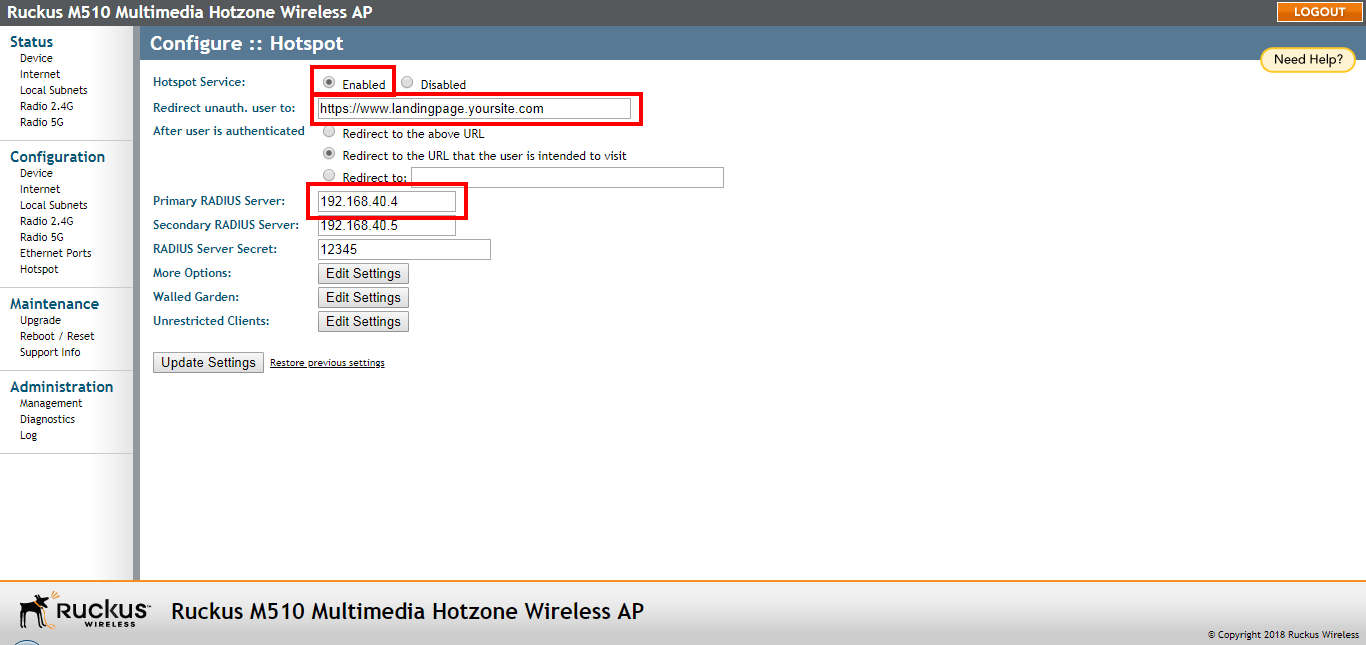
Configuring Hotspot Service
Hotspot service can be deployed on standalone APs through the web interface.
- Go to Configuration > Hotspot.
- Click Enabled next to Hotspot Service.
- Review the settings in the following table, and make changes as needed.
Hotspot configuration settings
- Click Update Settings to save your changes.