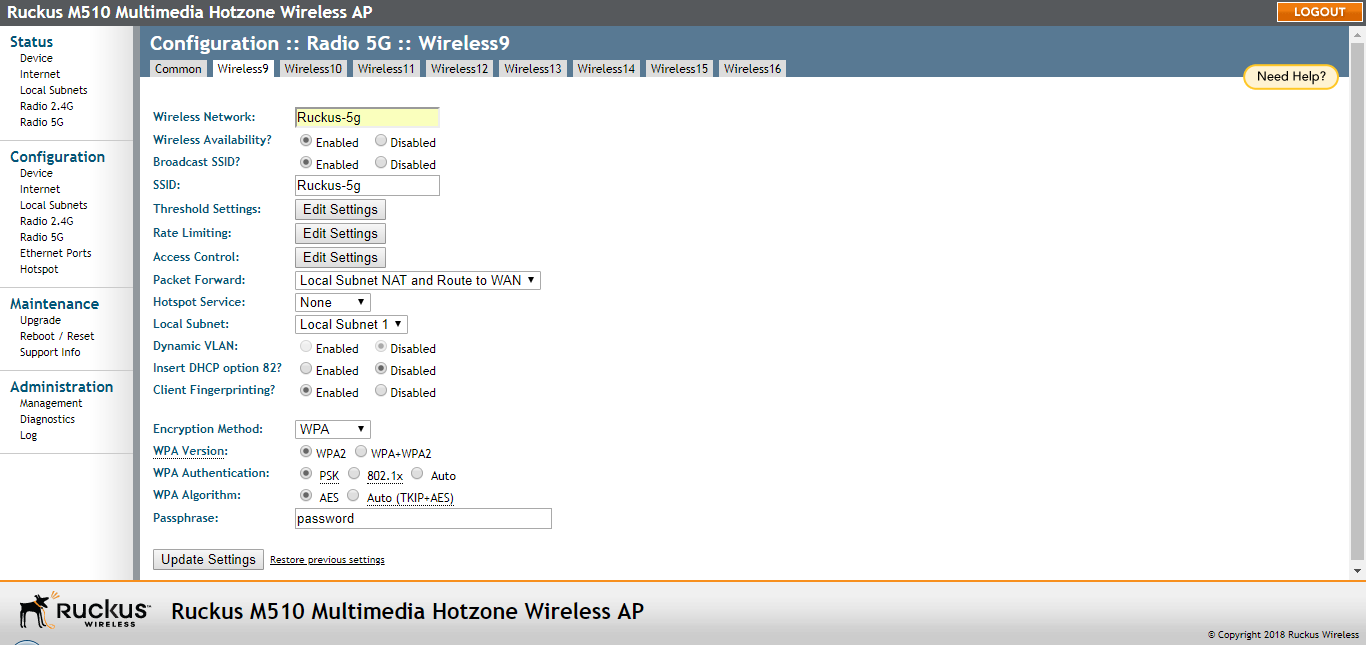
Configuring Wireless # (WLAN number) Settings
To complete configuring the wireless settings, configure at least one Wireless # (WLAN
Number) tab.
- Click one of the Wireless # (WLAN number) tabs.
- In Wireless Availability, click Enabled.
- In Broadcast SSID, click Enabled.
- Clear the
SSID box, and then type a unique and descriptive name that you want to call this wireless
network.
For example, you can type Ruckus Wireless AP. This SSID is the name that helps users identify this wireless network in their wireless network connection application.Note: You may also configure other wireless settings on this and other Wireless # tabs (in addition to the settings described above), although it is not necessary for completing the AP installation.
- Click Update Settings.