H510 Wall Switch
- It can be mounted on a standard USA- or EU-style single-gang wall outlet box.
- It can be powered by a customer-supplied IEEE 802.3af- or 802.3at-compliant PoE switch or injector, or can be powered by an optional customer-ordered DC power adapter.
- It has bottom cutouts for one or two bypass cables. The mounting bracket has locating hooks to keep the bypass cables aligned with the cutouts when attaching the H510 to the mounting base.
- It can have a low-power (0.5W or less) customer-supplied USB device plugged in. The USB port is intended for low-power devices such as BLE (Bluetooth low energy) beacons.
The H510 has four LEDs, one RJ-45 connector, and a reset button on its rear panel, and has one USB port (refer to AP Support for Bluetooth Low Energy Devices, four RJ-45 connectors, and one DC power connector on its bottom panel.
About Peripheral Devices
The H510 can supply power to USB devices and PoE-powered devices, and the power supplied depends on the PoE power supplied to the H510.
- The USB port is intended for low-power devices such as BLE beacons. The maximum power that the USB port can supply is 0.5W.
- The LAN1+PoE port is intended for PoE-powered peripheral devices such as IP telephones.
For a description of the input and output power options, refer to the table below.
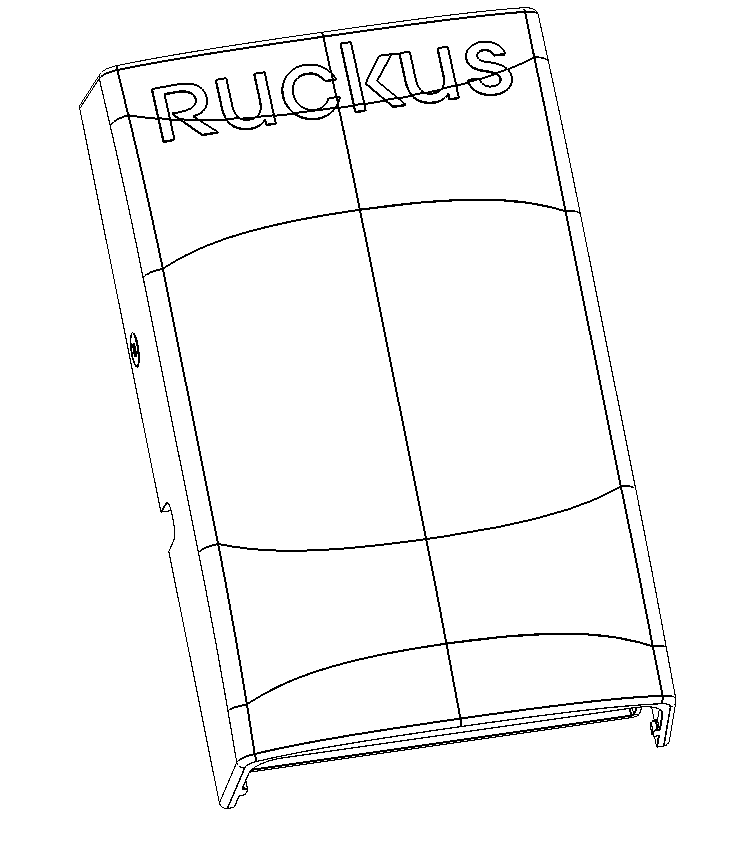
Front Panel Features
The following figure shows the front view of the H510.
Rear Panel Features
The following figure shows the rear panel of the H510. For a description of each rear panel element, refer to the table below.
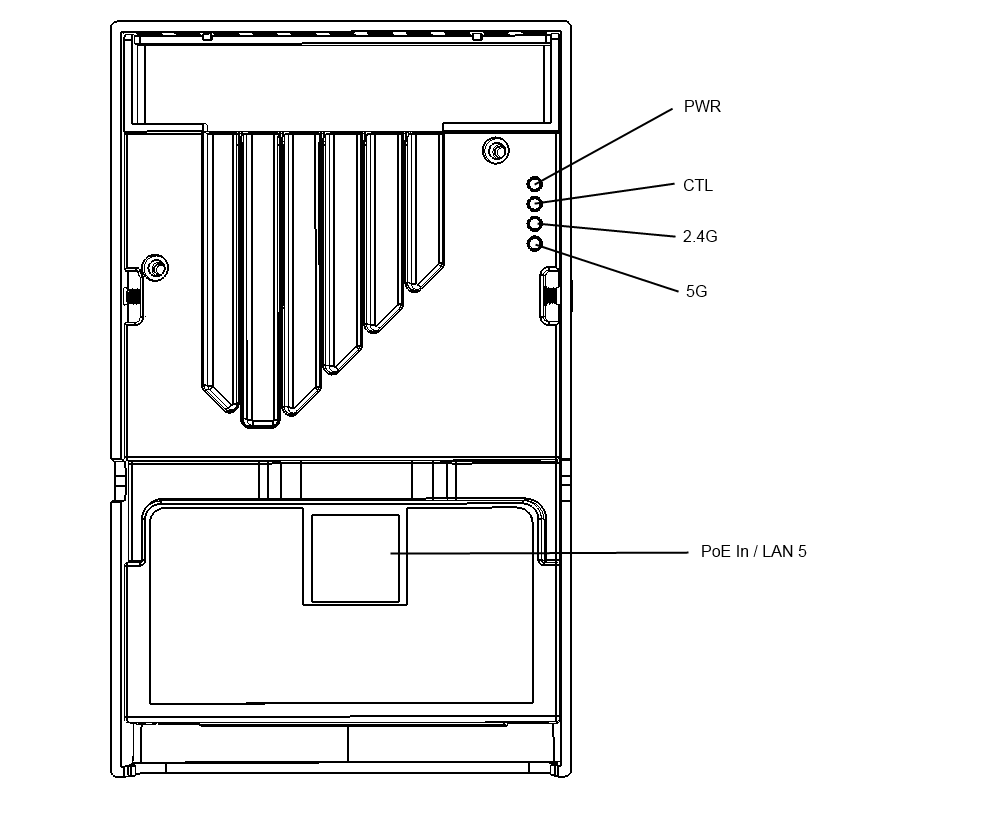
H510 rear panel elements
Bottom Panel
The following figure shows the bottom view of the H510. For a description of each bottom panel part, refer to the table below.
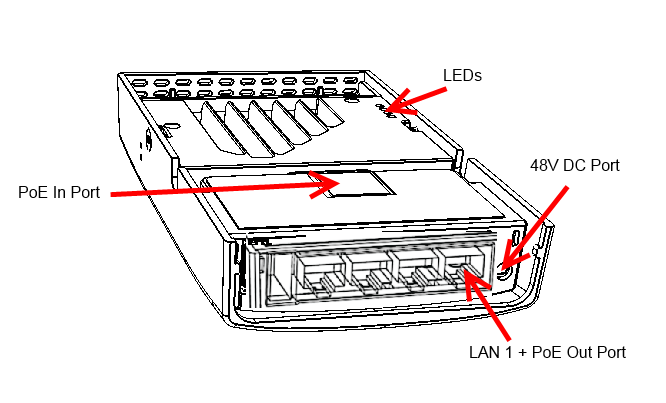
H510 bottom panel elements
| Item Name | Description |
|---|---|
| USB port | Optional USB connector (refer to AP Support for Bluetooth Low Energy Devices). |
| LAN4 port | 10/100/1000 RJ-45 Ethernet Port. |
| LAN3 port | 10/100/1000 RJ-45 Ethernet Port. |
| LAN2 port | 10/100/1000 RJ-45 Ethernet Port. |
| LAN1+PoE Out port | 10/100/1000 RJ-45 LAN port with PoE out. Supports 802.3af PSE Class 2 or 3 (depending on power input; refer to About Peripheral Devices). |
| 48VDC port | Optional 48VDC power input connector. |
Reset Buttons
Two reset buttons on the left side of the AP are used to reboot or factory reset the AP.
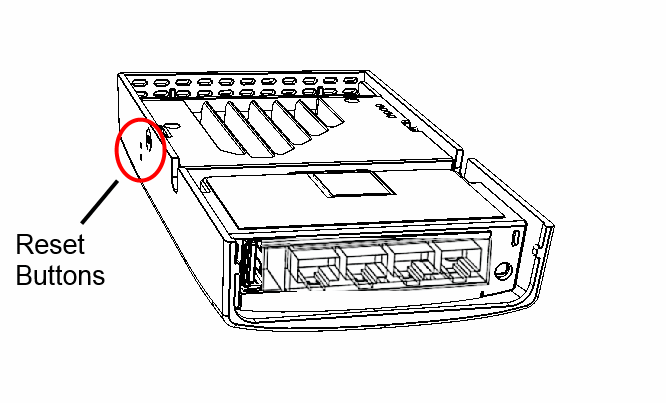
Use a straightened paper clip to press and release the Hard Reset button for eight seconds or more to reset the AP to factory defaults. Use a straightened paper clip to press and hold the Soft Reset button to reboot the AP. This is the same as removing power and then and restoring power to the H510.