Enabling Logging and Sending Event Logs to a Syslog Server

If you have a syslog server on the network, you can configure the AP to send the device logs to the server. You need to enable logging (if disabled) and configure the AP to send logs to the syslog server.
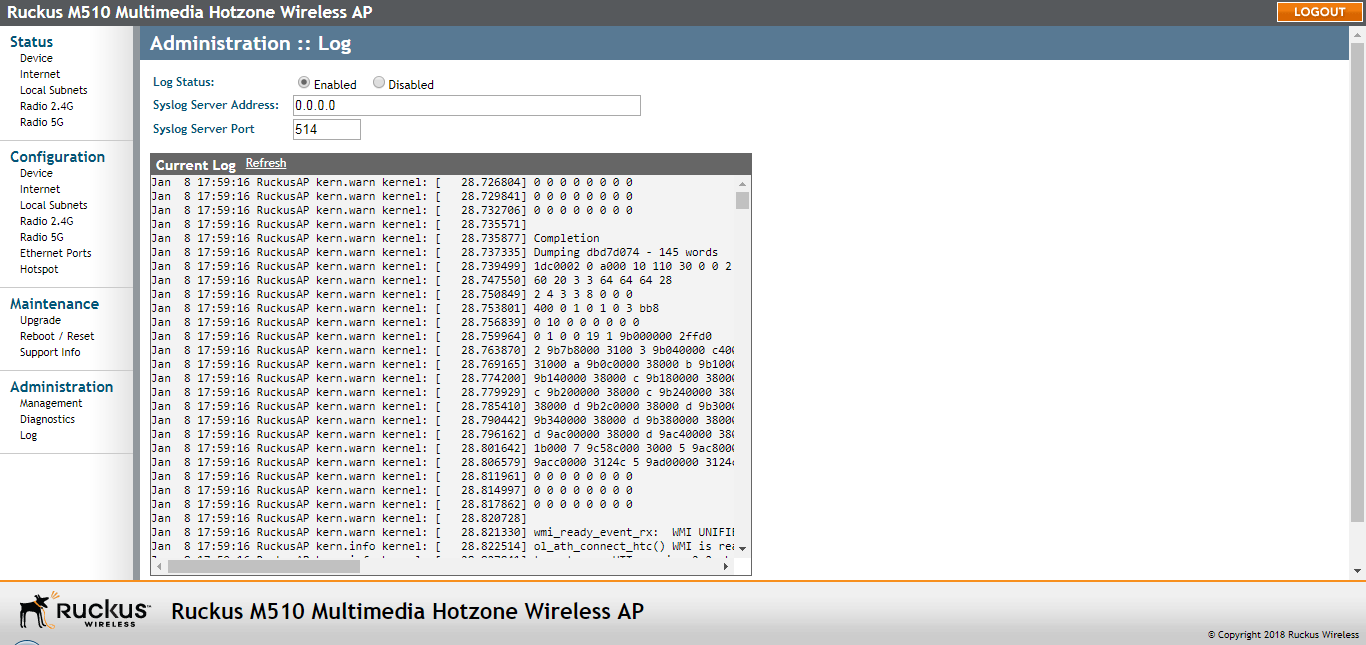
  1. Go to Administration > Log.

    The Administration > Log page

  2. Look for Log Status, and then click Enabled.
  3. After enabling logging, configure the following options:
    • Syslog Server Address: To enable the AP to send messages to a syslog server as they appear, enter the IP address of the syslog server.
    • Syslog Server Port: By default, the syslog port number is 514. If the syslog server is using a different port, enter that port number in this field.
  4. Click Update Settings to save and apply your changes.