The Ruckus H320 is an 802.11ac Wave 2 dual band access point with integrated 2-port
Ethernet, in a form factor which allows mounting to electrical outlet boxes.
Note: The H320 requires Ruckus Wireless base image 106.1 firmware or later. Managed H320
deployments require SmartZone 3.5.1 or later, or ZoneDirector (ZD) 10.0..x or or later.
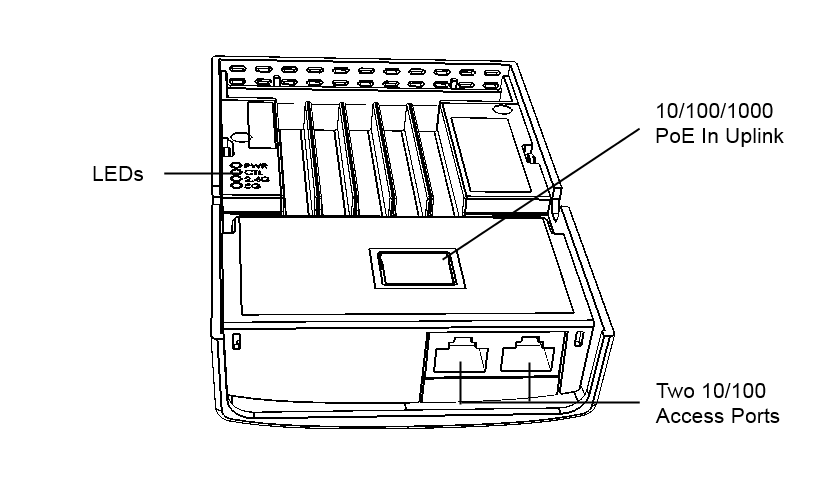
The H320 has four LEDs, one 10/100/1000 Mbps RJ-45 connector that supports 802.3af/at
PoE, and a reset button on its rear panel, and two 10/100 (non-PoE) RJ-45 connectors,
and one DC power connector on its bottom panel.
Front Panel Features
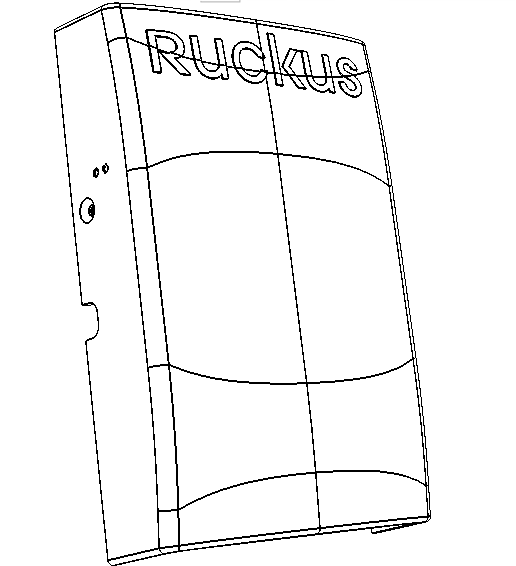
The following figure shows the front view of the H320.
H320 front view
Rear Panel Features
The following figure shows the rear panel of the H320. For a description of each rear
panel element, refer to the table below.
H320 rear view
H320 rear panel elements
LED
Description
PWR
Off: Off.
Red: Boot up in process.
Flashing Green: No routable IP address
Green: On.
CTL
Off: The AP is not being managed by a Ruckus Wireless controller (standalone mode).
Green: The AP is being managed by a Ruckus Wireless controller.
Slow flashing green (one flash every two seconds): The AP is being managed by a Ruckus
Wireless controller, but is currently unable to communicate with the controller.
Fast flashing green (two flashes every second): The AP is being managed by a Ruckus
Wireless controller and is currently receiving configuration settings (provisioning)
or an image update.
2.4GHz WLAN
Off: The 2.4GHz WLAN service is down.
Green: The WLAN service is up, at least one client is associated, and signal quality
is good (RSSI >= 15).
Amber: The WLAN service is up but no clients are associated.
5GHz WLAN
Off: The 5GHz WLAN service is down. Green: The WLAN service is up, at least one client
is associated, and no downlink MAPs are connected.
Slow flashing green (one flash every two seconds): The WLAN service is up, at least
one downlink MAP is connected, and no clients are associated.
Fast flashing green (two flashes every second): The WLAN service is up, at least one
downlink MAP is connected, and at least one client is associated.
Amber: The WLAN service is up, but no clients or downlink MAPs are associated or connected.
PoE In Port
One RJ-45 Uplink port for a 10/100/1000 PoE (Power over Ethernet, 802.3af/at Class
3 or 4) connection.
Access Ports
Two 10/100 (non-PoE) RJ-45 ports for in-room wired connectivity.