Accessing ZoneDirector's Command Line Interface
In general, this User Guide provides instructions for managing ZoneDirector and your
ZoneFlex network using the ZoneDirector web interface. You can also perform many management
and configuration tasks using the ZoneDirector Command Line Interface (CLI) by connecting
directly to the Console port or an Ethernet port.
- Connect an admin PC to the ZoneDirector Console port or any of the LAN ports (using either a DB-9 serial cable for the console port, or an Ethernet cable for LAN ports).
- Launch a terminal program, such as Hyperterminal, PuTTy, etc.
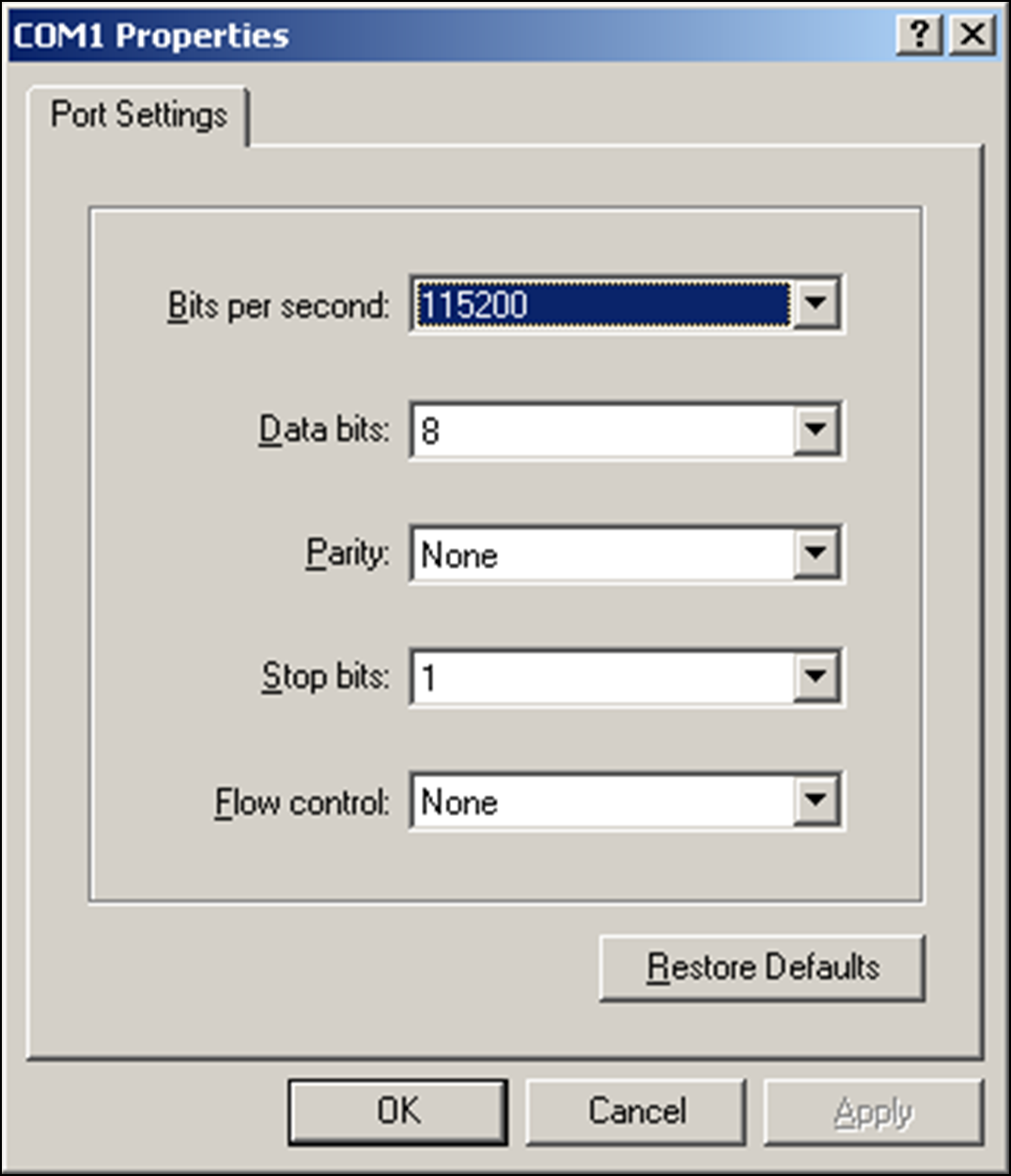
- Enter the following connection settings:
- Click OK or Open to connect (depending on your terminal client).
- At the Please Login prompt, enter the admin login name (default: admin) and password (default: admin).
To view a list of commands that are available at the root level, enter help or ?.
For more information on using the CLI, see the Ruckus Wireless ZoneDirector Command Line Interface Reference Guide, available from http://support.ruckuswireless.com/.