Uploading X.509 Certificates on vSZ-D
You can upload X.509 certificates to the vSZ-D either during initial setup or after
initial setup through CLI.
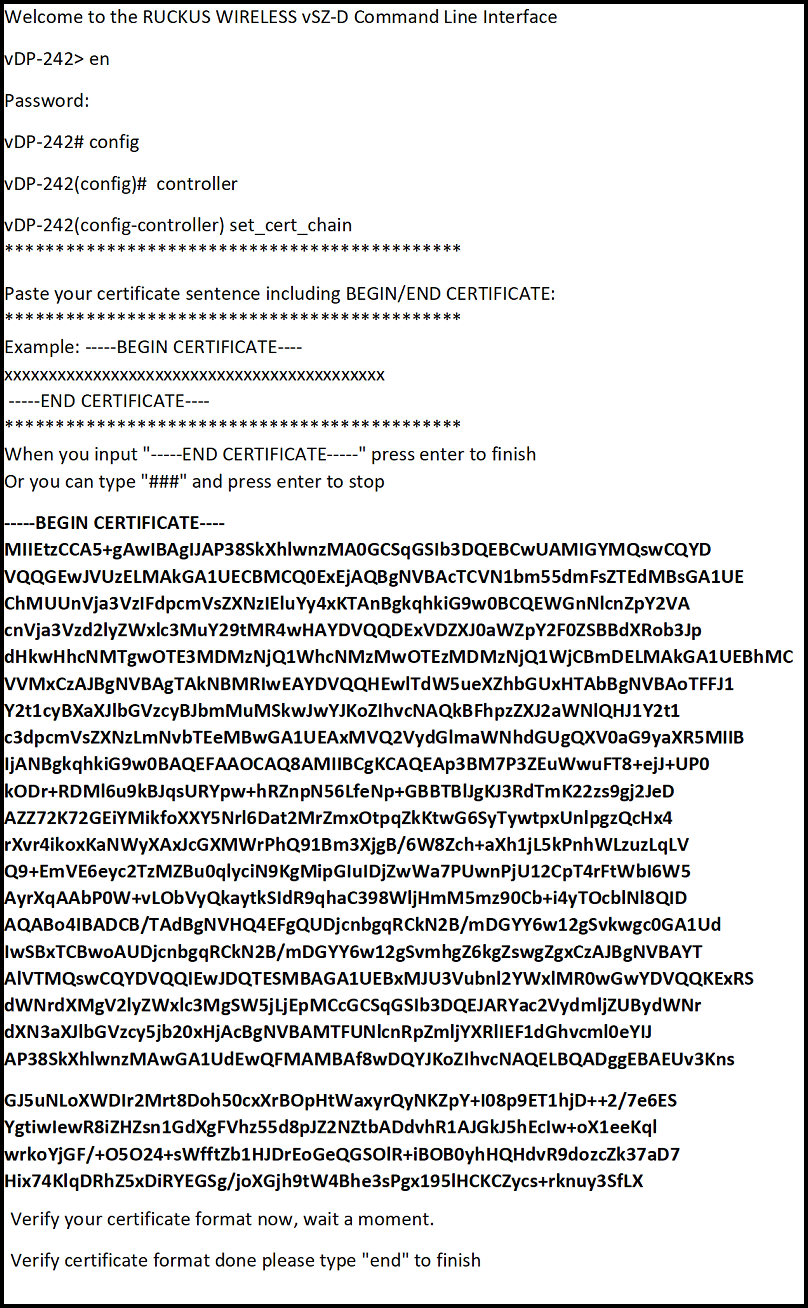
- Get contents of the ca.pem file, and copy the contents (from "Begin" to "End").
- In the command prompt, the following is displayed: Do you want to upload vSZ server certificate chain (y/n):. Enter y to upload the vSZ server certificate chain.
- The following message is displayed: ********************************************* Paste your certificate sentence including BEGIN/END CERTIFICATE: ********************************************* Example: -----BEGIN CERTIFICATE---- xxxxxxxxxxxxxxxxxxxxxxxxxxxxxxxxxxxxx -----END CERTIFICATE---- *********************************************. Paste the contents of the ca.pem file.
- Press Enter to finish.
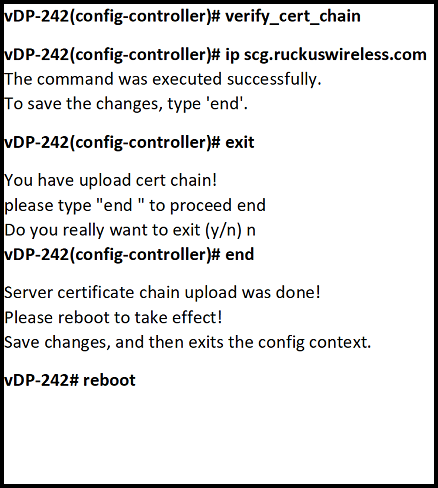
- In the command prompt, the following message is displayed: Do you want to verify vSZ server certificate chain (y/n):. Enter y.
- You can upload the certificate using the CLI
- You can validate the CA certificate using the CLI