Creating AP GRE Tunnel Profile
Follow the below steps to create an AP GRE Tunnel profile.
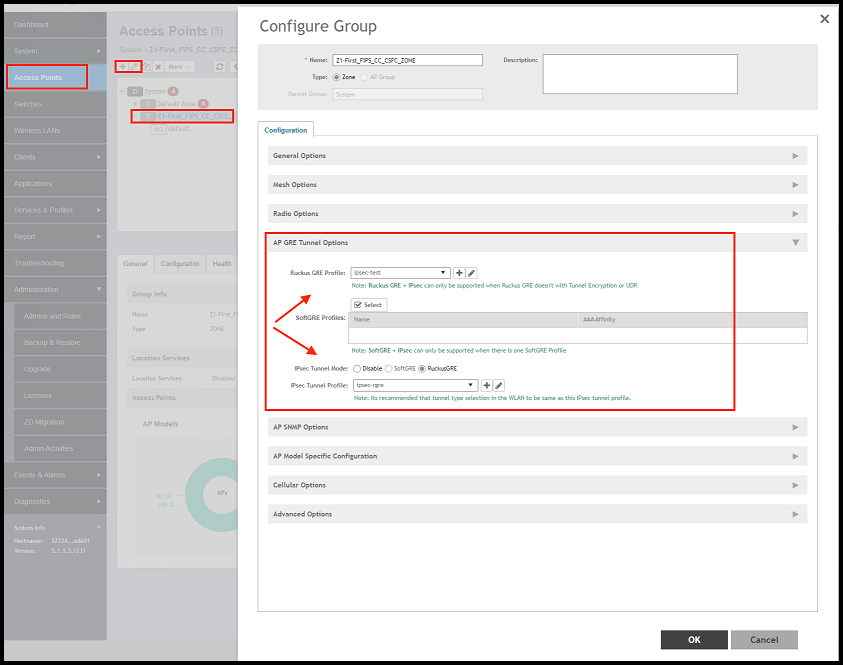
On the controller web user interface in the Create Group screen:
- Select the
FIPS Zone and click the
 icon to configure the
AP GRE Tunnel Options from the
Configuration tab.
- Configure the following:
- RUCKUS GRE Profile : Select the GRE profile configured previously.
- IPSec Tunnel Mode: Select the radio button RuckusGRE.
- IPSec Tunnel Profile: Select the configured IPSec tunnel profile.
- Click OK.
You have created the options for AP GRE Tunnel.