Terminating Sessions for Non-Admin Users
You can terminate the remote interactive session for non administrator users by creating
a non-admin user account, a non-admin security profile and mapping the profile with
the user by creating a user group.
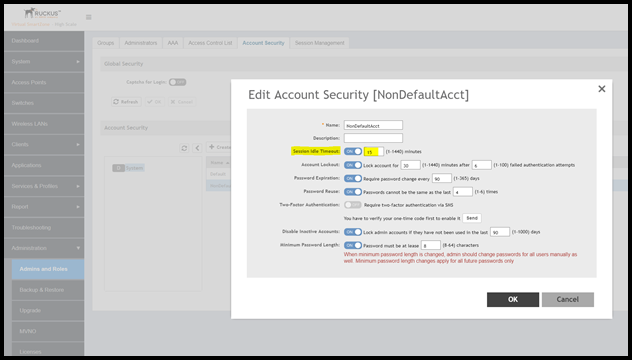
- Select to configure the timeout value on the controller web interface from the security profile.
- Click Create.
- Set the Session Idle Timeout value from 1 through 1440 minutes.
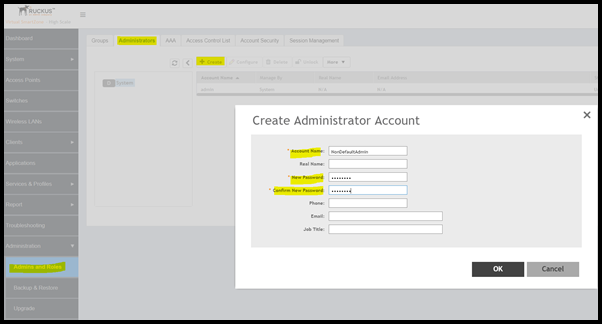
- Select to create a non-admin user account.
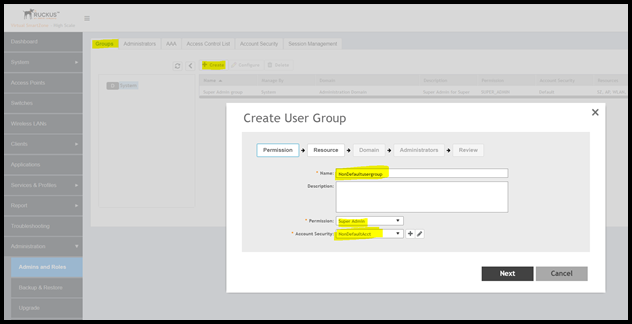
- Select to create the user group to map the non-admin user to the security profile.