Creating a RUCKUS GRE Profile
Follow the below steps to create an GRE profile.
On the controller web user interface:
- Navigate to .
- Select the tabRUCKUS GREand select the required zone for creating the required profile.
- Click on Create to view the Create RUCKUS GRE Profile page.
- Configure the following:
- Name: Type the name of the profile.
- Description: Type the description of the profile.
- RUCKUS Tunnel Mode : Select Ruckus GRE.
- Tunnel Encryption: Select as Disable. This is the default option.
- Tunnel MTU : MTU (Maximum Transmission Unit) is the size of the largest protocol data unit that can be passed on the controller network. Set the MTU for the tunnel using one of the options:
- Click OK.
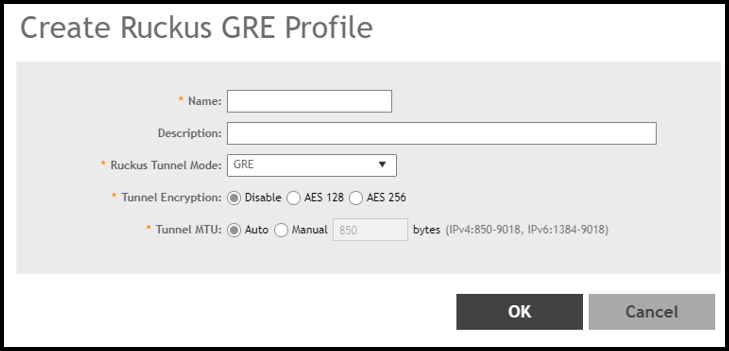
You have created the RUCKUS GRE profile.