Management Certificate Check
Management certificate check feature
introduced in this release checks on the validity period or tracks the related operation
change. This is specific to the controller (SmartZone) default server certificates
especially for TLS server certificates in iOS 13 and macOS 10.15. This check shortens
the
validity period of the controller (SmartZone) certificates to a maximum of 825 days and a minimum of 124 days.
This feature makes sure that the client can access the controller web user interface.
System Behaviour
- If the user manually renews the default server certificate with a specific validity period in CLI mode and if the certificate is renewed automatically in the web user interface the next time, the controller will apply the previous validity period to generate default server certificate.
- The system automatically regenerates the default server certificate. Seven day prior to expiration a warning is displayed on the dashboard. This applies for third party user certificates.
- The validity period can be set to a minimum of 124 days (approximately four months) to a maximum of 1098 days (approximately three years).
- The controller renews the certificate with a default validity period 824 days if the user does not specify otherwise.
You can add the server certificate validity through the controller web user interface and or through CLI mode.
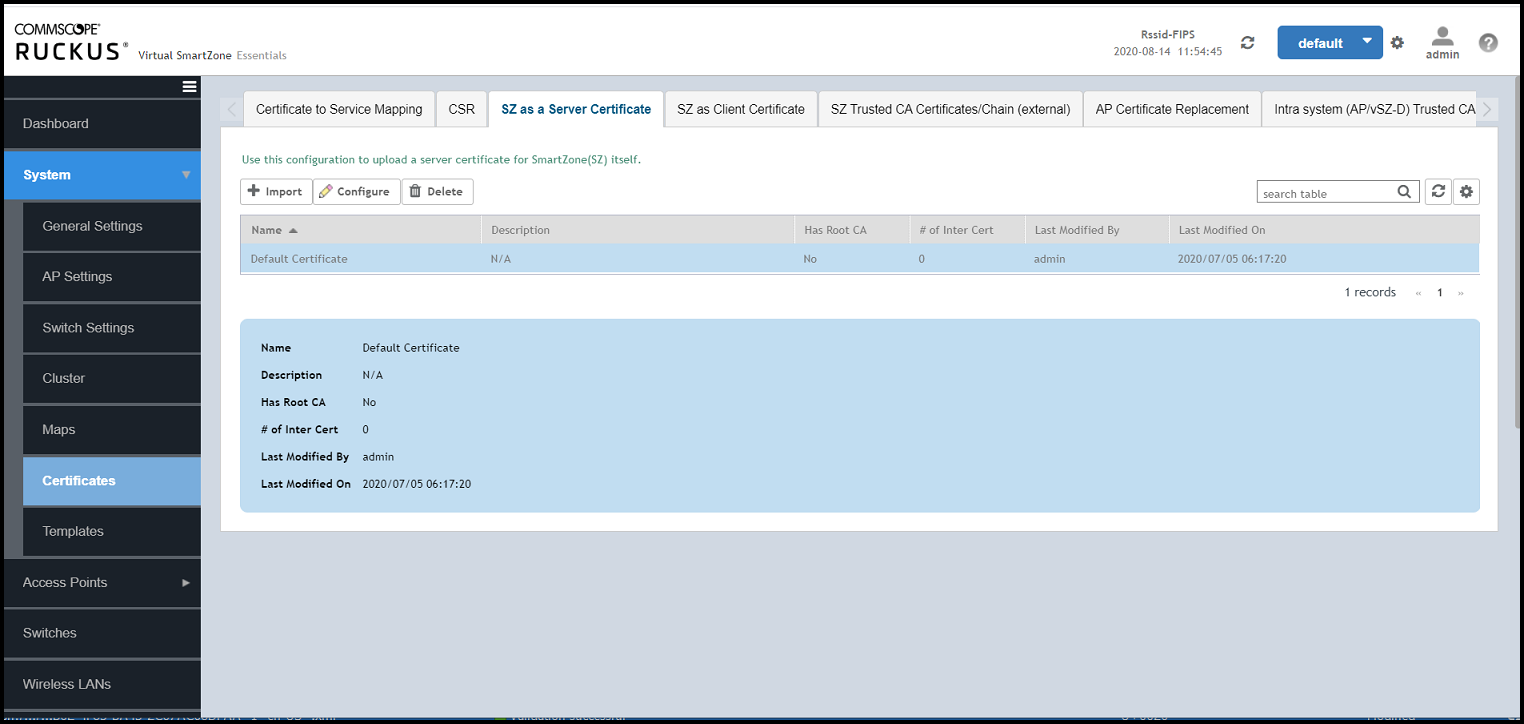
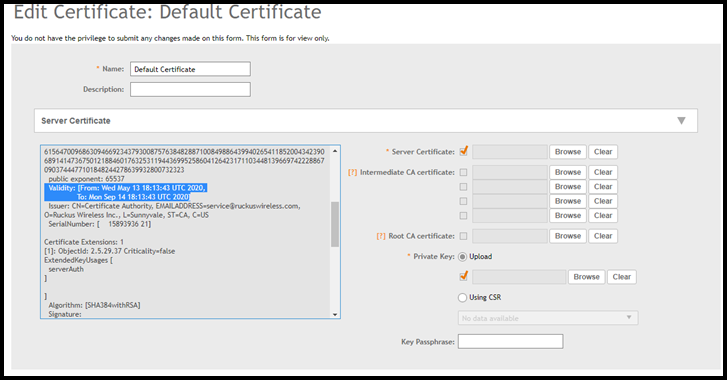
Viewing the Default Certificate using Controller Web Interface
To view the Default certificate and Third party certificate perform the following steps.
Note: You canot modify default certificate and the third party certiifcates from the
controller web interface. To modify the default certificate for example,
changing the day, you can make the changes in the CLI, the controller
automatically renews the default certificate.
- In the controller wen interface, navigate to .
- Click Configure to viewthe third- party and the default certificate validity period.
- Click Close.
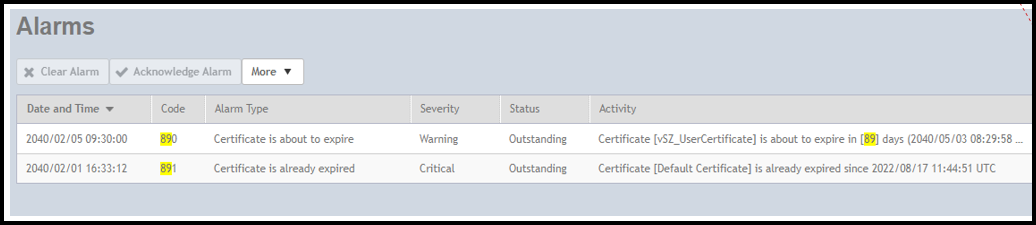
- The controller checks for valid certificates and triggers an alarm if the validity period is longer than 824 days. To view the alarm details, from the controller web interface, navigate to
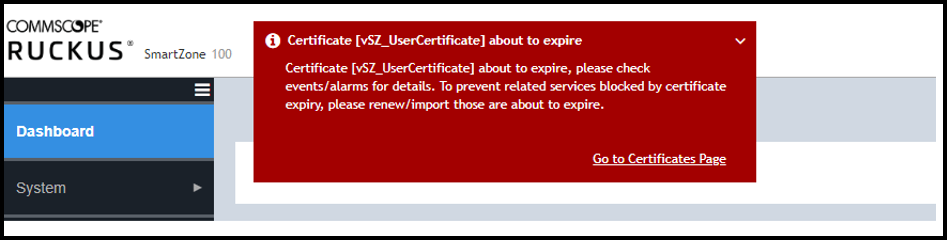
- The controller dashboard displays the Global warning on certificate expiration.

Modifying and Re-generating the Default Certificate using CLI
To modify and re-generate the server certificate through CLI, perform the following steps.
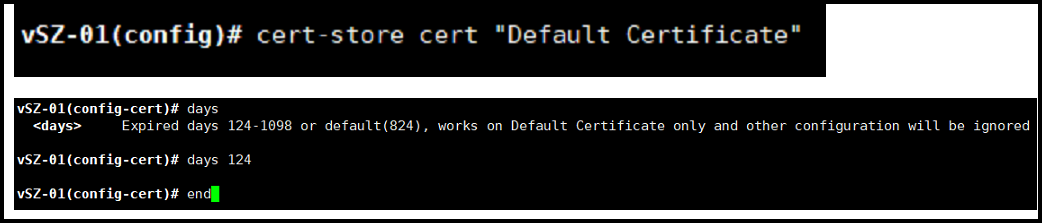
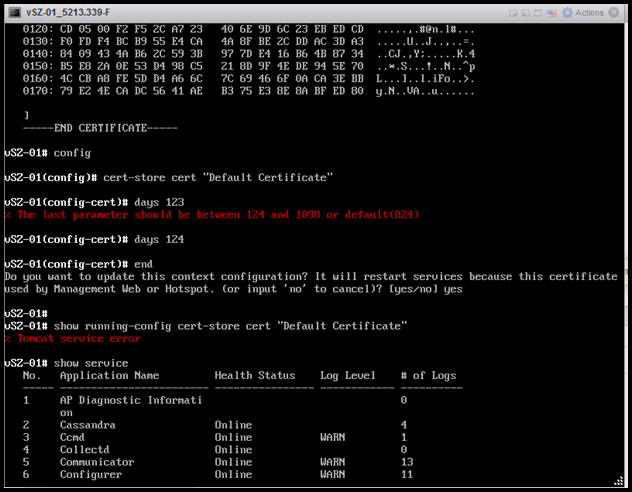
- Login to CLI to set the validity for the Default server certificates.
- In the configuration mode
execute command
cert-store cert “Default Certificate” days <124 to 824>to set the validity. The validity period can be set to a minimum of 124 days (approximately four months) to a maximum of 1098 days (approximately three years). After manually configuring the days for renewing the certificates, few of the services cannot be utilized for some time, but they resume within 7-10mins. - To modify the default server
certificate validity, execute the command
(config)# cert-store cert
                        							<days>
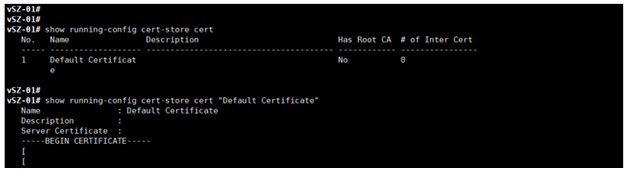
. - Execute the command
show running-config
                        							cert-store cert
to view or check the certificate validity.