Upgrading the vSZ-D Software
Feature enhancements or fixes or known issues pertaining to vSZ-D Software are addressed
through VSZ-D Patch.
Tto upgrade the vSZ-D Software, perform the following steps:
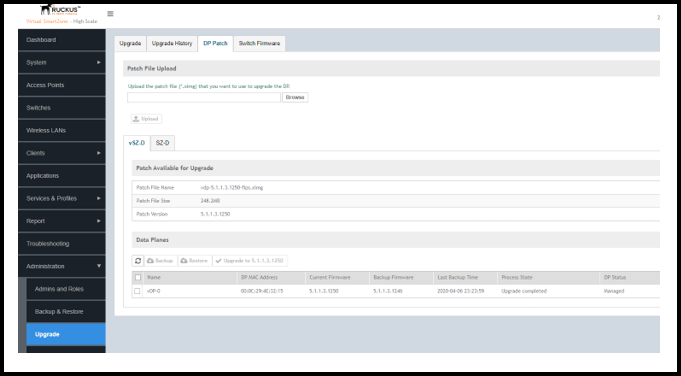
- In the web-interface, navigate to .
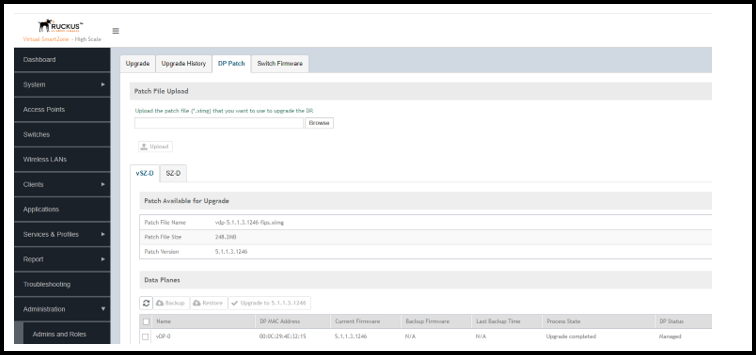
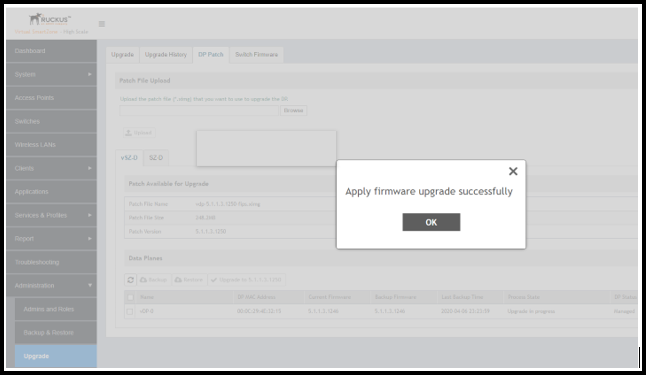
- Click DP Patch tab, the
DP Patch page appears.
Note: The upgrade patch contains the upgrade software/firmware, signatures and the certificates of the signature signers. When the upgrade package is uploaded to the (v)SZ, (v)SZ will validate the certificate chain first. If the certificate of signature signer passes the chain validation, the (C)SZ then verifies the signatures of the upgrade software/firmware. )When the upgrade package signature signer certificate chain validation error or the signature verification error occur, the GUI shows a package decryption error .
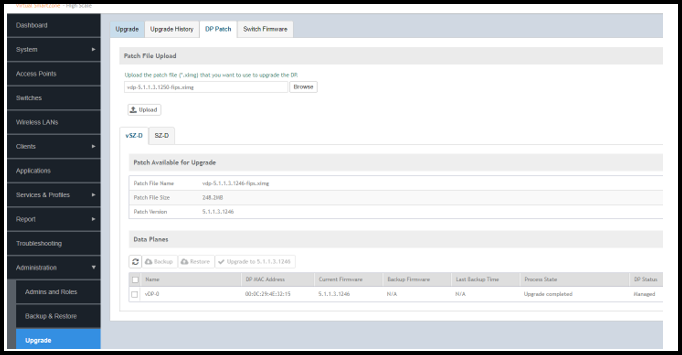
- In Patch screen click browse and select the patch file to upgrade
- Click Upload to upload the patch file.
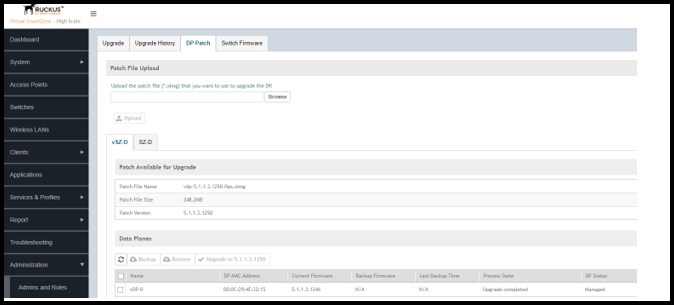
- From the Data Plane section, select the vSZ-D to be upgraded and the patch file version to be upgraded.
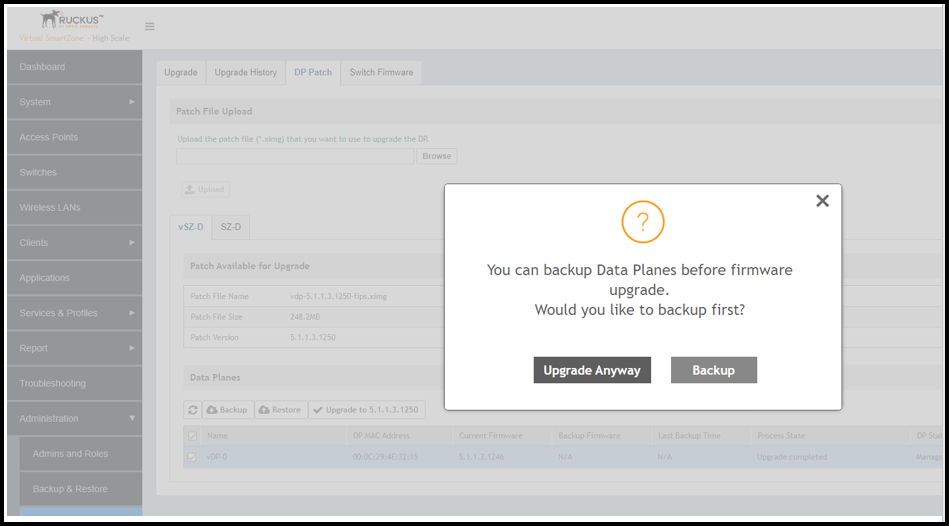
- Click on Upgrade Anyway to upgrade the vSZ-D to apply vSZ-D Patch
- Click
OK to Upgrade the vSZ-D patch/software.
Caution: Upgrading the (v)SZ-D software can force a restart and therefore, cause a temporary interruption in all the functionalities.