Import .csv file

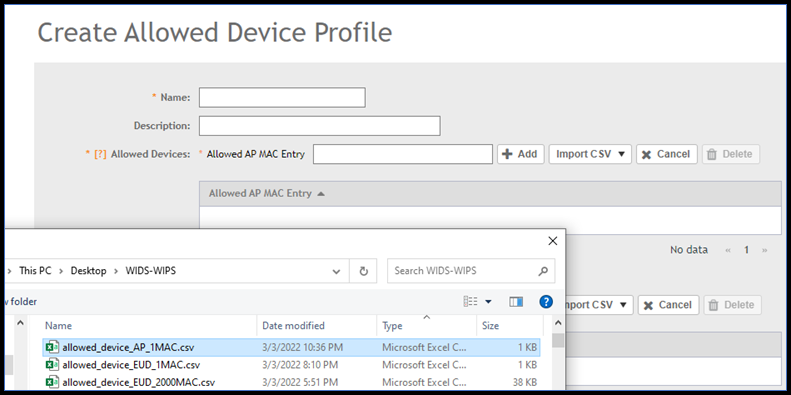
To import a .csv file in the Allowed AP MAC Entry and Allowed Client MAC Entry, perform the following -
  1. Click Import CSV, the application navigates to the local file system.

    .csv file upload

  2. Map the location and select the .CSV file and click Open.

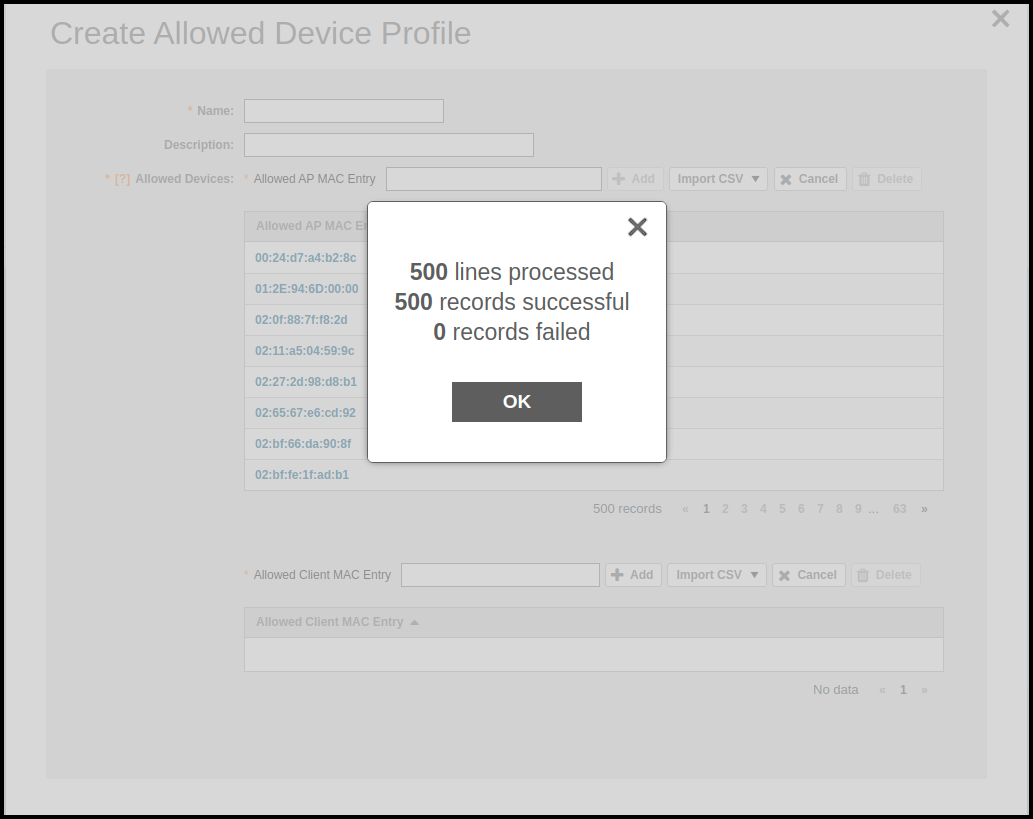
    .csv files_uploaded

    The list of MAC addresses is displayed in the Allowed AP MAC Entry table.

    Note: Perform the above steps to import Allowed MAC Client Entry.

  3. Click Cancel to abort the upload or select any of the MAC address in the Allowed AP MAC Entry or Allowed Client MAC Entry list and click Delete to erase the MAC address.
    Note: The maximum number of Allowed AP MAC Entry is 500 and for Allowed Client MAC Entry is 2000 per profile. Maximum profiles for the system is 100.