Administrating the Controller Remotely
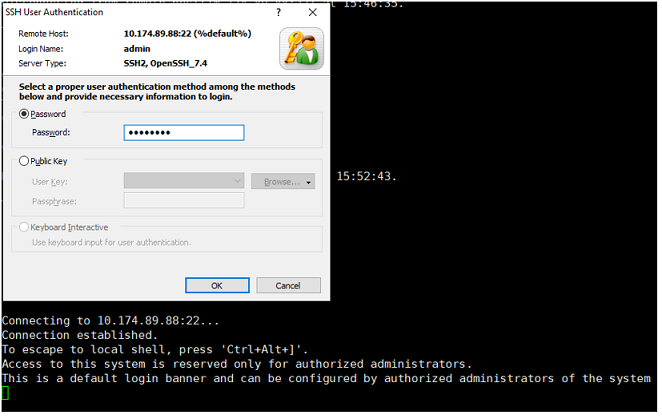
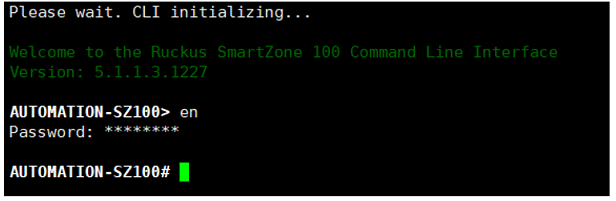
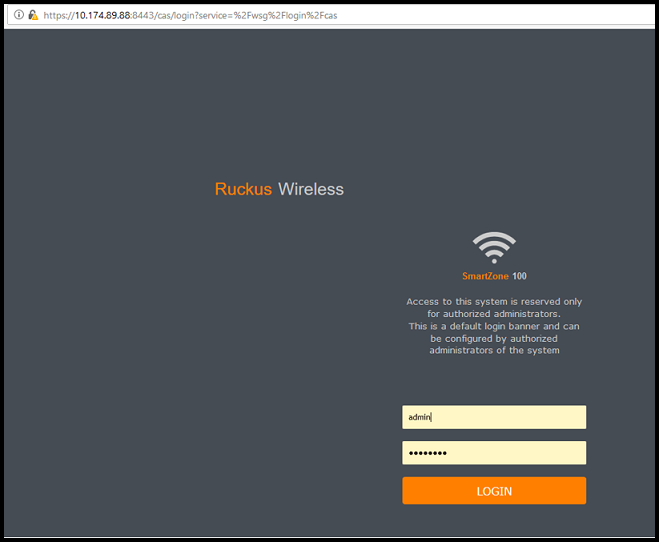
Controller (SmartZone) can be accessed remotely using SSH or Web UI.
- Using controller (SmartZone)
management IP address, user can SSH and login to CLI console. For example, ssh admin@<SZ management IP>
The SSHv2 supports the following algorithms:
- Encryption Algorithms (client and server): aes128-ctr, aes256-ctr, http://aes256-gcm@openssh.com
- Public and Host Key Algorithms (client): ssh-rsa
- Public Key Algorithms (server): ssh-rsa, rsa-sha2-256, rsa-sha2-512, ecdsa-sha2-nistp384
- Host Key Algorithms (Server): ssh-rsa, ecdsa-sha2-nistp384
- Data
Integrity/MAC algorithms (client and server): hmac-sha1,
hmac-sha2-256, hmac-sha2-512
Note: Per the PP, 'implicit' is included when http://aes*-gcm@openssh.com is selected as an encryption algorithm. When http://aes*-gcm@openssh.com is negotiated as the encryption algorithm, the MAC algorithm field is ignored and GCM is implicitly used as the MAC. "implicit" is not an SSH algorithm identifier and will not be seen on the wire; however, the negotiated MAC might be decoded as "implicit".
- Key Exchange Methods (client and server): diffie-hellman-group14-sha1, ecdh-sha2-nistp256, ecdh-sha2-nistp384 and ecdh-sha2-nistp521]
Note: If the SSH connection is broken then it can be manually re-established. - Enter the IP address
https://MGMT-INTERFACE-IP:8443 in the browser to access the controller Web UI.
Specific configuration is not required to access the SSH and Web UI session, its enabled by default. The controller provides remote administration of the system through secure communication channel (Web UI via HTTPS and CLI via SSH) . Accordingly, TLS version 1.2 is supported and the following cipher suites are supported for TLS/HTTPS:
Note: If the HTTPS/ Web UI connection is broken due to any issues then it can be manually re-established.Note: Wireless clients connecting to a managed AP are communicating on the TOE's data channel and not via the management interface and therefore, cannot perform remote administration of the SZ.