Configuring System IPsec OCSP Settings
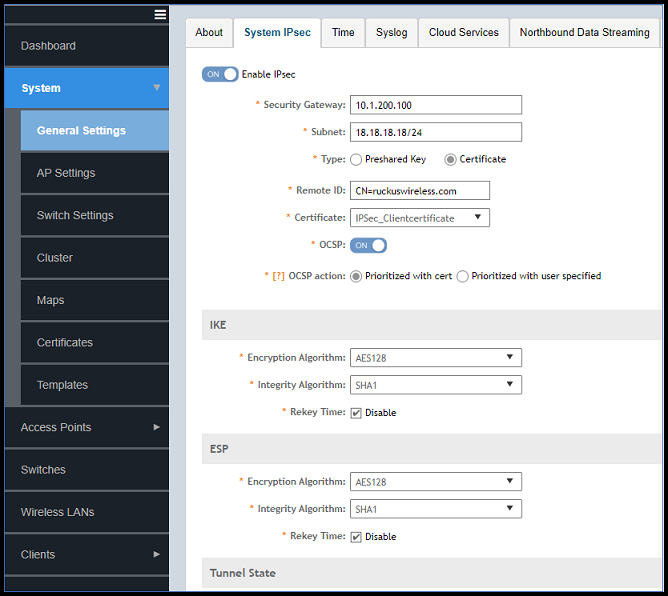
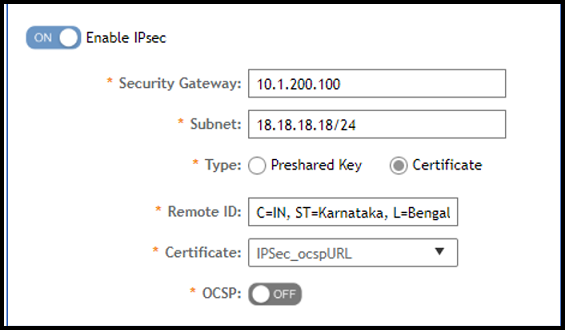
If the OCSP is off, the system IPsec does not check the status of certificates. If OCSP is turned on, the controller asks you to complete the OCSP server information. At times, this is contracdictory as you already have the authoruity access information in the peer and the CA certificates.
For example, the X.509 certificate indicates an OCSP server that can be accessed through URL. In such a case, if you want to access the OCSP server that is described in the peer or CA certificate, you should be able to skip the OCSP server settings.In some cases, you might want to use your own OCSP server, then the controller must allow you to configure the OCSP server.
You can configure the OCSP server settings in the following ways.
- Disabling OCSP
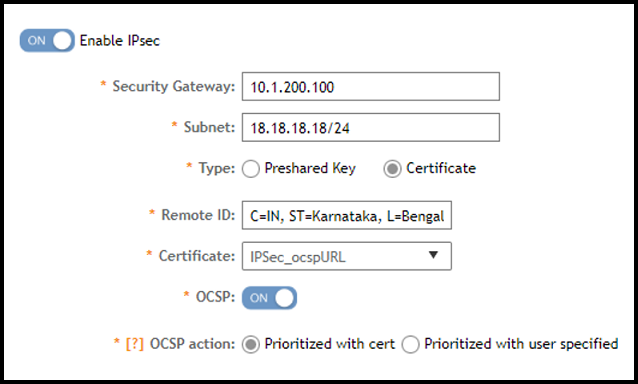
- Enabling the OCSP certificate status checking using the authority information embedded in the peer/CA certificate, this can be achieved by selecting the option Prioritized with cert.
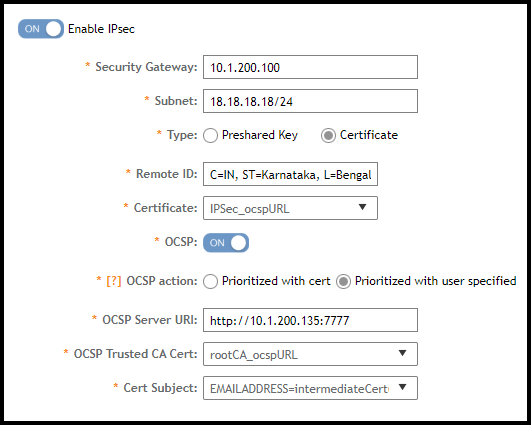
- Enabling the OCSP certificate status checking using user specified OCSP server, this can be achieved by selecting the option Prioritized with user specified.
To configure the OCSP settings, perform the follwing steps.
- From the controller web interface, navigate to .
- Click Enable IPsec.
- Choose Certificate option in the Type field.
- In the Remote ID field, type the subject line of the server certificate.
- Select the peer/CA Certiifcate from the Certificate drop-down
- You can enable or disbale OCSP.
- To enable OCSP, select either
Priortized with
cert or Priortized with user defined
OCSP action
.
When OCSP on with the option Priortized with cert, certificate authority information is chosen, the system checks the certificate status with certificate status server through OCSP. The system uses the OCSP server that is given by the authority information in the peer certificate. If there is no OCSP server information in peer certificate, the system IPsec will skip the certificate status checking.
Enabling OCSP with Priortized with cert OCSP action
The user can configure additional OCSP server information using the option Priortized with user defined OCSP where the user can give the OCSP server URL. This is useful in case of absence of OCSP setting of authority information embedded in the peer certificate. When system checks the certificate status, it uses the user specified OCSP server as higher priority.
- In the OCSP Server URL field, enter the user defined OCSP Server URL
- From the OCSP Trusted CA Cert drop-down, select the
OCSP trusted certificate.
If the peer certificate authority information has OCSP server information, and user has manually configured the OCSP server, then the status of the certificate can be summarized as follows:
Checking the Staus of Server Certificate