External Syslog Server
System logging is a method where network
devices use standard message format to communicate with a logging server. Configure
an
external syslog server to send the event logs from the SmartZone.
The alert/audit events are also forwarded to configured log server via secured way. User must configure an external log server to receive the alert/audit events.
Configuring External Syslog Server
To configure an external syslog server, perform the following:
- In the home page, navigate to System and select General Settings. This displays system information.
- Click the Syslog tab. By default, Enable logging to remote syslog server is turned off. Click the button to turn On the remote server and configure the system log server and enter required details in the screen.
- Click Ok.
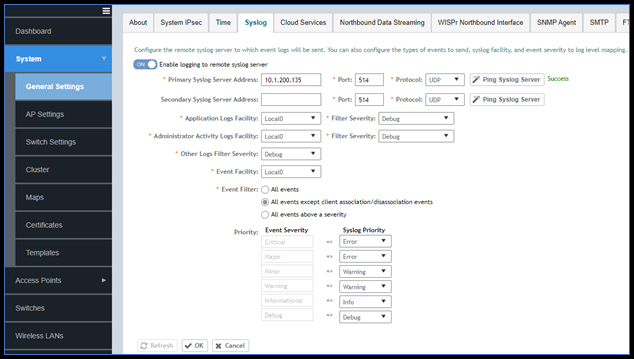
Test the reachability of external
system log server using ping
syslog server, success indicates it is ready to
receive the alert/audit events.
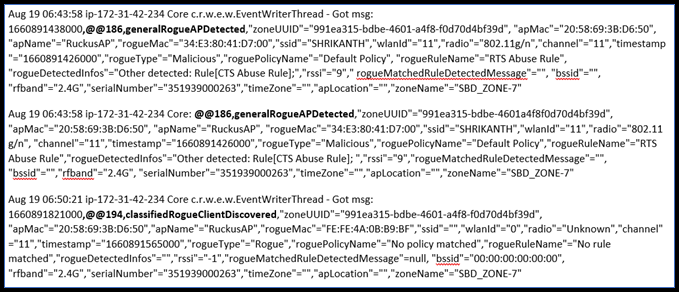
After the successful reception of the alerts, external system log server displays the message in the below format.
The SmartZone user interface displays the events as shown in the below screen.

