Joining vSZ-D to the vSZ Controller
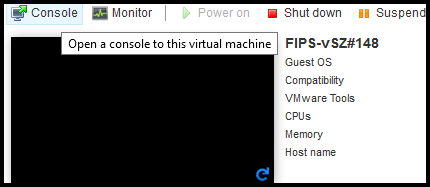
- After the VM is deployed, click Power On to start the vSZ-D.
- Open a console window to log in to the vSZ-D CLI.
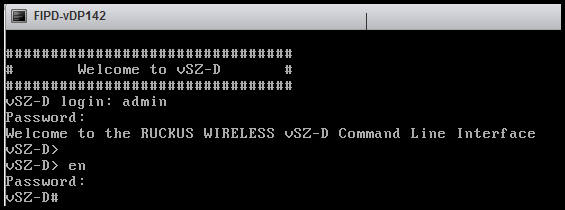
- At the login prompt, log in using "administer" as the username and password.
- At the
> prompt, enter the
enable(en) command and the admin password to change to Privileged EXEC mode. - Use the
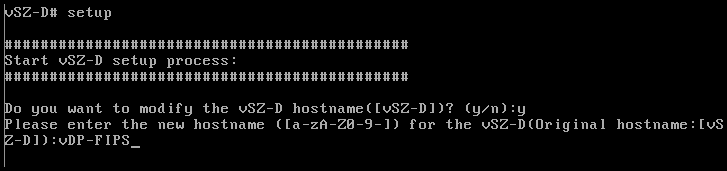
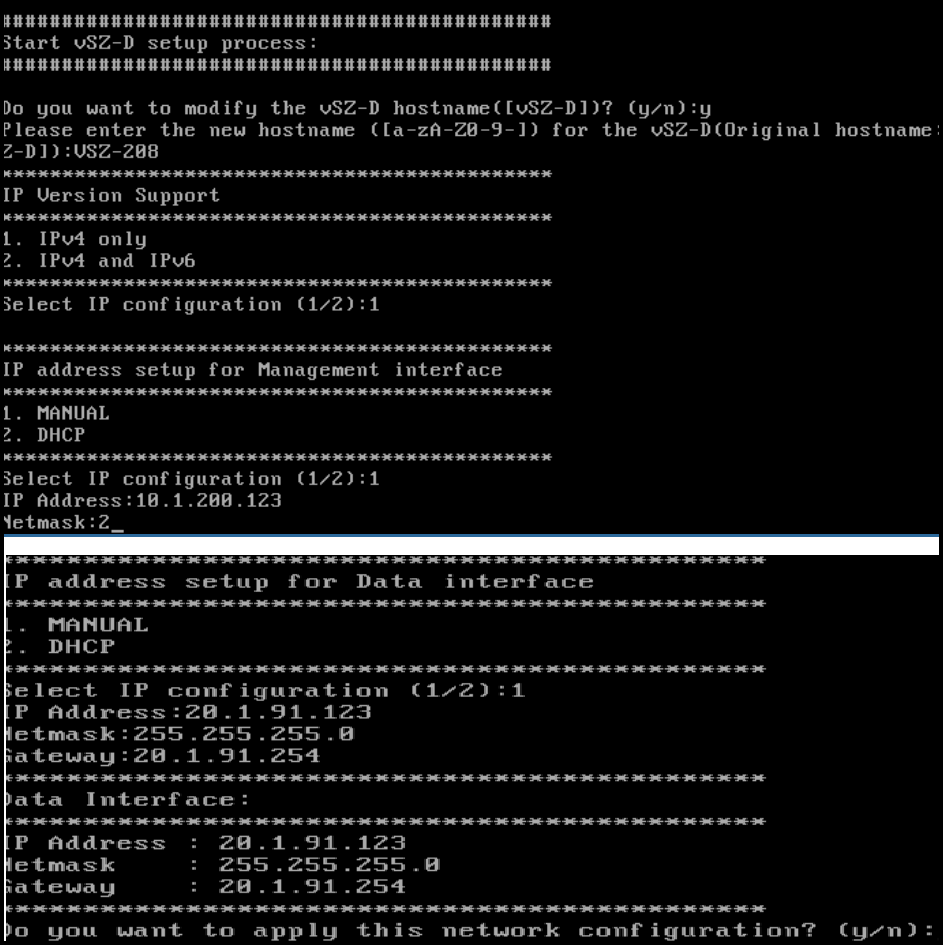
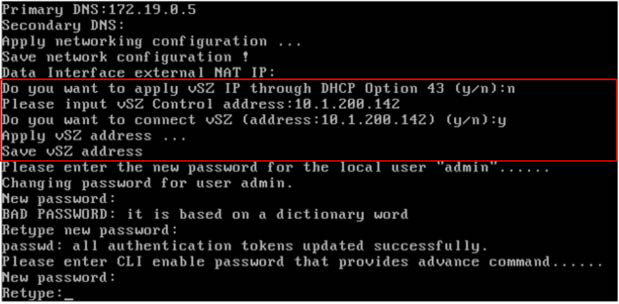
setupcommand to configure the IP address for the management and data interfaces.Note: It is recommended that you add a new host if you have multiple hosts for various configurations. - Choose the IP address setup for the management and data interfaces by selecting either MANUAL or DHCP. Once you define the IP setup, the process of vSZ-D joining the vSZ controller starts.
- Follow the sequence of steps shown in the following figure to join vSZ-D to the vSZ controller. The process changes the FIPS mode for vSZ-D according to the FIPS mode state of vSZ.
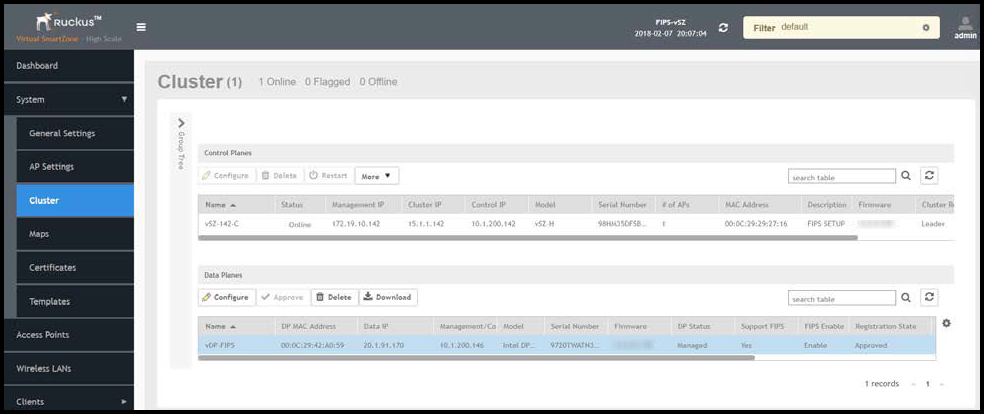
- To add the vSZ-D to vSZ controller, log in to the web interface of the vSZ. Navigate
to
Clusters > Data planes. Select the vSZ-D and click
Approve. Upon approval, the status of the data plane appears dimmed.
Note: After the vDP is joined to the vSZ, all management of the vDP is perfromed via the vSZ. SSH admin access to the vDP is stopped..
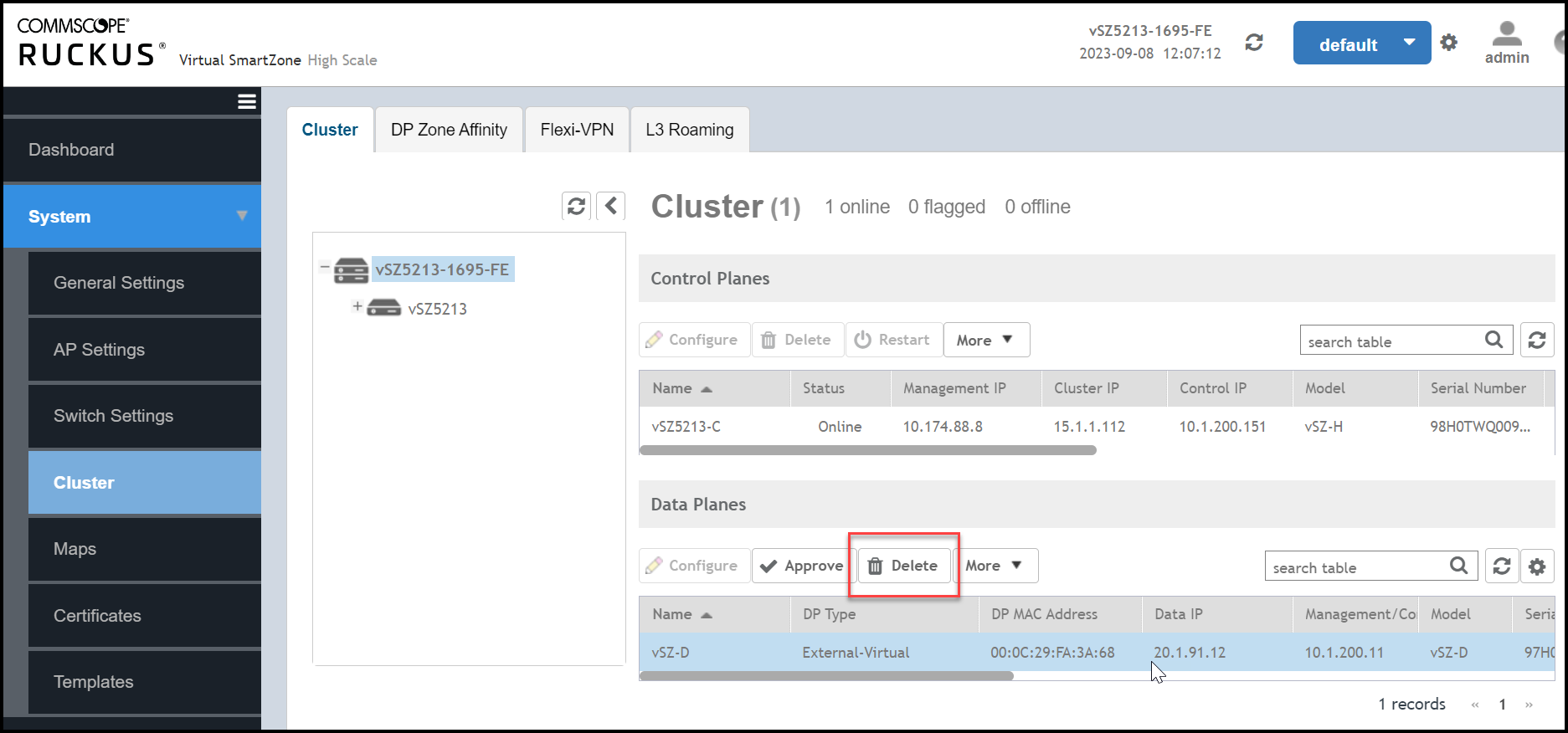
- To delete the vSZ-D in vSZ controller, log in to the web interface of the vSZ.
Navigate to . Select the vSZ-D and click Delete. Upon approval, the
status of the data plane is removed from the Data Planes
section.Note: Deleting the vSZ-D from the controller prevents all other components from communicating with the vSZ-D.Note: While the registration of components is done over a secure TLS channel, this part has not been claimed in the CC evaluation due to limited certificate verification capabilities during the registration. The TOE requires the use of a dedicated channel for the AP and vSZ-D to register with a Controller. The administrator must perform the registration of TOE components in a controlled environment in which there is a segregated network with only TOE components present. Further communication between AP/vSZ-D and (v)SZ is secured through the SSH connection.