Recovery SSID
This enhancement is provided to make AP admin password available to federal release customers. Recovery SSID provides better security. SZ still needs to deliver the clear-text AP admin password to the AP. Recovery - SSID passphrase cannot be AP admin password in FIPS mode, so a custom passphrase is provided which is must, when recovery-ssid id is enabled.
By default, the Recovery SSID feature is disabled. Once the user enables it, the textbox is displayed. The user needs to input the passphrase. The validation rules of the passphrase should consider the Common Criteria and JITC requirement. The passphrase should be clear text stored in the database and deliver to the AP in GPB config via secure channel(SSH tunnel). The box is in clear text format as the passphrase is also used in WPA protocol.
- AP page cannot override the recovery ssid or custom passphrase
- AP group/page hide recovery ssid options.
After upgrade, Recovery SSID feature will be disabled. In the previous releases recovery ssid feature was malfunctioning due to the hashing of AP admin password and the AP side.The AP will not broadcast the ssid itself. Hence it is disabled and let the user enable it again, to make sure the functionality works as expected. Make sure all the APs receive the new config that disable Recovery SSID feature even those APs enabled previously..
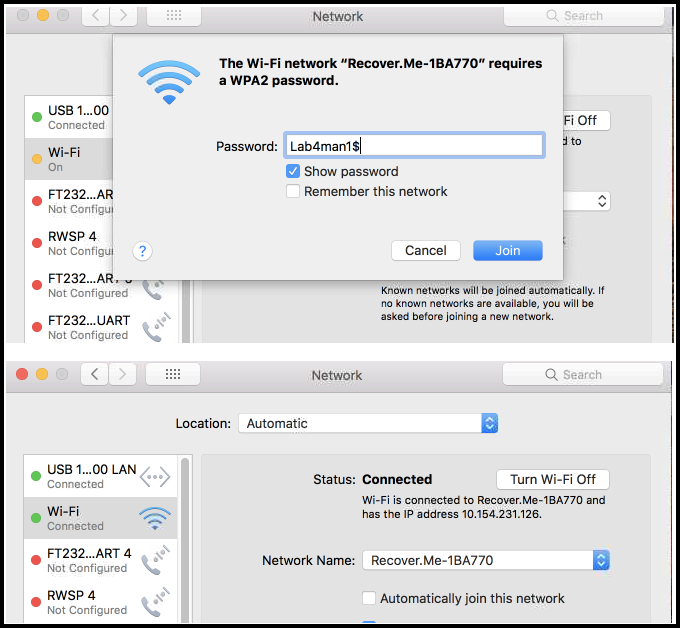
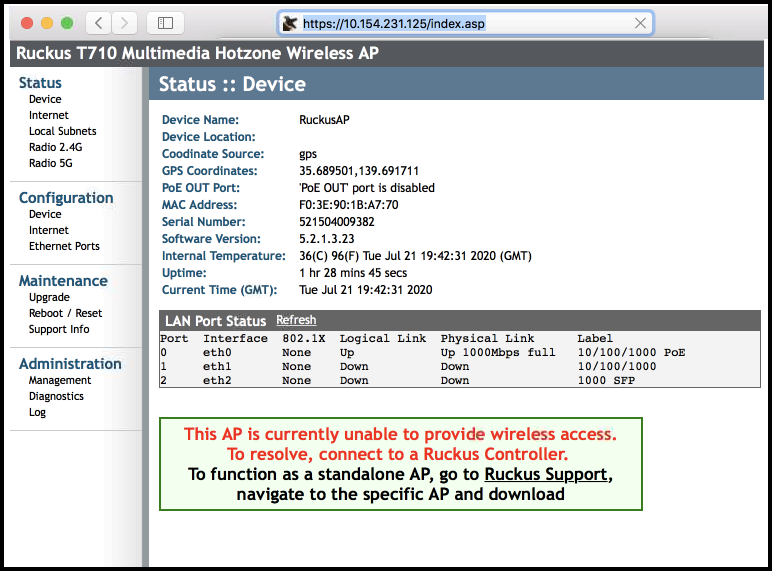
When AP loses connectivity from SmartZone and SmartZone Gateway, AP loses heartbeat (HB) and starts broadcasting the Recovery-SSID. Then user connects to the SSID and tries to recover or debug the issue.
If user has a console Access to AP, then
Recovery-SSID can be identified as shown below:
- Select the Access point tab.
- Click Create, the Create Group page appears
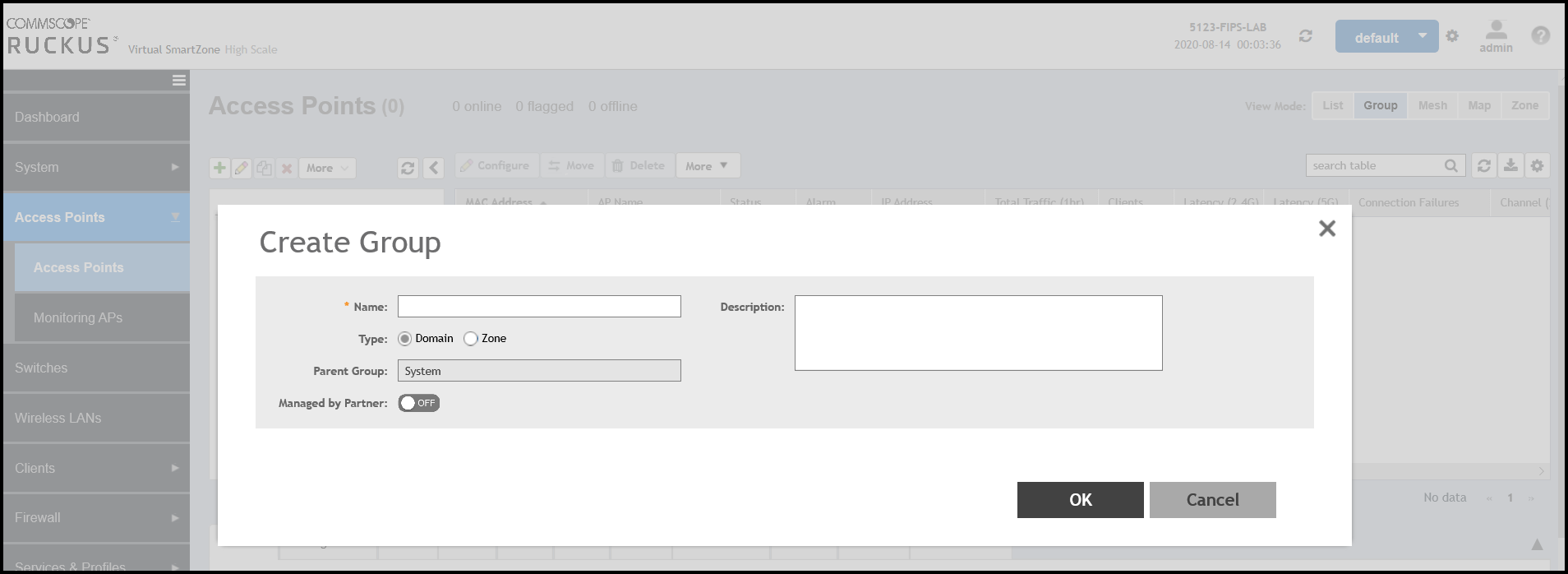
- Select the type Zone to configure.
- In the Advance Option setting, Recovery SSID options is available.
- Default Recovery SSID and custom
passphrase filled will be in Disabled state.
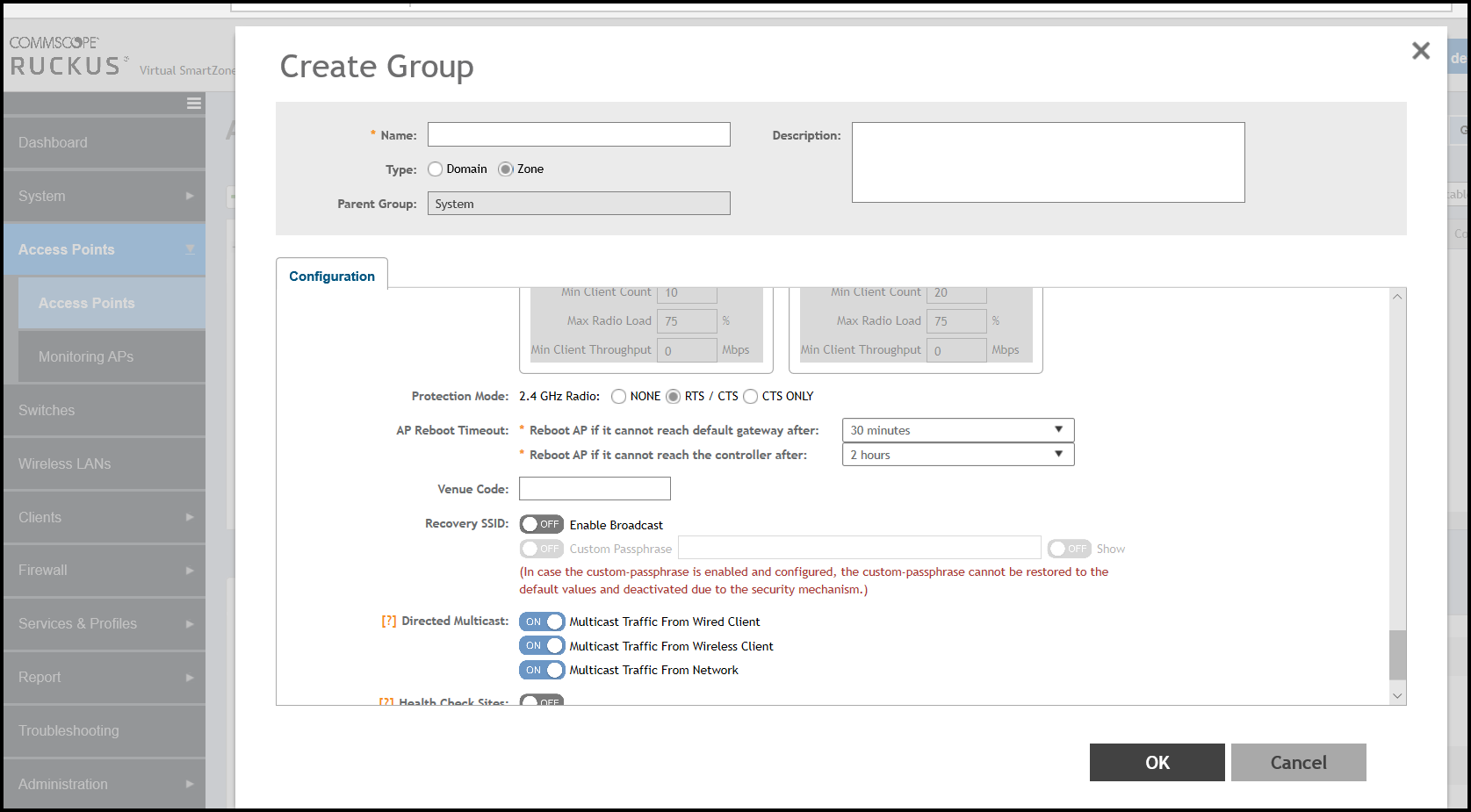
- Default Configuration of Recovery SSID
can be enabled by clicking the ON/OFF button.
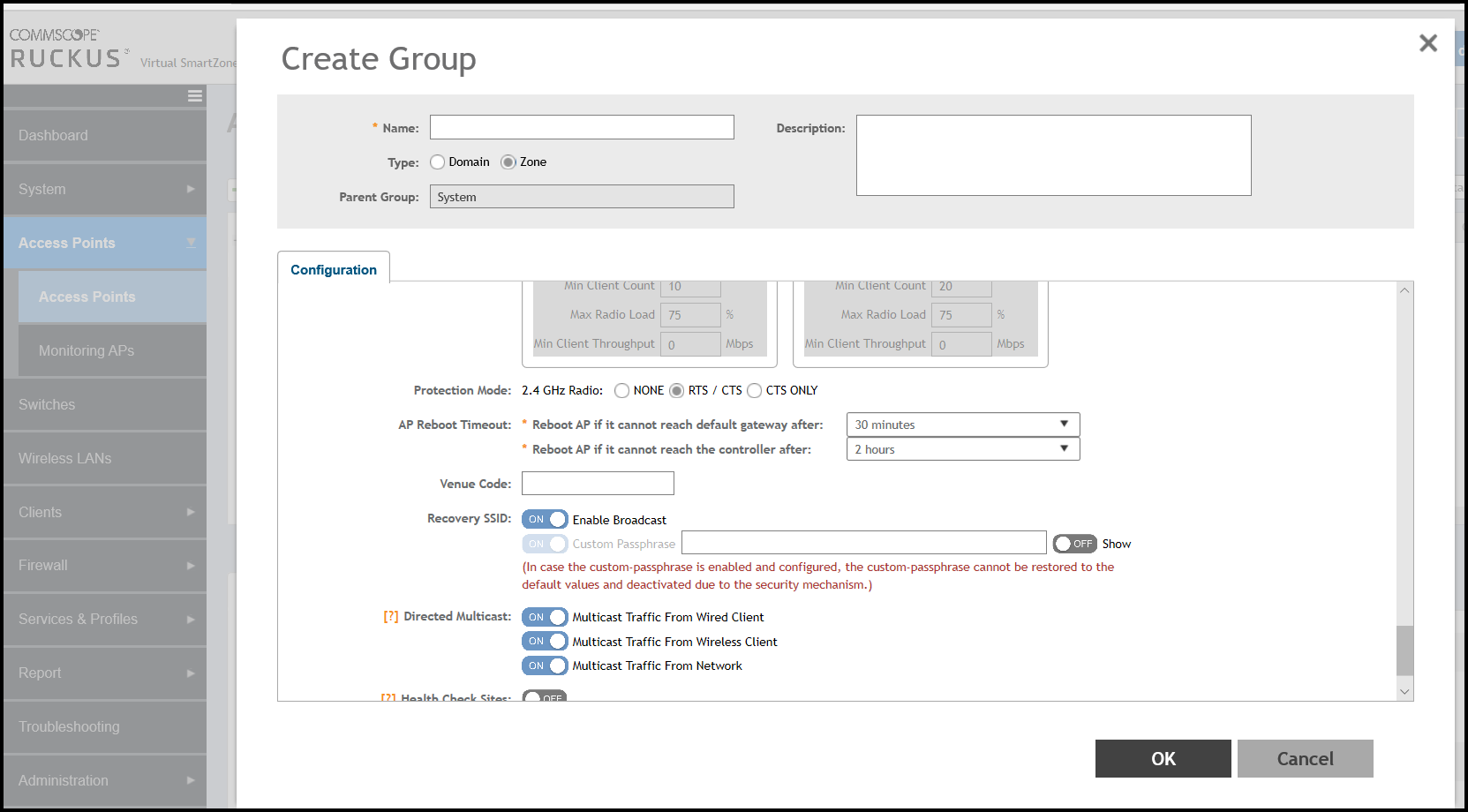 The "Show" option in the above image can let the user to
see current passphrase, the design is just like another WLAN passphrase.
- Enter Custom Passphrase, the Custom Passphrase should be 8-63 in characters (should only contain 1-9 , A-F). The Custom Passphrase should be different from the AP admin login password.
- Configuration at the zone level is created.
- Save the configuration.
How to connect to Recovery-SSID after AP loses its connectivity from SZ and its Gateway.