Configuring System IPsec using Preshared Key
You can configure the system IPsec settings by using preshared keys.
- From the controller web interface, select
.
Note: System IPSec Settings allows user to directly configure IPsec to Protect (Encrypt) the syslog data. IF System IPSec is not enabled syslog data will be in plain text. By default, discard packets from different subnets and are dropped/not handled.
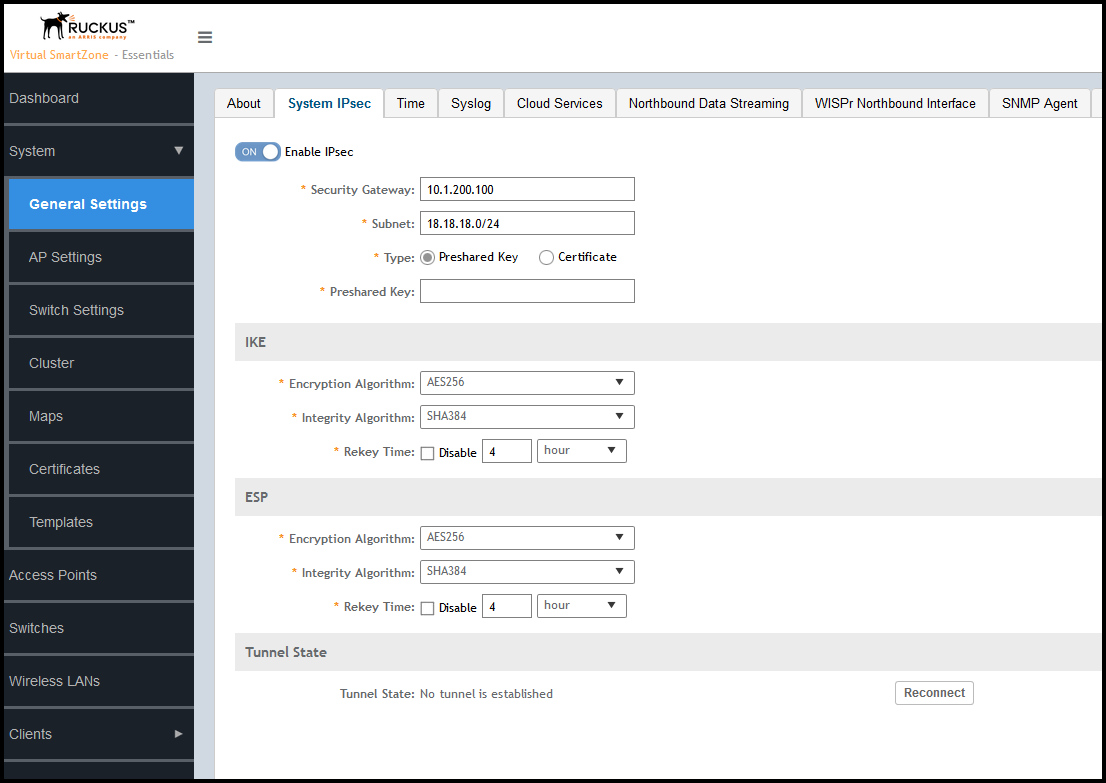
Configure the following options:
- Security Gateway: Enter the security gateway endpoint IP address.
- Subnet: Enter the subnet that must be reachable by way of the IPsec tunnel
- Type: Click "Preshared Key"
- Preshared key: Enter the key
Attention: The preshared key text ranges from 8 through 64 ASCII characters or 44 through 128 bit-based characters and any combination of upper and lower case letters, numbers, and special characters (that include: '!', '@', '#', '$', '%', '^', '&', '*', '(', and ')' , except " or ' or $( characters. For example, Pa$$w0rd4F!rst%!P$*c#.
- Under
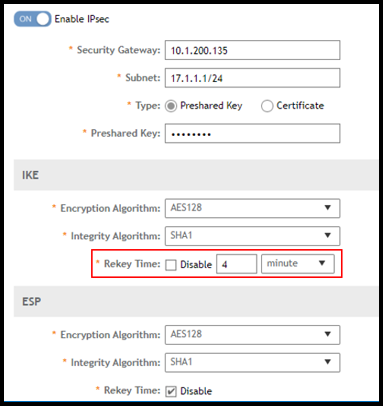
IKE, select the encryption algorithm, the integrity algorithm, and the rekey time.
Note: The supported encryption algorithms are AES128, AES192, and AES256. The supported integrity algorithms are SHA1, SHA256, SHA384, and SHA512. The IKE encryption proposals should be greater than or equal to the ESP encryption proposal. System IPsec supports IKEv2 only.
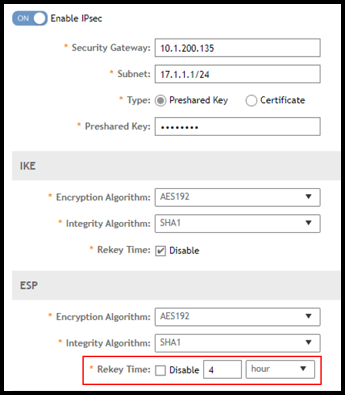
- Under ESP, select the encryption algorithm, the integrity algorithm, and the rekey
time.
Note: The supported encryption algorithms are AES128, AES192, and AES256. The supported integrity algorithms are SHA1, SHA256, SHA384, and SHA512. By default, DH group is DH-20 [ECP-384], which cannot be changed.
- Under Tunnel State, view the status of the IPsec tunnel.
Note: System IPsec supports tunnel mode only.
- Click
OK.
Note: If the connection is unintentionally broken then user has to re-connect using the 'Re-connect' button from GUI to re-establishes the connection.