Enabling Other Secured Communication Services
The following secured communication services are available in FIPS:
Note: The secured communication service Syslog is a part of Common Criteria (CC) evaluation
whereas the SFTP, SNMP, and SMTP services are not been evaluated as part of CC evaluation.
Perform the following steps to activate these services.
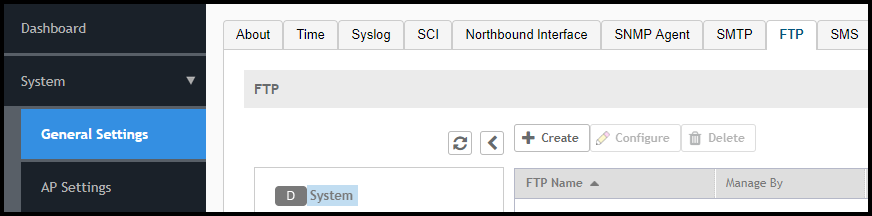
- To enable SFTP, from the web interface, navigate to System > General Settings > FTP.
- Select the required FTP or click Create to add a new FTP.
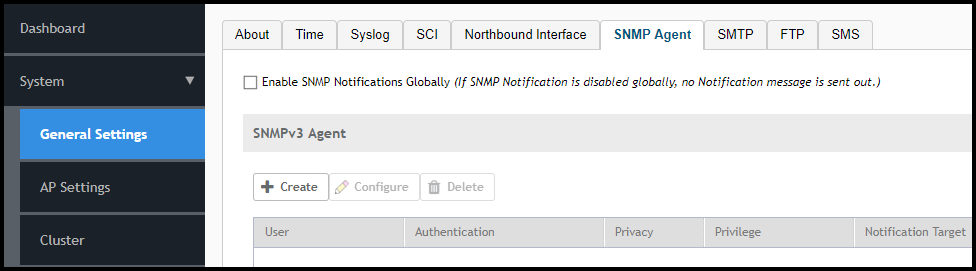
- To enable the SNMP agent, in the web interface, navigate to
System > General Settings > SNMP Agent. Enable the option for SNMP notifications.
Note: The SNMPv3 Agent is valid for FIPS. The HASH algorithm is not user-configurable.
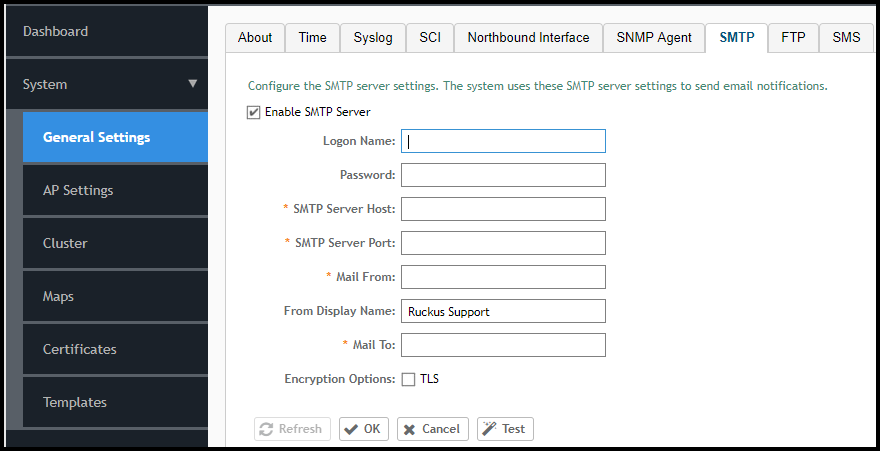
- To enable SMTP, in the web interface, navigate to System > General Settings > SMTP. Configure the SMTP server settings to enable email notifications.
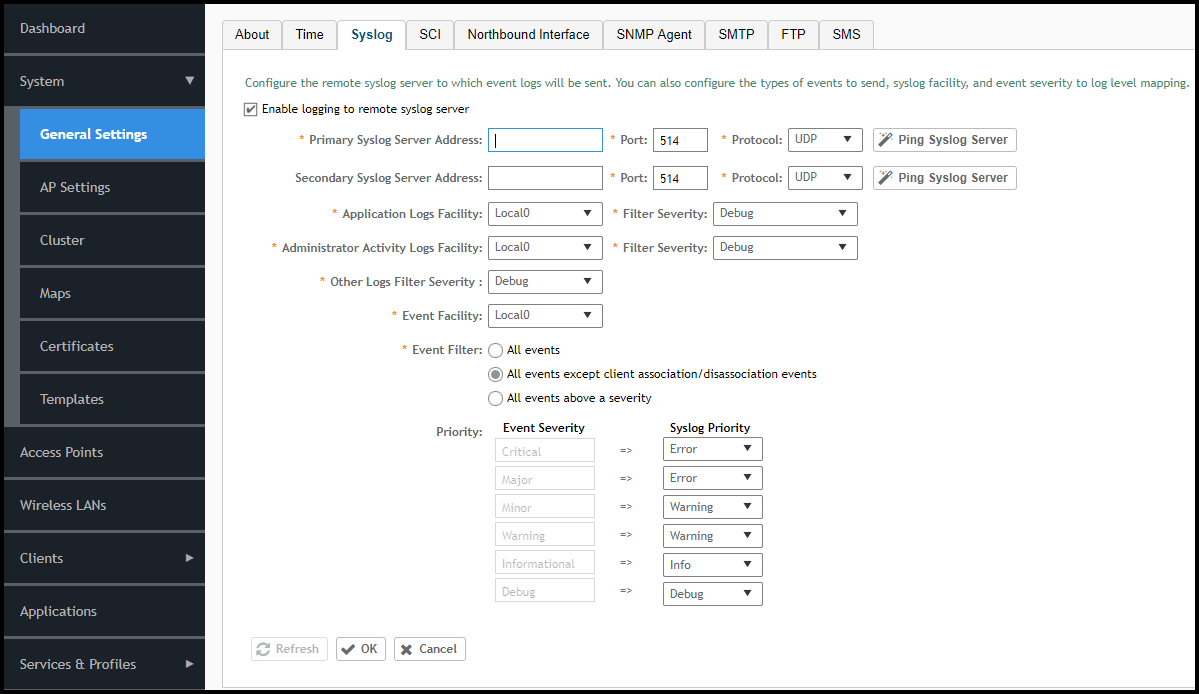
- To enable syslog, in the web interface, navigate to .
- Select
Enable logging to remote syslog server to send event logs.
Note: Apart from the event logs, the controller also stores the audit logs on the local server, and sends them to the syslog servers. For AP and vSZ-D, the audit logs are not stored on the local server, they are buffered and sent to the controller in real-time. This buffer occurs in RAM. In the event buffer is full all new audits are discarded although there is an age out mechanism to prevent this from happening. Any audits in the buffer that cannot be sent to the controller within 30 minutes are deleted from the buffer. After the audits are sent the controller forwards them to the configured syslog server. The controller performs log rotation on both the file system and database. It stores system log files of the file system and the database. The permitted log files size is 100 MB and 14 archives of such application logs are allowed.Note: The external syslog port number must be 514. When an external syslog server is configured, all the audit data or events are sent to the external syslog server simultaneously. The controller uses log rotation to overwrite the oldest audit records to prevent local storage space from becoming full.