Uploading the VHD to Azure Storage Account
Follow these steps to upload the VHD to
Azure Storage Account:
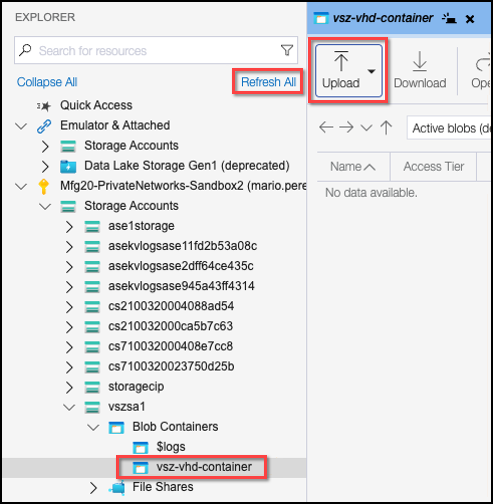
- Click on Refresh All to load your subscriptions data. Expand on Storage account > Blob Containers, and select the container to upload the VHD file.
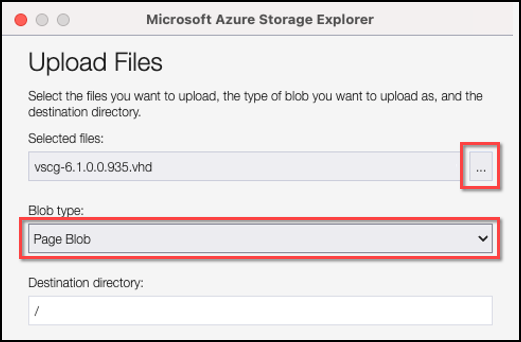
- Click on the Upload button and select Upload Files. Locate your file by clicking on the three dots (directory) button. For Blob type, select Page Blob.
- Click on Upload.
- The upload progress will show on the Activities tab below.
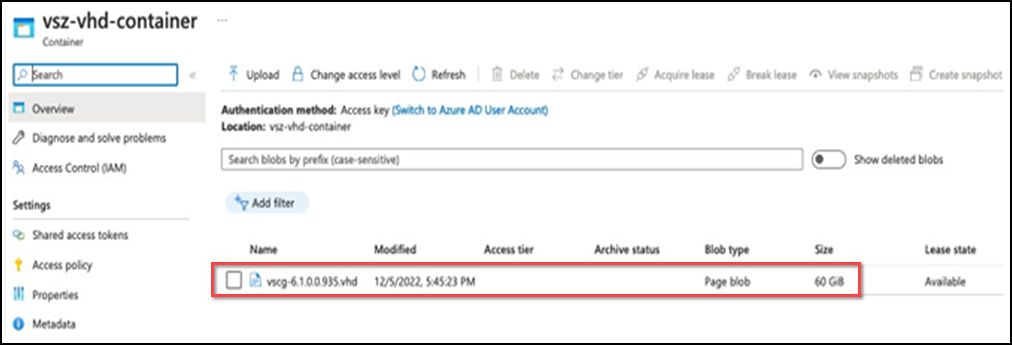
- Login to your Azure cloud storage container to confirm the file that is uploaded.