Updating the Disk Size According to the Resource Plan
Expanding the OS Disk
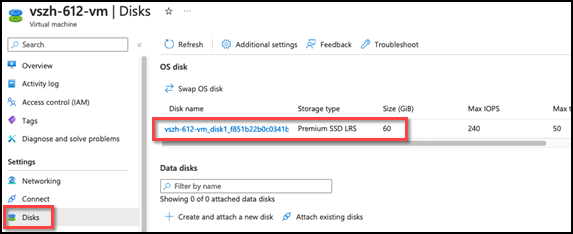
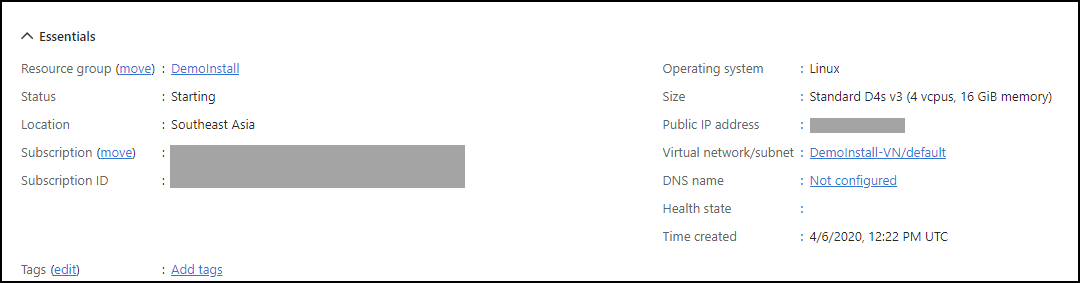
- Once the VM status shows as Stopped (deallocated), navigate to Settings > Disks.
- Identify the OS Disk (showing a 60GB size) and click on it.
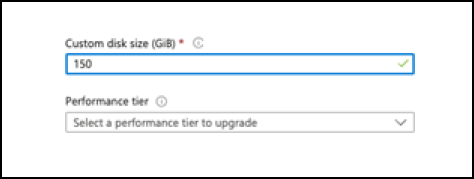
- Click on Size + Performance in the Settings menu.
- In the Custom disk size (GiB) field, type in 150. Then, click on Save.
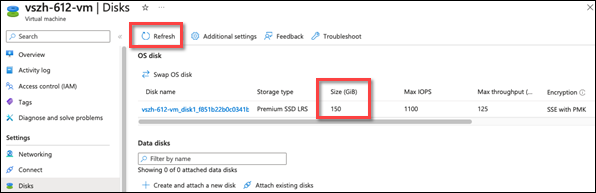
- When the OS disk update has finished, return to the OS Disk menu, and click on the refresh button to confirm the disk size has expanded.
- Next, click on Overview in the
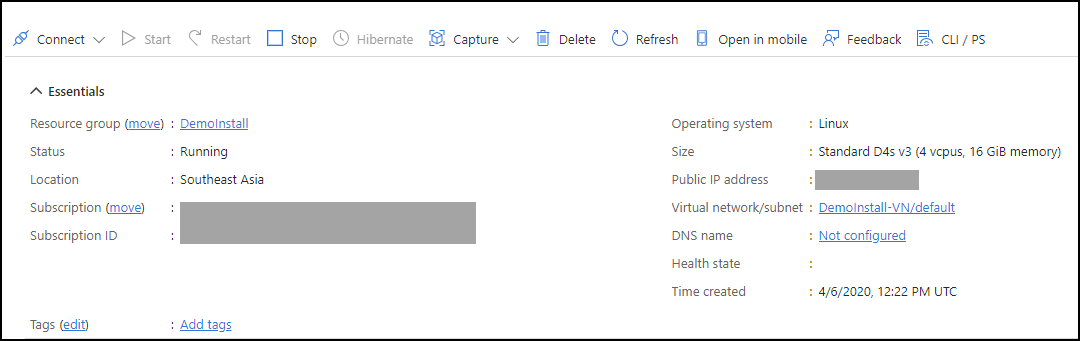
sub-navigation menu on the left and click on Start to start up the
virtual machine.
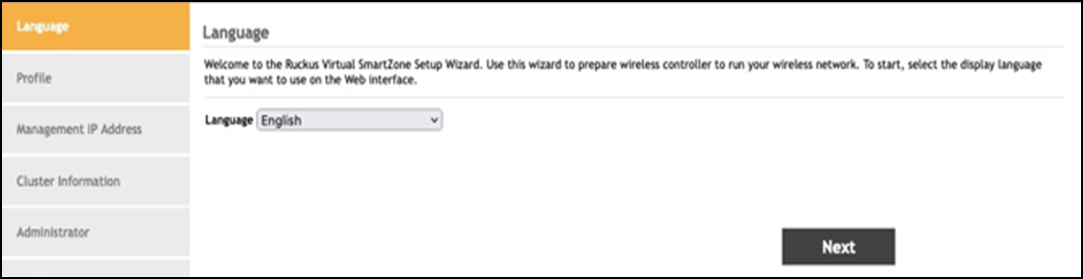
When the virtual machine status shows as Running, copy the Public IP address and type it into your browser (Example, https://x.x.x.x:8443) to begin the Virtual SmartZone Setup Wizard. For information and guidance on configuring the Virtual SmartZone, refer to the official RUCKU documentation, located here.For video assistance, click video to redirect to CommScope's YouTube channel on how to perform the initial configuration on the SmartZone after bringing up the VM in Azure.
RUCKUS Solutions are a part of CommScope's comprehensive portfolio for enterprise environments (indoor and outdoor).
We encourage you to visit https://www.commscope.com/ to learn more about: