Step 2: Select the Profile Configuration That Corresponds to Your vSZ License
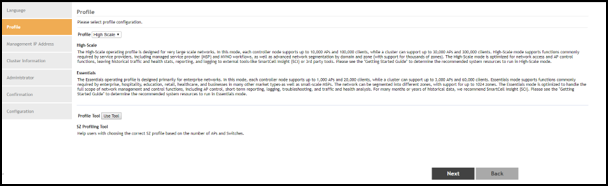
- Select the profile configuration that corresponds to the vSZ license that you purchased. Available profile configurations include:
-
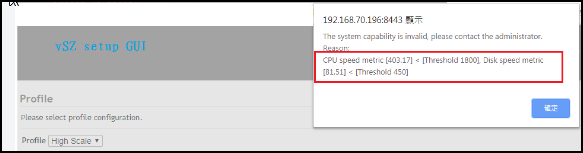
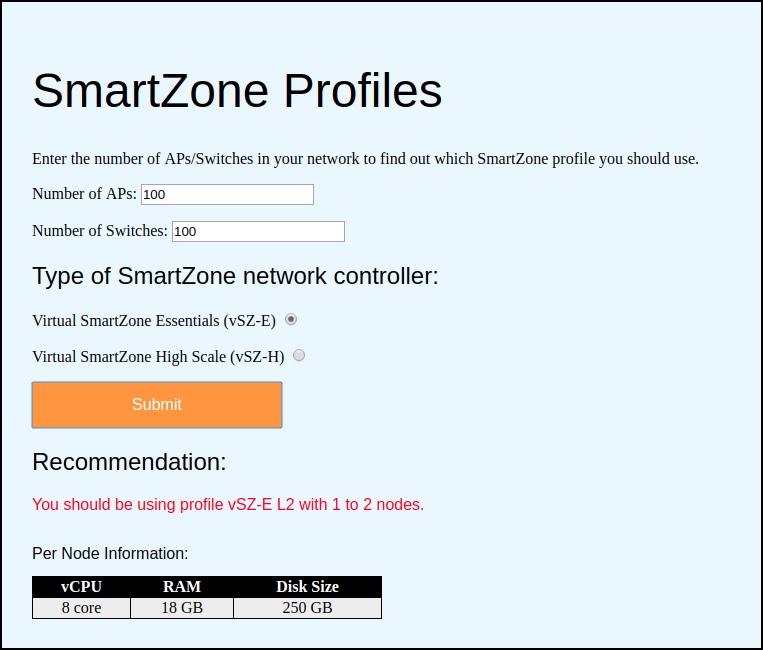
5.2UpdateUnder Profile Tool, click Use Tool to configure a SmartZone profile. The system capability is checked and an error message is displayed if it is invalid.
- In the
SmartZone Profiles page, enter the number of APs and switches, type of SmartZone network controller,
and click
Submit.
- Click Next. The Confirmation message appears. Once you accept the confirmation, the Management IP page is displayed.