Creating Security Groups

  1. Login to OpenStack.
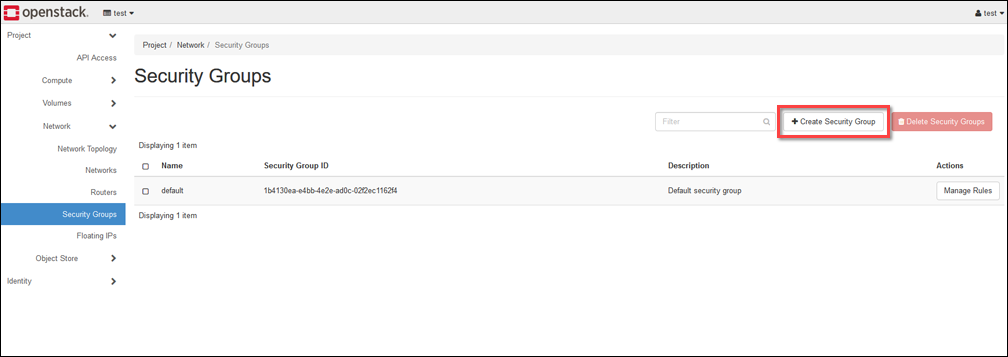
  2. From the homepage, click Project > Network > Security Groups.
    The Security Groups page is displayed.

    Security Group Page

  3. Click Create Security Group.
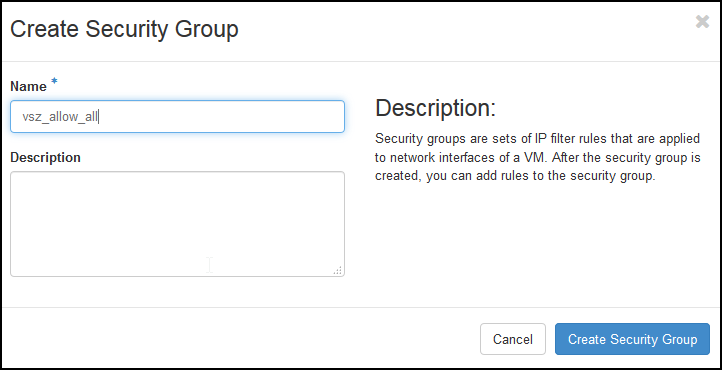
    The Create Security Group page is displayed.

    Creating a Security Group

  4. Enter a Name for the security group and click Create Security Group.
    The new group is listed in the Security Groups page.
  5. Select the group from the list and click Manage Rules.
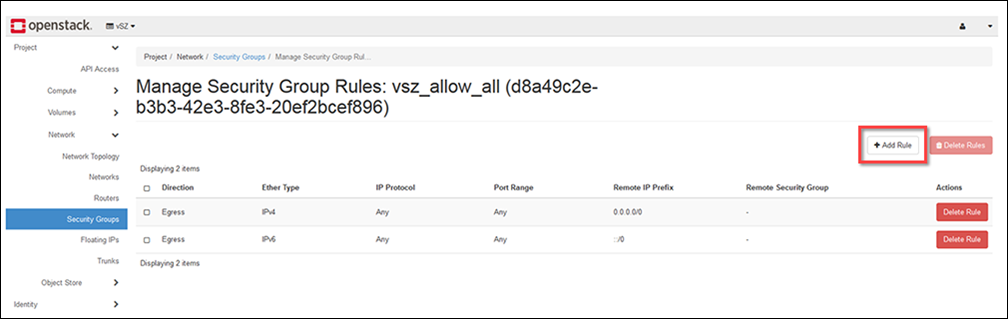
    The Manage Security Group Rules page is displayed.

    Managing Rules

  6. Click Add Rule.
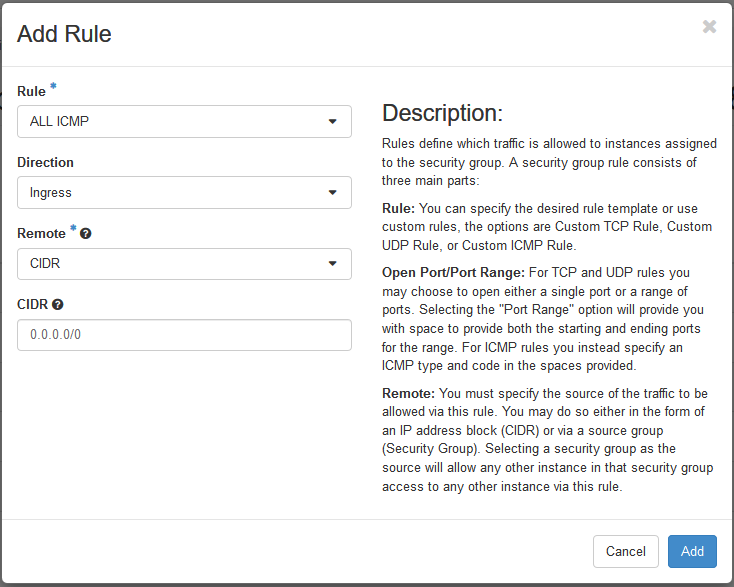
    The Add Rule page is displayed.

    Adding Rules

  7. Rule: Select the rule for this security group.
  8. Direction: Select the traffic direction.
    Note: Refer the Administrator Guide for port configuration.
  9. Click Add, the system takes a few seconds to complete the action..
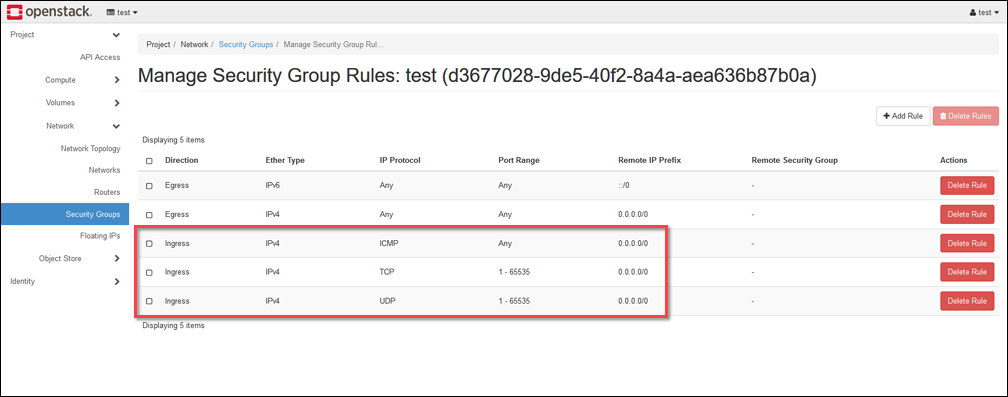
    The new rules are listed in the Manage Security Group Rules page .

    New Rules