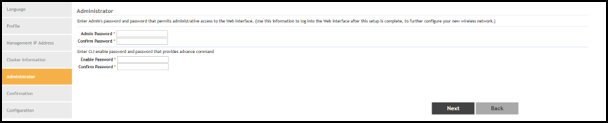
Step 6: Set the Administrator Password
Set the administrator passwords for the web interface and command line interface (CLI).
Note: The web interface and CLI passwords must be at least eight (8) characters in length
and must include one number, one letter, and one special character (for example, $,
*, #, !).
- In Admin Pasword, type a password that you want to use to access the web interface.
- In Confirm Password, retype the password above to confirm.
- In Enable Password, type a password that you want to use to enable CLI access to the vSZ.
- In Confirm Password, retype the password above to confirm.
- Click Next to continue. The Confirmation page appears and displays all the controller settings that you have configured using the Setup Wizard.