Associating a Floating IP Address to a Project
To direct network traffic to the OpenStack instances, you must associate a floating
IP address to a project.
- Select .
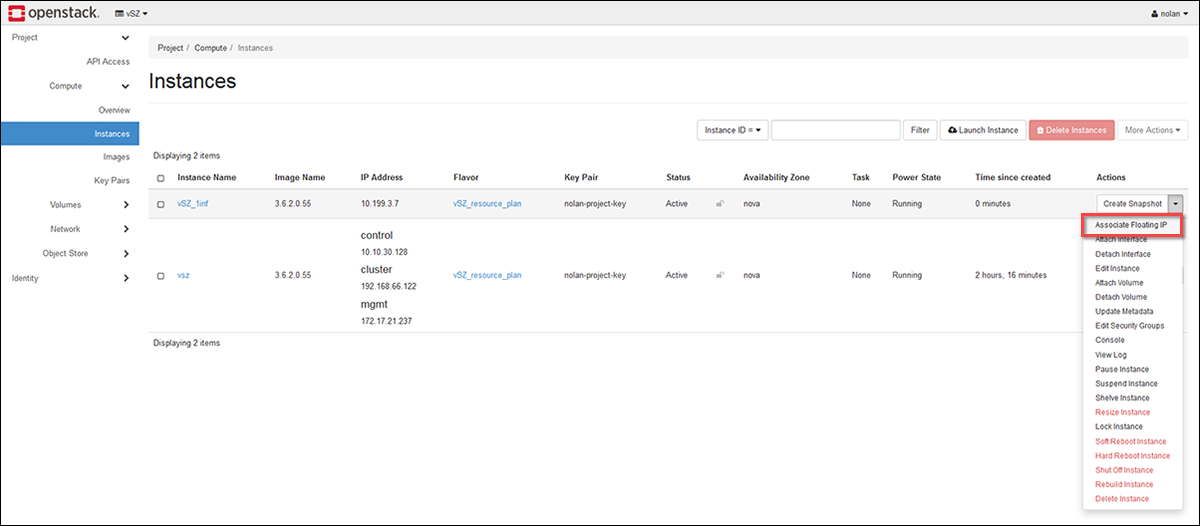
- Click Associate Floating IP from the Action list.
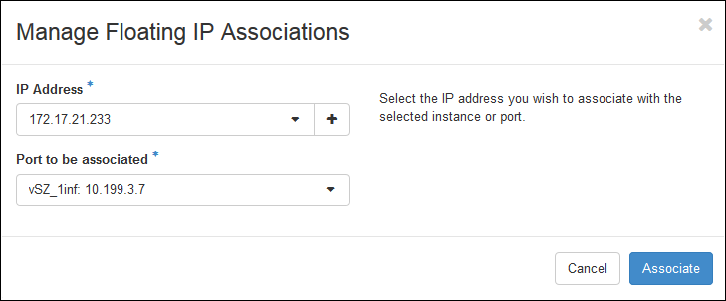
- Select an IP address from the IP Address list or click + to allocate a floating IP address. Refer to Allocating a Floating IP to a Project for more information.
- Click Associate.