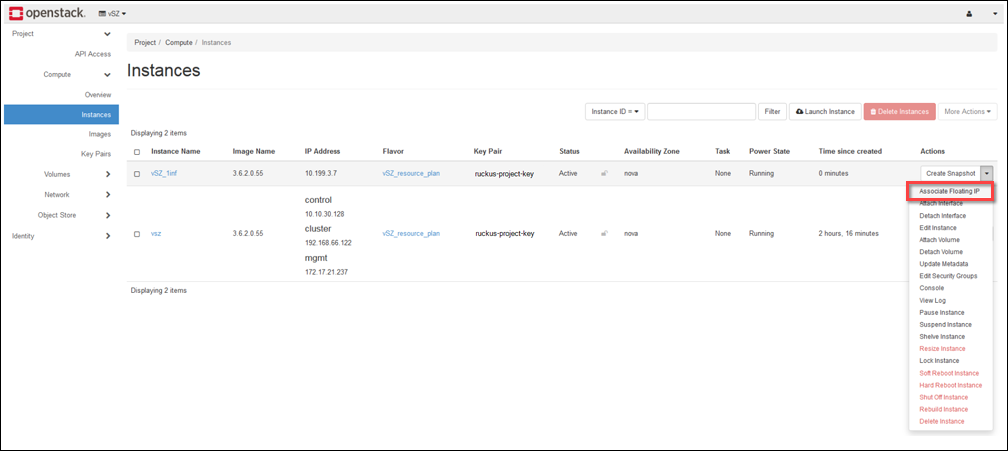
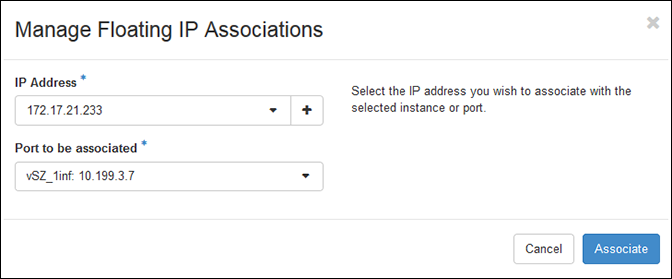
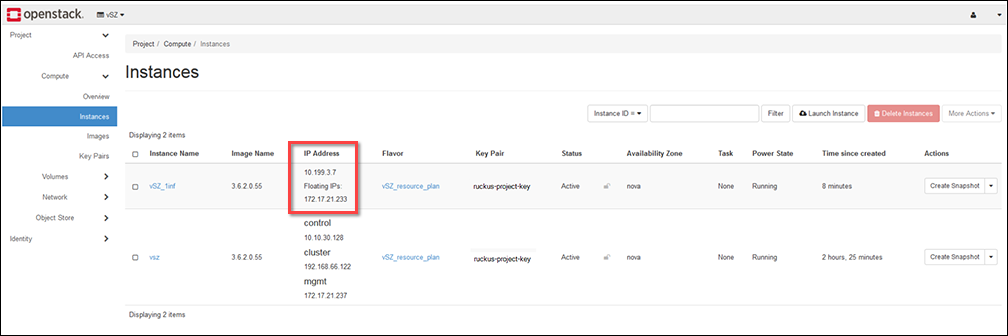
Associating Floating IPs From the homepage, click Project > Compute > Instances. The Instances page is displayed. Associating Floating IP Select the drop-down by the vSZ that you want to associate the floating IP and select Associate Floating IP. The Manage Floating IP Associations page is displayed. Manage Floating IP Associations From IP Address, select the floating IP that was reserved. Click Associate. The system will take few seconds to associate the IP to the instance. Associated Floating IP Parent topic: Deploying One-interface vSZ with built-in SNAT