Creating Inbound Security Rules
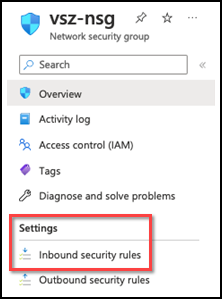
- Go to the newly created Network security group resource, then go to Settings > Inbound security rules.
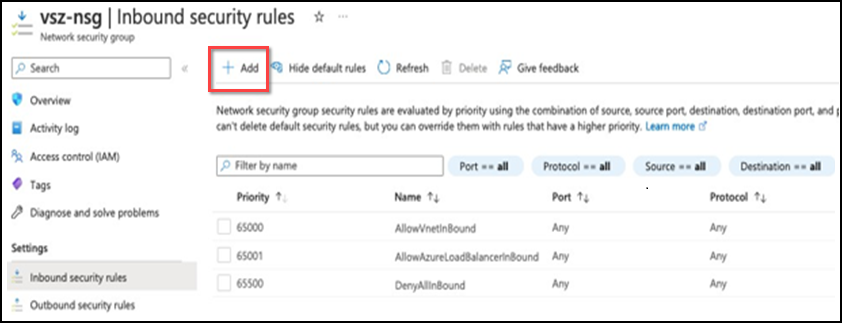
- Click on +Add to add parameters for the inbound rule.
- Use the following parameters for
the new inbound rule:
- Source – Any
- Source port range - *
- Destination – Any (this is used for demo purposes; you may want to set this for the specific IP address of your VM)
- Service – Custom (8080)
- Protocol – TCP
- Action – Allow
- Priority – default (100)
- Name - vsz-Allow-Any-8080-IB
- Description - vSZ setup wizard using the web user interface
- Click on Add after selecting the parameters to finish creating the rule.
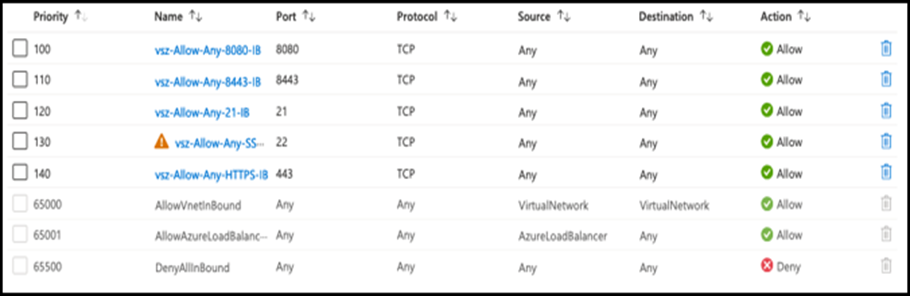
- Next, add additional inbound rules for ports 8443, 21, 22 & 443. All rules will use TCP as the protocol.