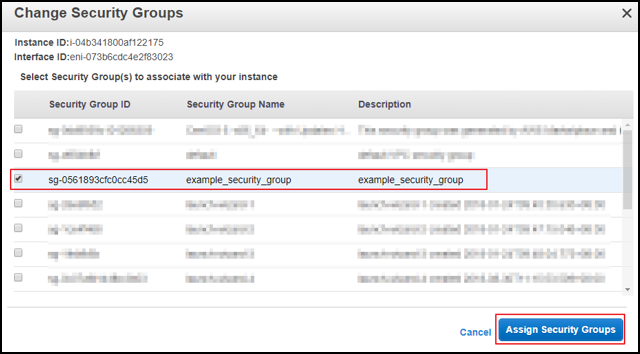
Change Security GroupFollow these steps to change the security group. Navigate to Instances and right click the target instance. Select Network > Change Security Group. Select the security groups. Allocate New IP Address Click Assign Security Groups. Parent topic: Configuring AWS for a vSZ Instance