Allocating a Floating IP Address to a Project

You must allocate a floating IP address to a project from a pool of floating IP addresses.
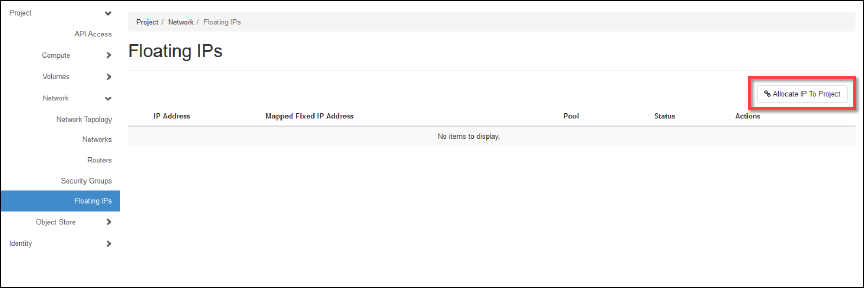
  1. Select Project > Network > Floating IPs.

    The Floating IPs page is displayed.

    Viewing the Floating IPs

  2. Click Allocate IP To Project.

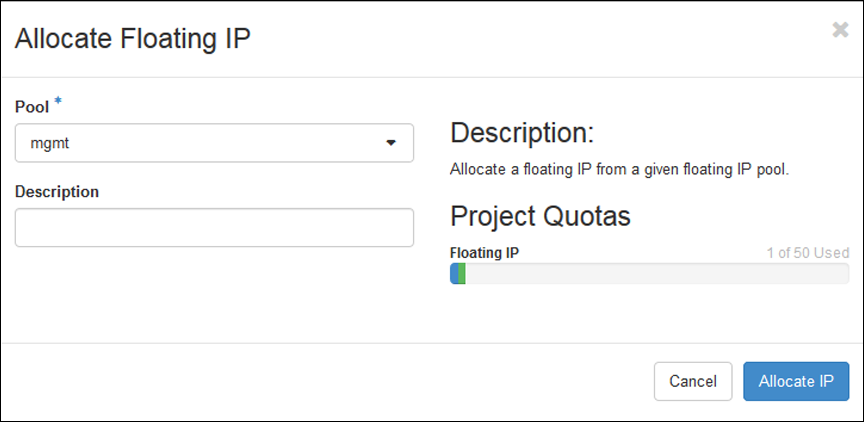
    The Allocate Floating IP page is displayed.

    Allocating a Floating IP Address

    Note: After the allocation of a floating IP address to a project, the entry is reflected in the Floating IPs page.

  3. Select a floating IP address (external interface) from the Pool list.
  4. Click Allocate IP.