Creating Router Settings
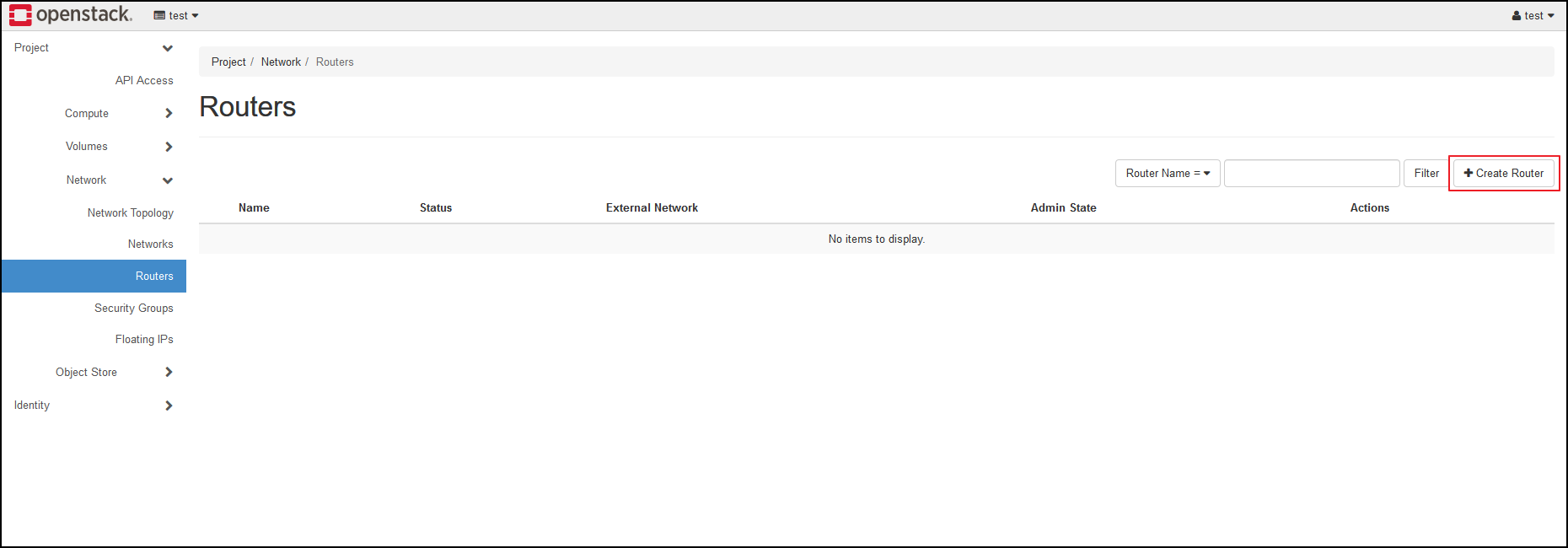
- From the homepage, click .
- Click Create Router.
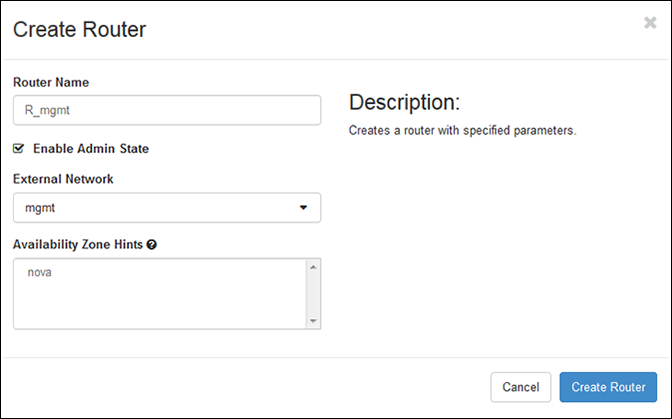
- Router Name: Enter the router name.
- External Network: Select the external network which must be the NAT interface.
- Click Create Router.
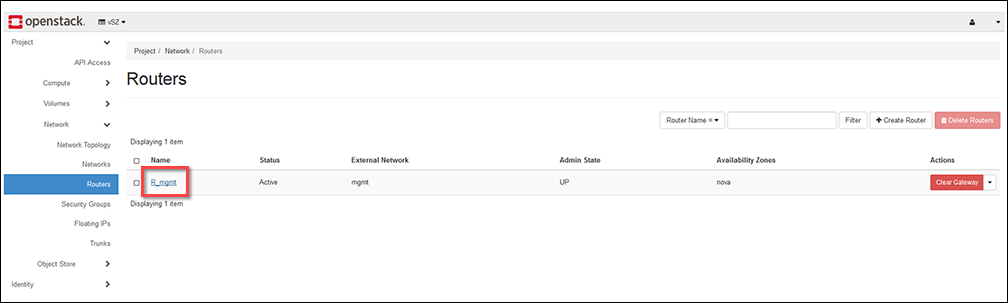
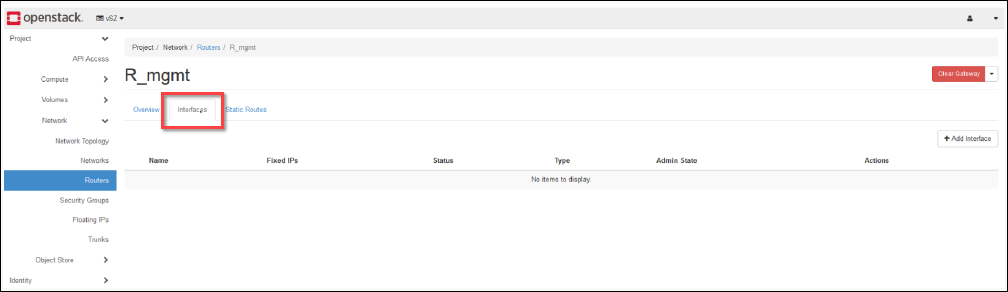
- Select the router and click the Interfaces tab.
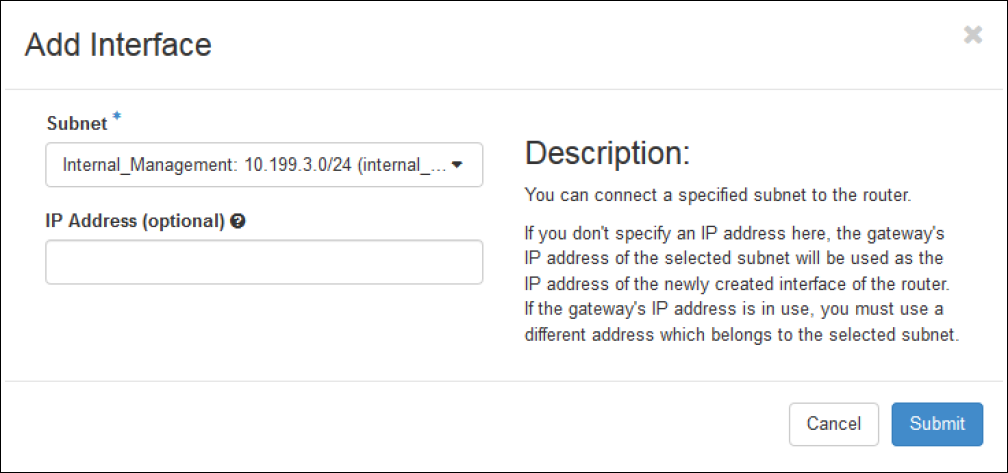
- Click Add Interface.
- Subnet: Select the interface that you created.
- Click Submit.
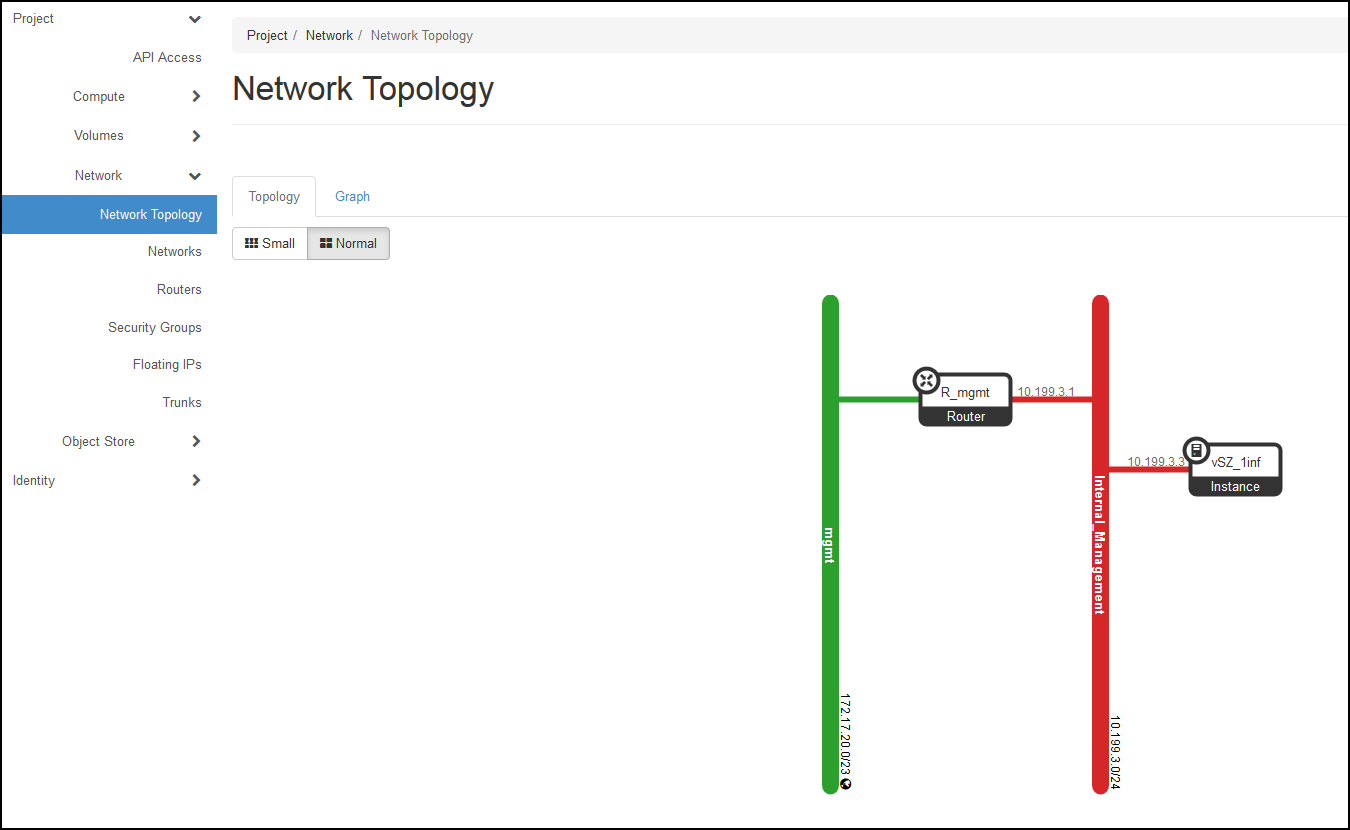
- Click .
- Click Normal mode and ensure that the router is created correctly.