Load the vSZ Image on the Nutanix Hypervisor
- Login the Hypervisor CVM.
The homepage is displayed.
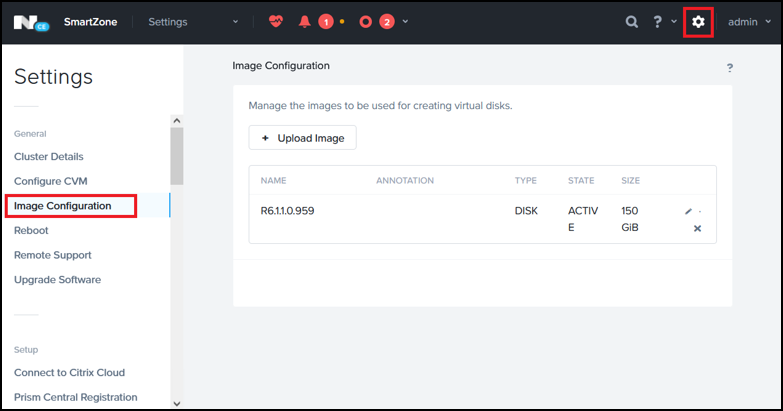
- From the upper-right corner of the page, click
Settings and select
Image Configuration
as shown in the following image.
The Image Configuration window is displayed.
- Click Upload Image. and add the vSZ image in QCOW2 format.
- The default image size is 150 GB. If the image size is more than the default size, the file must be resized in the other Linux base and then uploaded.
- Enter the following information to add the vSZ image in QCOW2 format:
- Click Save.