Viewing System Settings
System settings include options to view
system information, configure system time, NTP servers, and DNS servers.
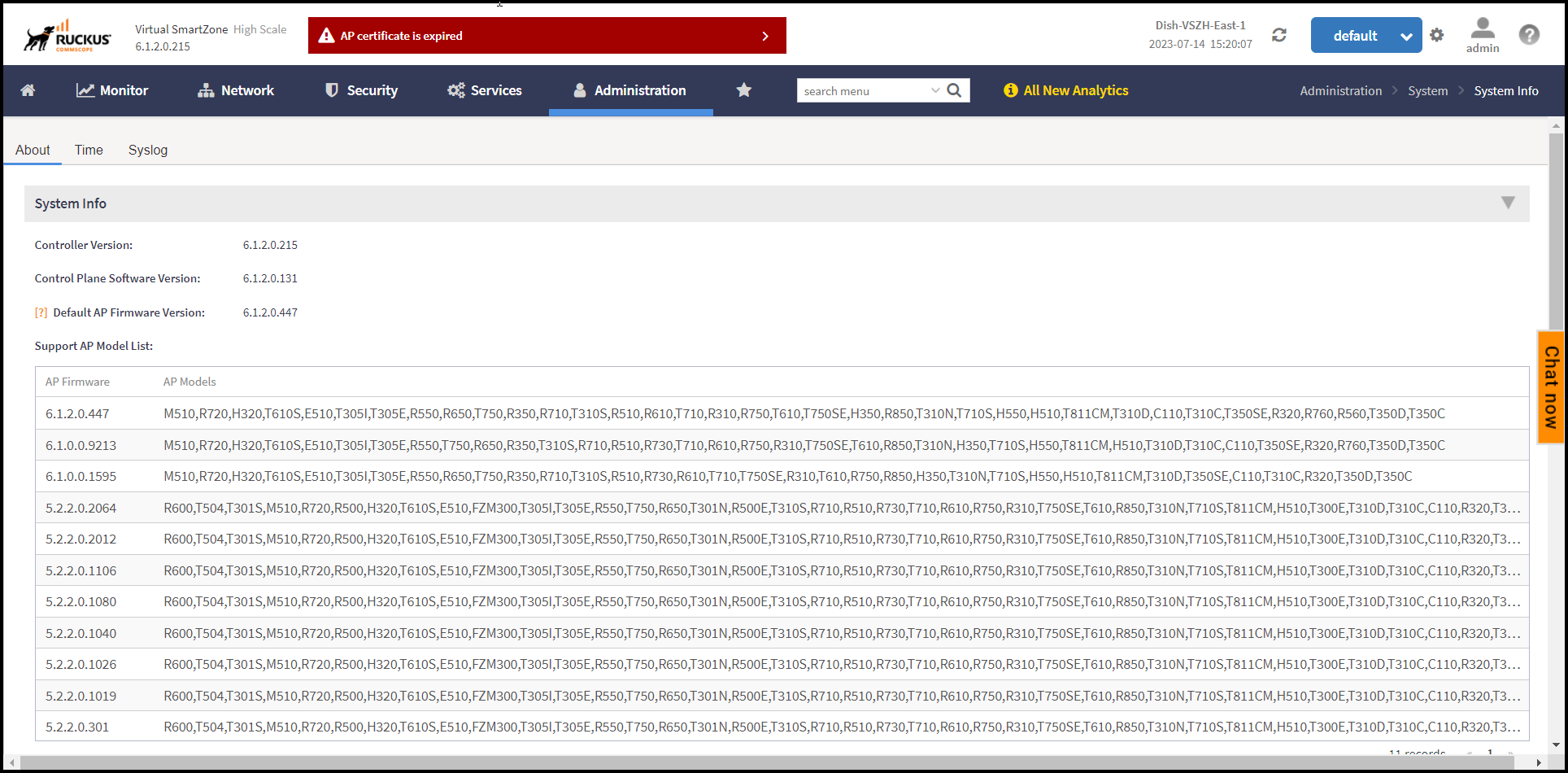
To view the system settings information, select . The following system information is displayed:
- Controller Version
- Control Plane Software Version
- Data Plane Software Version
-
6.1.2 updateDefault AP Firmware Version (hover over the field to see the firmware type)
-
6.1.2 updateSupported AP Model List with AP firmware and supported AP models
- Cluster Name
- Number of Planes
- System Name
- System Uptime
- Serial Number
- System Capacity of Cluster
-
to verify with SME if vSZ-H supports 3GPP Tunneling
- 3GPP Tunneling License
- AP Capacity License
- AP Direct Tunnel License
- Data Plane Capacity License
To modify the condition to vSZ-H and replace the screen shot
with 7.1.0.
to modify the condition