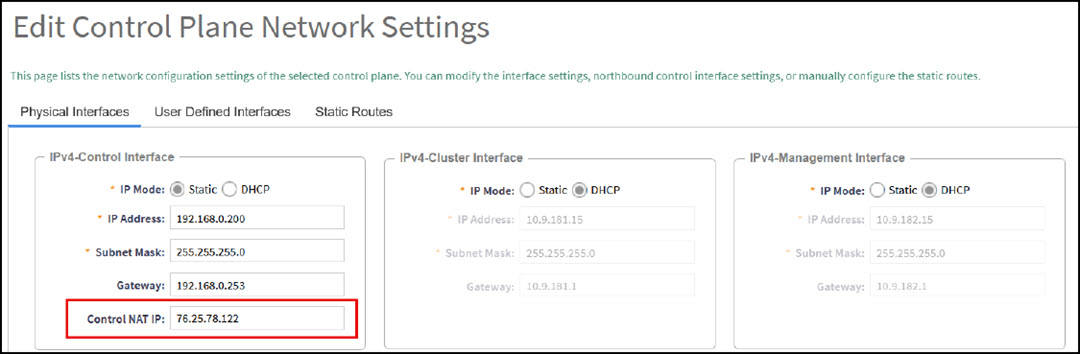
Control NAT IP
The SmartZone controller can manage APs and switches locally, within the private LAN, or through the internet. For the SmartZone controller to manage devices across the internet, it requires a public, network address translation (NAT), IP address to be configured for the Control Plane.
To configure the public IP address of the Control Plane:
- From the main menu, navigate to .
- Select the node from the Control Planes list.
- Double-click the node in the Control Planes list or select the node and click Configure. The Edit Control Plane Network Settings window opens, and the Control Interface options appear.
- Configure the public IP addresses for
the Control Plane in the Control NAT IP field.
Note: This public IP address will be granted by your Internet Service Provider (ISP) or can be created at the Network Firewall/NAT level by the firewall administrator.