Managing the Access Control of the Management Interface
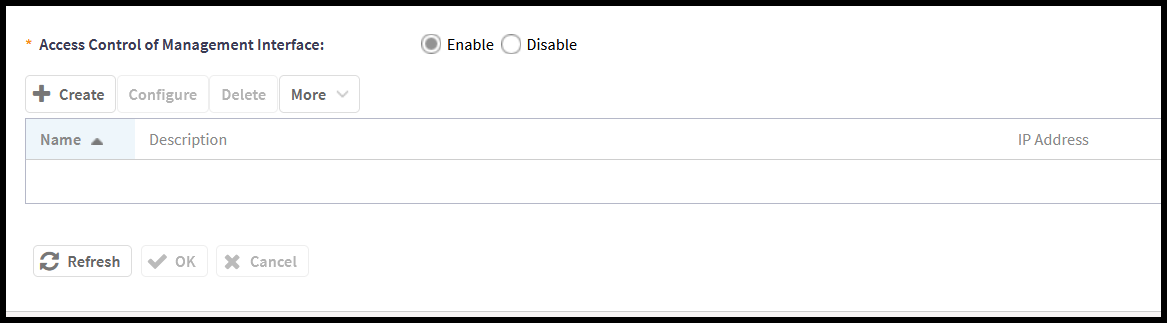
Administrators of the SmartZone controller are provided with the option of enabling Access Control Lists (ACLs) to regulate access to the Web UI. When enabled, this feature will provide access to the Web UI for only the specified IP address or addresses. Be careful when enabling this feature to ensure that the access configuration does not prohibit your access.
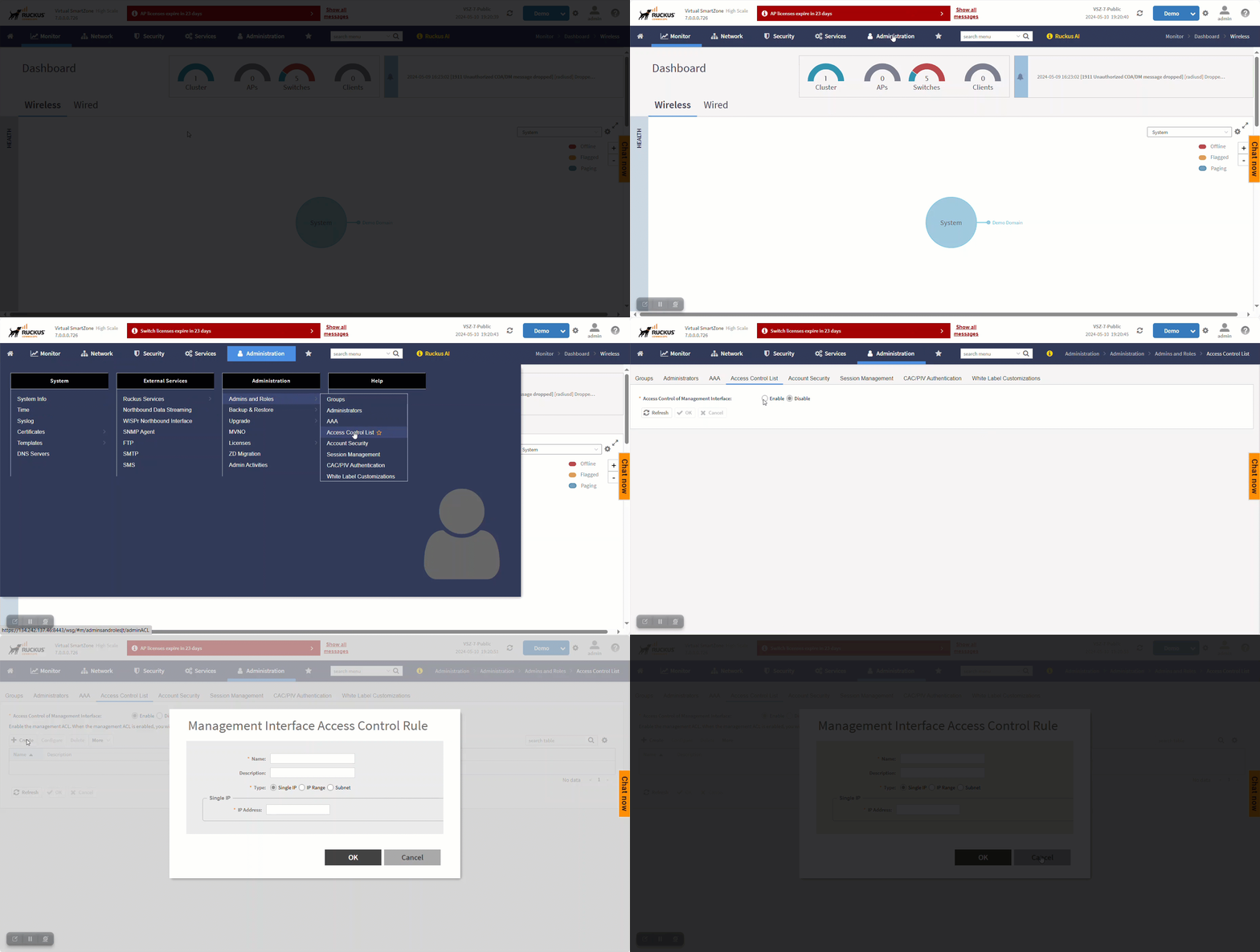
Complete the following steps to enable ACLs for the management interface:
-
Click Administration > Admins and Roles > Access Control List.
The Access Control List tab is displayed.
- Select Enable to enable this feature.
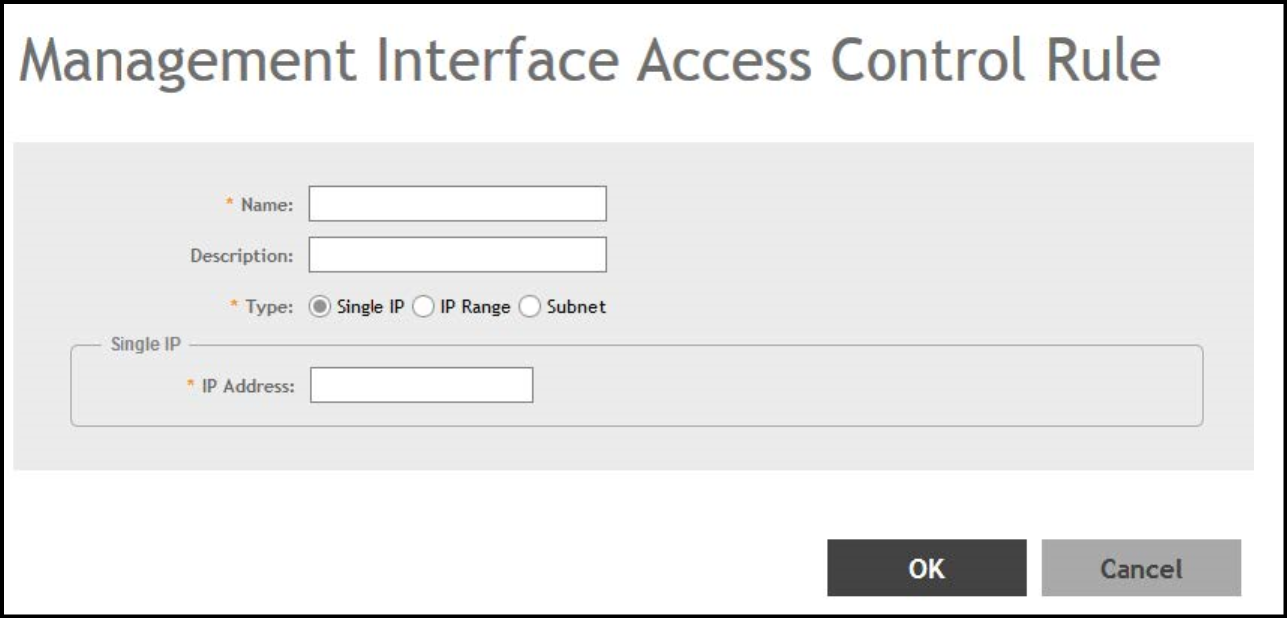
- Click Create.
- Enter the following:
- NameType a name to identify the rule.
- Description: Enter a short description for the rule.
- Type: Select one of the following:
- Click OK to save the changes in the Access Control List tab.