Location Services
If your organization purchased the
RUCKUS Smart Positioning Technology (SPoT) location service, the controller must be configured
with the venue information that is displayed in the SPoT Administration Portal.
- From the main menu, go to .
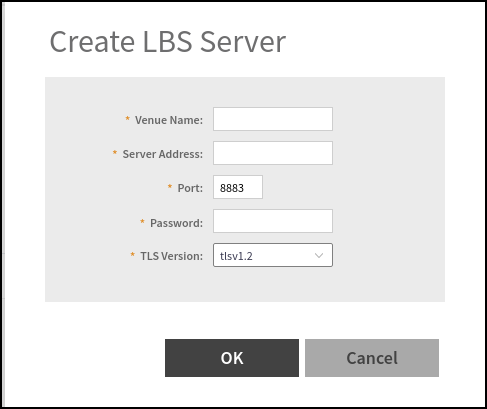
- Click Create.
- In the Venue Name field, type the venue name for the server.
- In the Server Address
field, type the server IP address. Note: The server address must be entered in IPv4 address format. The LBS server does not support configuration of IPv6 addresses.
- In the Port field, type
the port number to communicate with the server. Note: The default port number is 8883.
- In the Password field, type the password to access the server.
- From the TLS Version list, select the TLS version.
- Click OK. Note: You can also edit, clone, and delete the location-based services by selecting the Configure,Clone, and Delete options respectively from the Ruckus Location Services (SPoT) tab.Note: The connection between the controller and vSPoT is an outbound connection, so it depends on the destination IP address. If the destination IP address falls in the subnet of one interface, it is routed to that interface. Otherwise, it is routed through the default route.