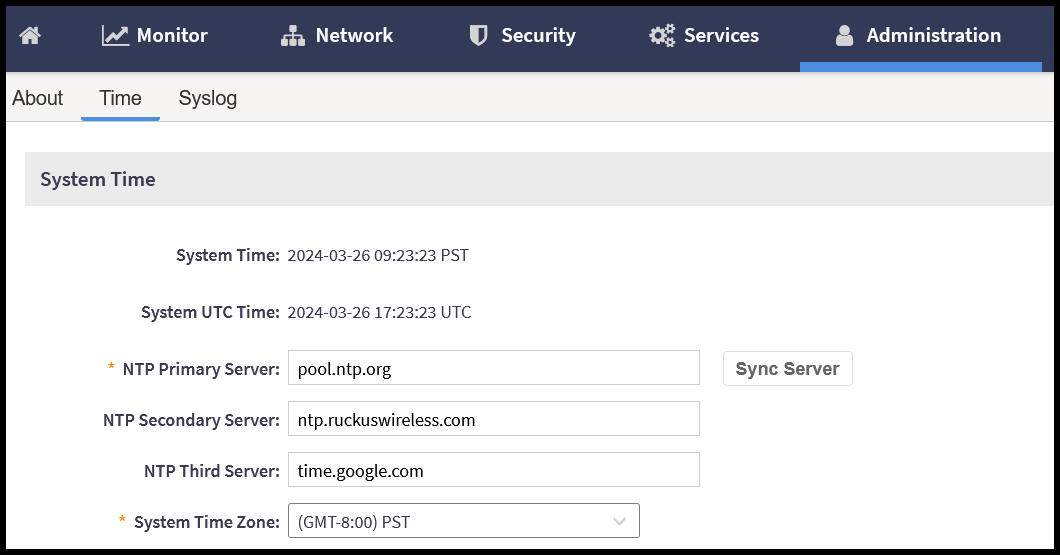
Configuring the System Time
The SmartZone controller uses Network Time Protocol (NTP) for time synchronization. There is an option to configure the primary NTP server for the controller within the setup wizard during the initial controller setup; optionally, this setting can be modified or more servers can be added at any time after the controller has been deployed.
The controller has three external Network Time Protocol (NTP) servers that are used to synchronize the time across points, cluster nodes, and virtual data planes.
Note: The controller supports NTP version 4.2.6p5. The controller and access points do not accept broadcast and multicast NTP packets that would result in a timestamp. These packets are ignored by default.
To view the system time, navigate to from the main menu.
The Time tab is displayed. This tab consists of the System Time settings and the optional NTP Authentication settings for each of the configured NTP servers. Add or modify any of the variables and click OK at the bottom of this page to save the changes.