Access and Core Segmentation
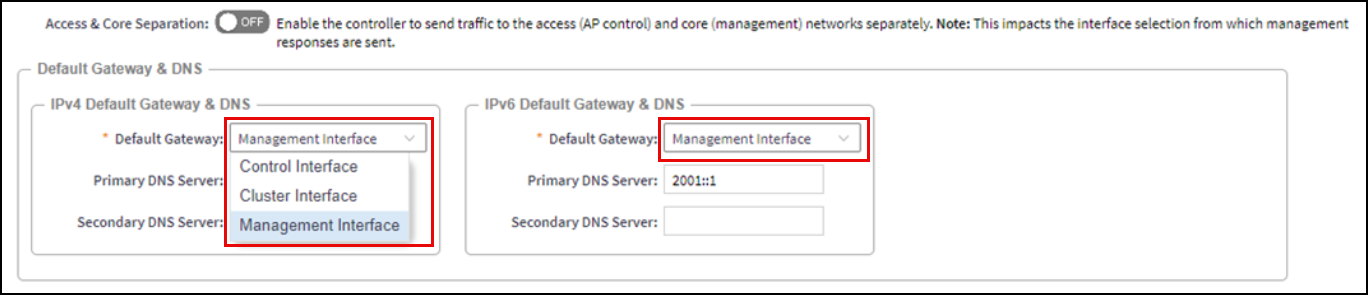
This configuration is specific to controllers using three separate physical interfaces (Control, Cluster, and Management interfaces), enabling you to configure separate routing domains through which the controller will communicate with the different parties in the network. To enable Access and Core Separation, navigate to Network > Data and Control Plane > Cluster; select the cluster for which you want to modify the configuration and click Configure; on the Physical Interfaces tab, click the Access and Core Separation toggle switch to ‘ON’.
-
Enabled. When enabled, the controller will communicate with the access points and switches using the Control Interface as the source interface. The Management Interface IP address will be used as the source for web access and other communications to external services. Ensure that you configure routable Default Gateway services within each of the Control Interface and Management Interface subnets to ensure accurate, efficient routing of communications.
-
Disabled. When disabled, the controller will use one, single, source interface for all communications, simplifying the network configuration. Only the selected interface requires routable access to other networks and to the internet. As shown in Figure 3, you can choose which one of the interfaces will be used as the source interface for communications