Configuring Global Filters
Configure the preferred filter as follows.
-
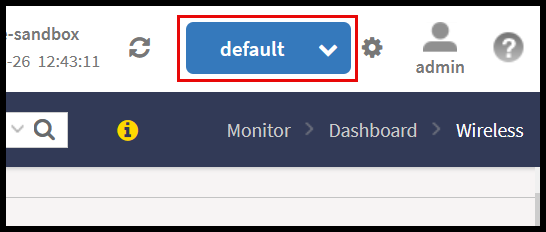
Click the gear icon next to the Global Filter indicator located in the upper-right corner of the Web UI.
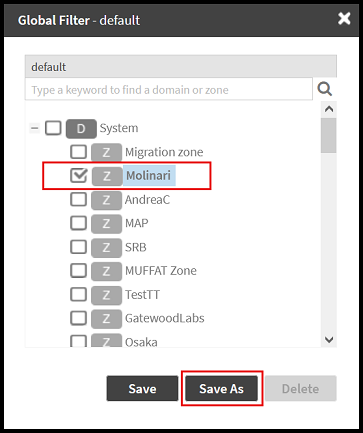
The Global Filter - default window is displayed.
-
In the Global Filter - default window, check the boxes for the Domains or Zones of interest for the new filter.
-
Click Save As to save the selection as a new filter or click Save to save the selection as the default filter. Any new filter can be deleted using the Delete option.
-
The new filter has been created and it will be automatically selected. You can switch to a different filter from the drop-down menu available in the Global Filter indicator.