Configuring Northbound Data Streaming Settings
Configuring the Northbound Data Streaming
settings in the controller enables data transfer from the controller to the Northbound
Data
Streaming server using the Message Queuing Telemetry Transport (MQTT) protocol.
-
Note: You can create a maximum of two SCI profiles simultaneously.
Complete the following steps to configure the Northbound Data Streaming server settings.
- From the main menu, go to .
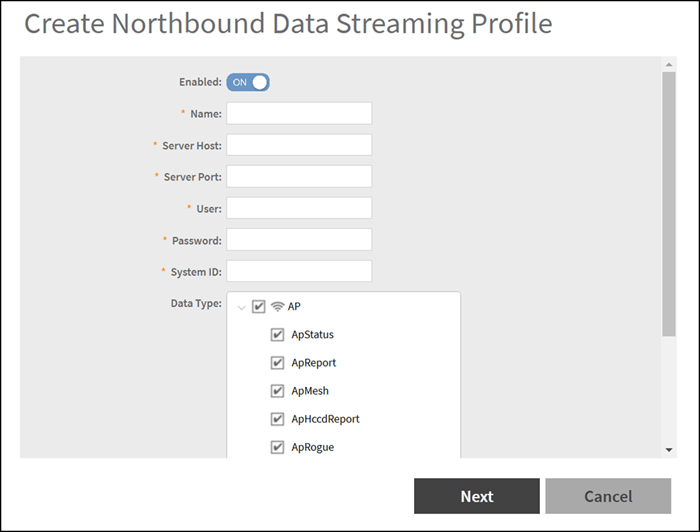
- Click Create. The Create Northbound Data Streaming Profile dialog box is displayed.
- Complete the following
options:
- Enabled: Set to ON to configure the Northbound Data Streaming profile.
- Name: Enter the profile name.
- Server Host: Enter
the IP address of the Northbound Data Streaming host server.
Note: An SCI profile supports only the IPv4 format.
- Server Port: Enter the port number using which the Northbound Data Streaming server and the controller can communicate and transfer data. The ports must be allowed on the firewall.
- User: Enter the name of the user.
- Password: Enter the password for the user.
- System ID: Enter the ID of the Northbound Data Streaming system to access.
- Data Type: Select the required options for the specific data types that must be sent to the Northbound Data Streaming server from the SCI server.
- Click Next.
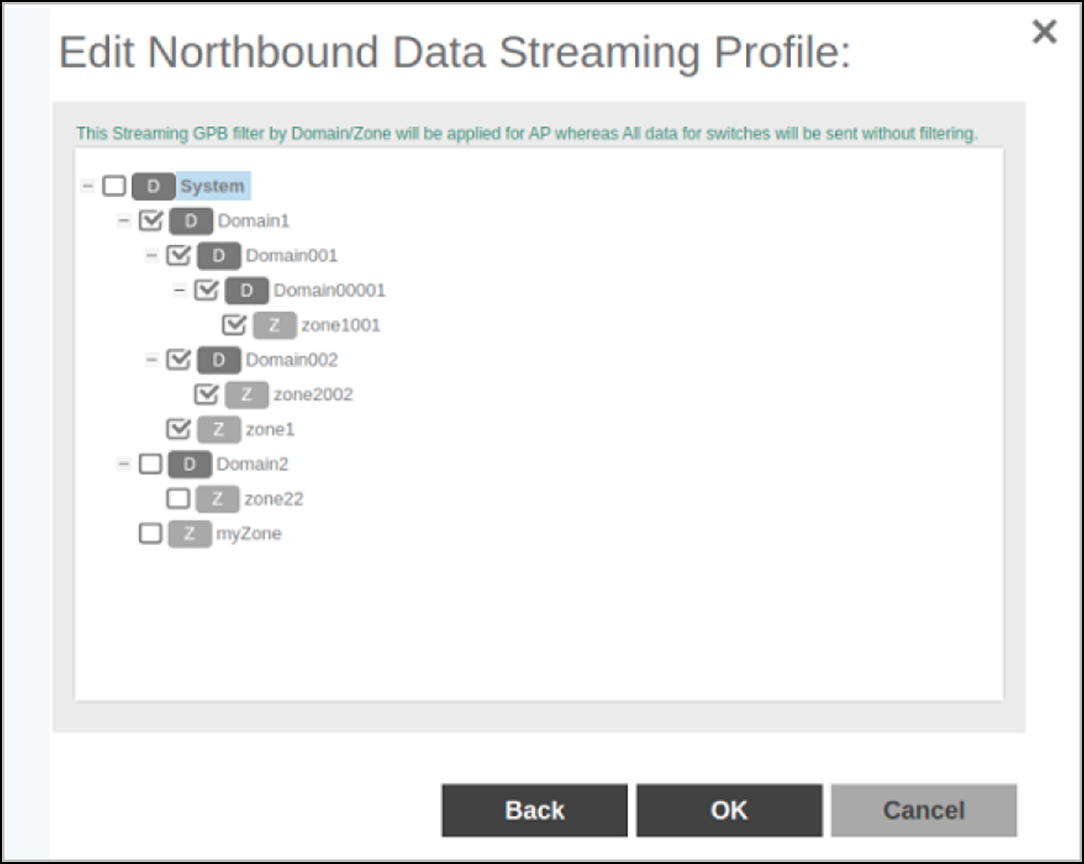
- For APs, from the System tree, select the required domain or zone to send KPIs or statistics to the Northbound Data Streaming server. For switches, KPIs or the statistics are sent to SCI or Northbound Data Streaming server without filtering.
- Click OK.
The Northbound Data Streaming profile is listed on the Northbound Data Streaming page.
The Status column displays the current connection status of the SCI profile.