Zero-IT and DPSK Settings
Zero-IT
Zero-IT Activation allows network users to self-activate their devices for secure access to your wireless networks with no manual configuration required by the network administrator.
Once your Unleashed network is set up, you need only direct users to the Activation URL, and they will be able to automatically activate their devices to securely access your wireless LAN.
At the activation URL, users must first enter a valid user name and password to be granted this access. Users can be authenticated against either an internal database (manually configured for each user), or against an external authentication server, such as Active Directory or RADIUS. For smaller deployments, you can manually create user accounts on the internal user database from the Admin & Services > Users screen. If an external server is used, you must configure Unleashed with the IP address and login for the external auth server.
Once authentication is successful, a Zero-IT Activation file is downloaded and run on the client device, automatically configuring the device's wireless connection settings.
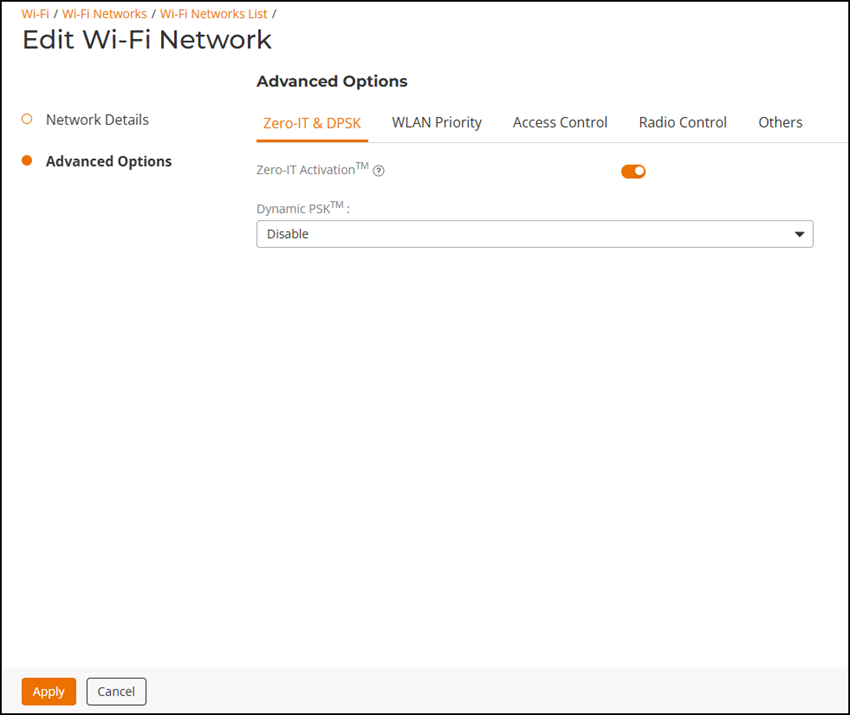
Dynamic PSK
Dynamic PSK (DPSK) is a unique RUCKUS feature that enhances the security of normal Pre-Shared Key (PSK) wireless networks. Unlike typical PSK networks, which share a single key amongst all devices, a DPSK network assigns a unique key to every authenticated user. Therefore, when a person leaves the organization, network administrators do not need to change the key on every device.
RUCKUS DPSK offers the following benefits over standard WPA2-PSK security:
- Every device on the WLAN has its own unique DPSK that is valid for that device only (by default).
- Each DPSK is bound to the MAC address of an authorized device; even if that PSK is shared with another user, it will not work for any other machine.
- Since each device has its own DPSK, you can associate a user (or device) name with each key for easy reference.
- Each DPSK may also have an expiration date; after that date, the key is no longer valid and will not work.
- DPSKs can be created and removed without impacting any other device on the WLAN.
- If a hacker manages to crack the DPSK for one client, it does not expose other devices that are encrypting their traffic with their own unique DPSKs.
DPSKs can be created in bulk and manually distributed to users and devices, or they can be sent as part of the Zero-IT automatic provisioning file that is sent when a client connects to the network for the first time using Zero-IT Activation.