Exporting the Switches List to a CSV File

You can export the list of ICX switches to a CSV file. Only details of switches in the Connected state are exported. The export option is disabled when no connected switches are present and is not available to users assigned the Operator or Monitoring User roles.
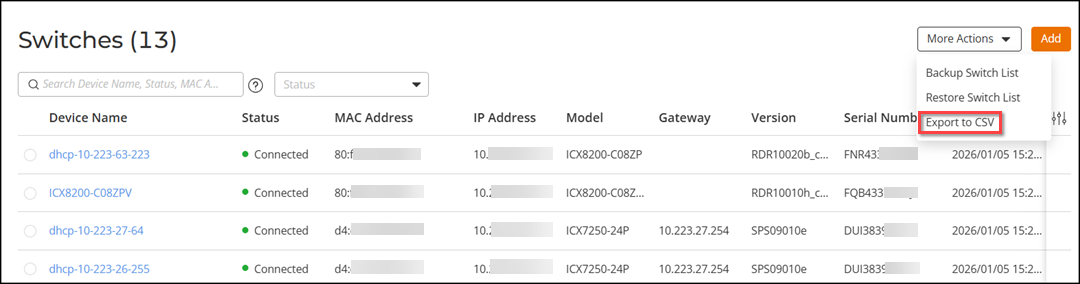
Complete the following steps to export the ICX switch list to a CSV file.
  1. From the main menu, select Wired > Switch List.
    The Switches page is displayed.

    Switches - Export to CSV

  2. Click More Actions and select the Export to CSV option.

    The ICX switch list is downloaded as a CSV file containing the relevant switch details.