Managing Tasks
Domain Admin can view, create and
manage your tasks.
- After you log in to the remote
management services web interface, select Tasks
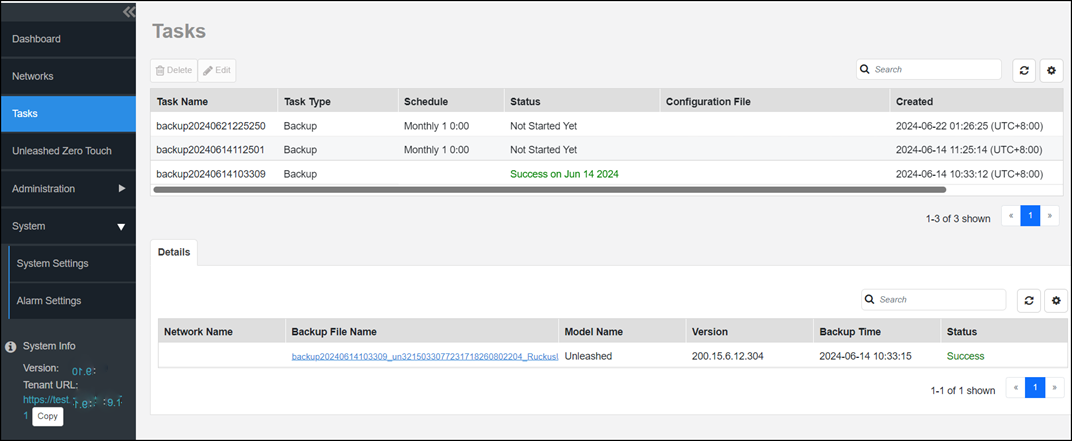
from the main menu. The Tasks page appears, listing all the tasks created so far. The following information about the task is displayed.
- Task Name: Displays the name of the task.
- Task Type: Displays the type of task, such as Backup, Restore, and so on.
- Schedule: Displays the time and date for when the task is scheduled.
- Status: Displays the status of the task.
- Configuration File: Displays the name of the configuration file used.
- Created: Displays the time and date when the task was created.
- Created By: Displays the User ID of the person who created the task.
To delete a task, select it and click Delete. You can also select a task in progress and click Edit to modify the settings, however you can only edit scheduled tasks.