Configuring the Unleashed Network
To monitor and manage Unleashed networks
using the remote management services for Unleashed, you must enable software management
on
the Unleashed device and register it with the remote management services for Unleashed.
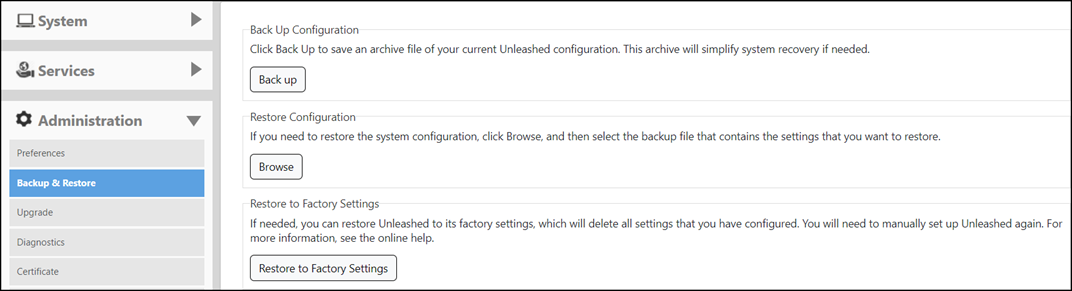
- Generate and Apply the Unleashed ID: Each Unleashed network is assigned a unique ID by the system. You can renew this ID by clicking Generate in the Unleashed web interface and then applying it to the network. The 'Unleashed ID' is reset when the system is restored to factory settings or when the configuration is restored from a backup file. The remote management services for Unleashed uses the 'Unleashed ID' to identify the network. If the 'Unleashed ID' is renewed or reset, the remote management services treats it as a new network.
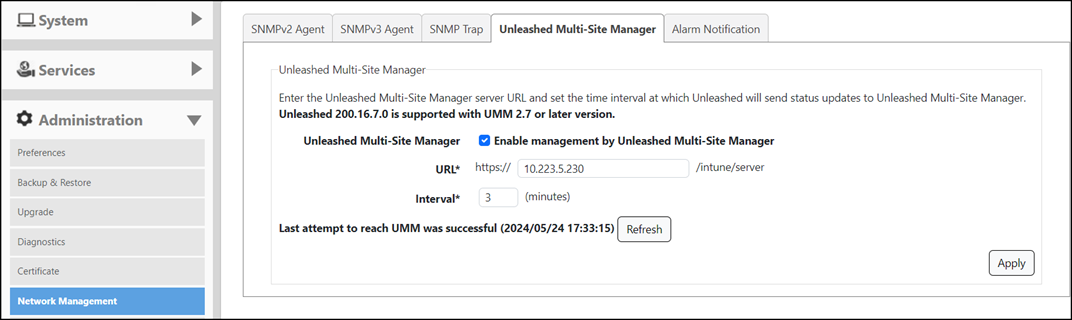
- Enable software management from the Unleashed web interface:
- Log in to the remote management services and go to Networks. The Unleashed network will be registered and displayed. The Networks menu option is accessible by the Domain Admin, the Group Admin, and the Site Admin.