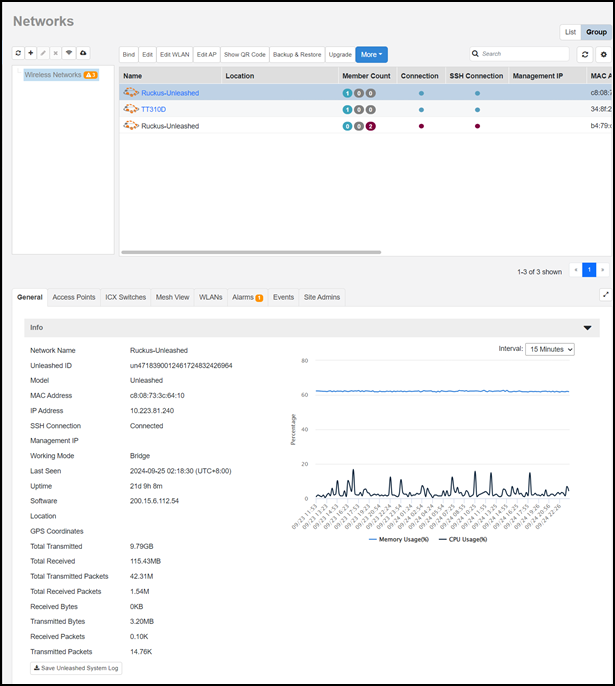
Downloading the Unleashed Network System Log
For debugging purposes, you can
download the Unleashed System Log through remote management services directly. The
log file
is not local in the remote management services for Unleashed; it is obtained by remote
management services sending a request to Unleashed for system logs. The connections
to both
Unleashed and SSH must be active.
- After you log in to the remote
management services web interface, select Networks from the main menu. The Networks page appears, listing all the networks managed by the remote management services for Unleashed.
- In the Networks table, click any Unleashed network.
- In the General tab, click Save Unleashed System Log to download the Unleashed system log.